Getting started with ARDS
Early access. This doc is v1. It covers the basics, honestly. If something looks wrong, please tell us — see Getting help.
This is the ARDS documentation for testers. It's split into:
- Quickstart — what you'll do in your first 15–30 minutes.
- Core concepts — vocabulary, lifecycle, how coders work, what costs what.
- Guides — task-oriented walkthroughs you'll come back to.
- Workflows — building and running workflows: the editor, the lifecycle, runs and governance. Missions increasingly run this way, so this chapter earns its size.
- Advanced — power-user surfaces. Optional reading; you can ignore them and still get full value from the product.
- How it works / Architecture — how the platform fits together under the hood. Background reading, not required for daily use.
- Reference — tables for states, models, notifications, and a list of pages you can safely skip.
- Troubleshooting — rough edges we already know about.
- Getting help — how to reach us.
If you've just landed via the welcome email, start with What ARDS is and walk straight down the Quickstart sidebar. Everything else can wait.
A note on this doc: it grows alongside the product. We mark known gaps as we go. If a page promises something the UI doesn't deliver, that's a bug in this doc — tell us and we'll fix it.
What ARDS is
ARDS is a system for getting software built by AI agents, with humans in the loop.
The shape is simple:
- You describe what you want, in plain language, in a conversation.
- ARDS turns the conversation into a mission, then breaks the mission into tasks. A mission can also run a workflow — a saved, pre-approved graph of steps — instead of ad-hoc decomposition.
- AI coders pick up the tasks and do the work, each in its own sandboxed environment.
- Everything they produce lands in a review mirror first — a separate copy of your repository that you can inspect.
- Nothing reaches your real repository until you approve it. The same holds when a mission runs a workflow — a run's changes land only when you accept the run.
The last point is the important one. You're not handing over a credit card and letting bots merge code at will. The review step is non-optional, by design.
What you bring: a repository you'd like changes made to (or an empty one to start with), and credentials for at least one AI provider (Anthropic, OpenAI, or a compatible one).
What ARDS brings: orchestration, the coders, the review mirror, and a place to talk to it all.
Why two layers (mirror + origin)
If you've used GitHub bot integrations that commit directly to main, the mirror layer will feel unfamiliar at first. The reason it exists:
- Coders make mistakes. Bots that push straight to your repo make you the recovery plan.
- The mirror is yours. If a coder writes something wrong, it dies on the mirror without ever touching
origin. - Approval is one click. Rejecting and asking for changes is also one click.
Once you've approved a change on the mirror, ARDS pushes it through to your origin on your behalf.
What ARDS isn't
A few things ARDS isn't trying to be:
- A code editor. You read code in the review screen; you don't write code in ARDS.
- A CI/CD platform. ARDS produces commits and PRs. Whether your tests run on push is up to your own CI.
- A model marketplace. ARDS uses the models you connect via API keys. You bring the provider; ARDS uses it sensibly.
If you skim past this page, the one sentence to remember is: a coder's work lands on a mirror you approve, never directly on your repo.
Before you start
A few honest expectations:
- This is early access. The product works, but rough edges are still being filed down. You'll find some. That's expected and welcomed.
- This doc is v1. It covers the path you'll actually take in your first session. Deeper reference docs are coming as the product stabilises.
- Useful feedback is specific. "It broke" is hard to act on. "Screen X hung for 60 seconds after I clicked Y" is gold. Screenshots and rough timestamps help.
- Plan 15–30 minutes for a first session — long enough to set up, sign in, connect a provider, register a project, and start a first conversation.
What you need before the welcome email link
Not much:
- A modern desktop browser. Chrome, Firefox, Edge or Safari, recent versions. Mobile browsers work but the dashboard isn't laid out for small screens yet.
- One API key from a supported provider (see Models, providers & costs for the current list). Anthropic Claude is the recommended default. OpenAI keys (and OpenAI-compatible providers) also work.
- A repository if you want to start with real code — or none at all. When you register a project, the Repository URL field is optional: leave it empty and Genesis hosts the repository for you (a greenfield project). You can bring your own repo later.
What you don't need
- No installation. ARDS lives at
https://<your-slug>.ards.etiakorp.com/. Nothing to install locally. - No CLI. Everything is in the web app. (There's a CLI used by operators to provision tenants — testers don't see it.)
- No payment method during early access. Costs are billed to the API key you connect (your provider, your credit).
What this doc assumes you know
We assume you're comfortable with:
- Git basics (clone, branch, commit, PR) — you won't run
gitcommands here, but the vocabulary helps. - The idea of API keys / personal access tokens.
- Reading diffs.
If any of those words are unfamiliar, the rest of the doc will still mostly make sense — we explain the new vocabulary as it comes up in Vocabulary. If something doesn't, that's a bug — tell us at Getting help.
Ready? Go to Your first session.
Your first session
This is the happy path — what your first 15–30 minutes look like.
1. The welcome email
You'll receive an email from update@etiakorp.com with a link inside. A few honest notes:
- It may land in spam, especially on Outlook, Live, and Gmail. Check your spam folder first. Mark the sender as legitimate so future system emails reach your inbox.
- If you receive several invite emails (this can happen when provisioning retries during setup), use the most recent one. Older links may still work, but the latest is the canonical one.
- The link points to our identity provider, not to a Genesis page directly.
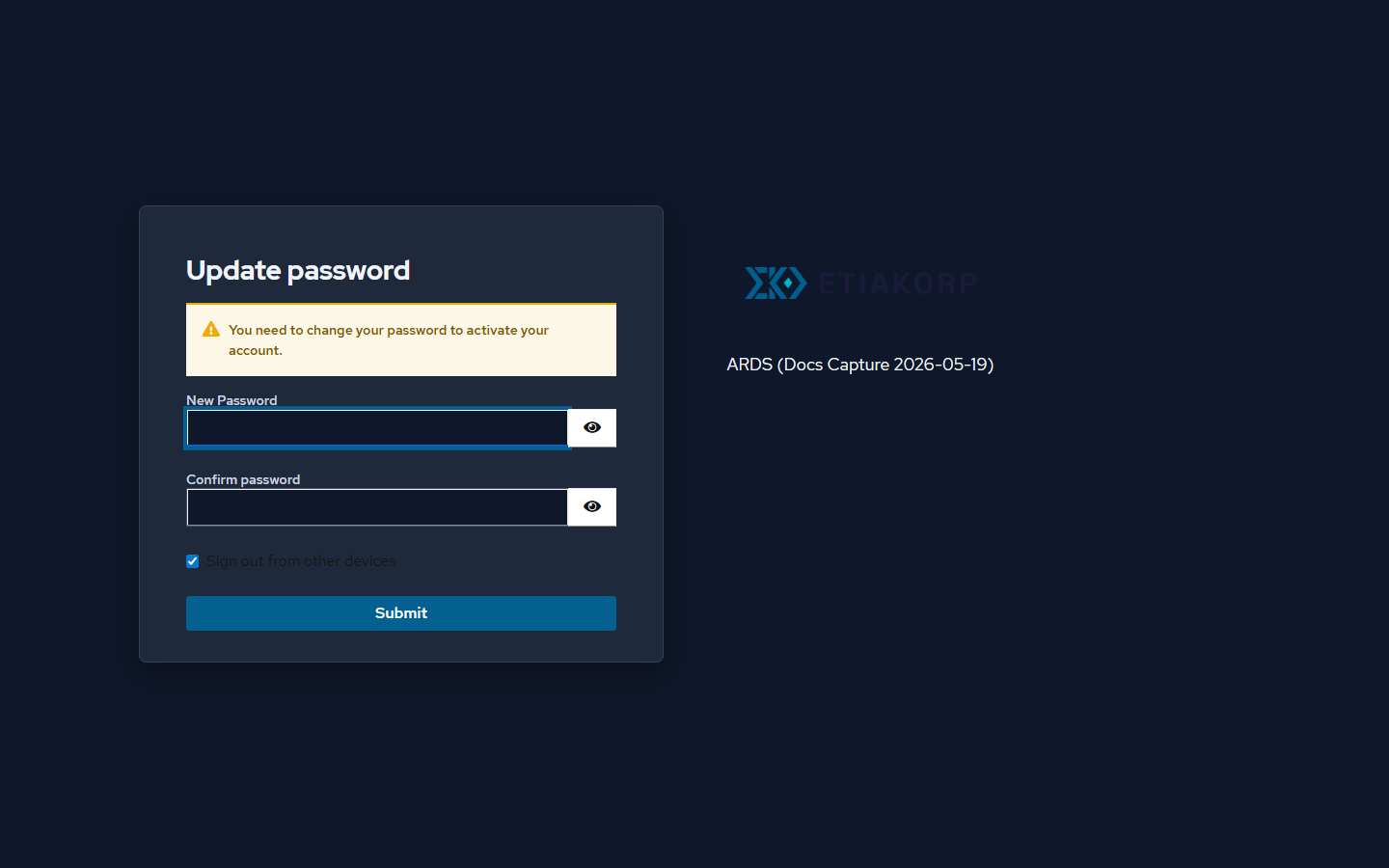
2. Activate your account
The link walks through two steps, both handled by the identity provider:
- Set your password. Pick anything reasonable — you'll only need it once.
- Verify your email. One click confirms it's really you.
After both, you're redirected to your tenant's URL: https://<your-slug>.ards.etiakorp.com/. The exact slug is in your email — bookmark the page.
3. Sign in
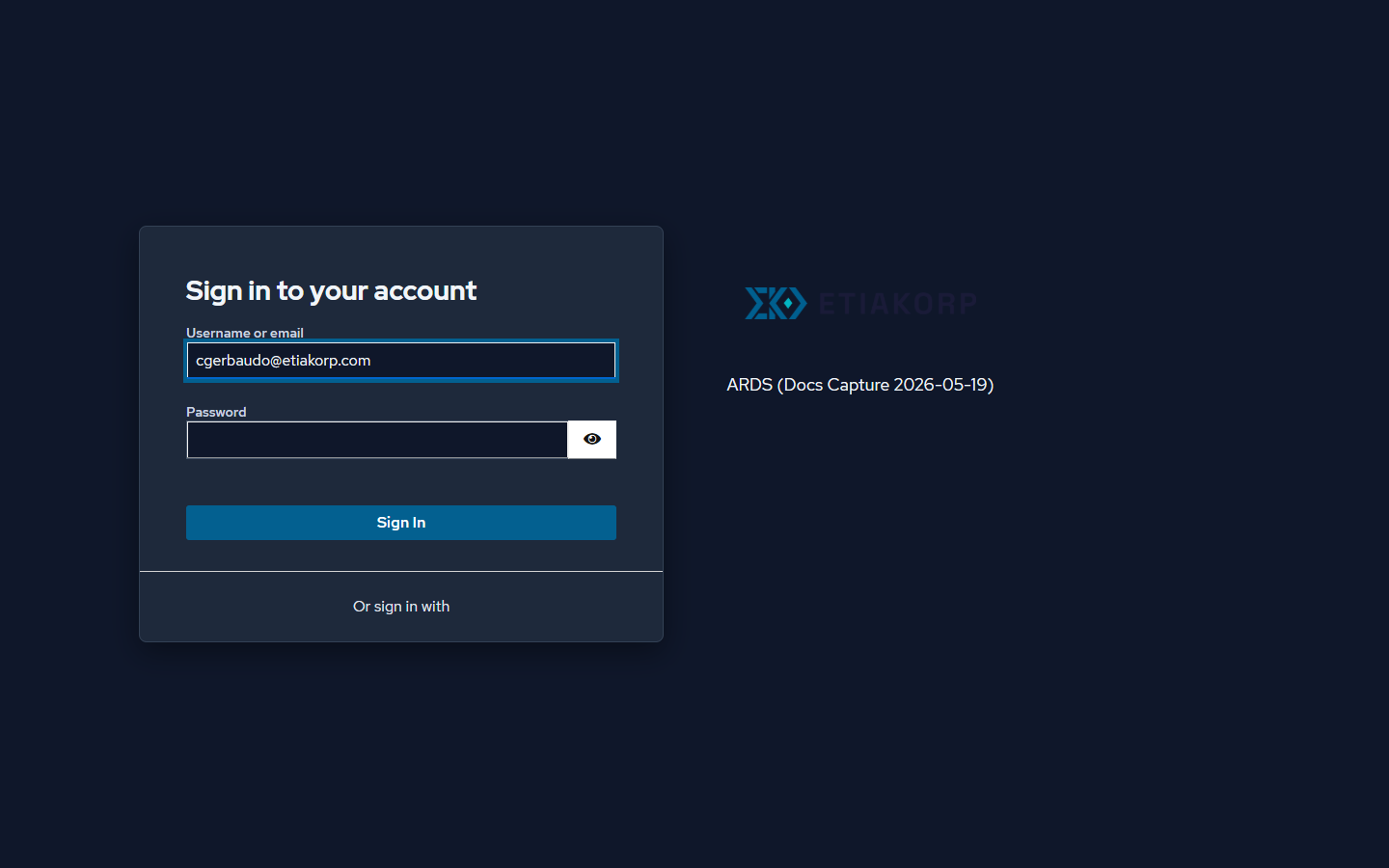
You land on the sign-in screen (still the identity provider — Genesis itself is one step further). Your email is pre-filled. Enter the password you just set. You'll only do this sign-in once for the session.
If the URL doesn't load on the first try, wait 1–2 minutes and refresh. New tenant subdomains need a moment for DNS and the TLS certificate to propagate. If it still doesn't work after 5 minutes, see Troubleshooting.
4. Connect a model provider
There's no separate setup wizard — first-run setup happens on the regular pages, in two short steps: connect a provider, then register a project.
The provider comes first, because everything downstream runs on it:
- Open LLM Config. It's listed on the All features index at the bottom of the sidebar — and until a provider is connected, the Conversations page shows an Open LLM Config shortcut too.
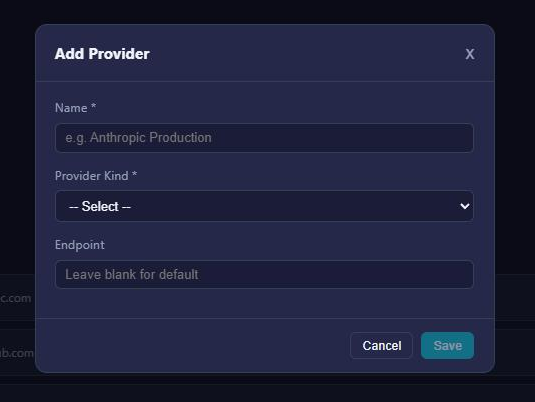
- On the Providers tab, click Add Provider: give it a name, pick the provider kind — Anthropic (the recommended default), OpenAI / Synthetic, Ollama or JetBrains — and leave the endpoint blank to use the provider's default.
- On the provider you just created, click Add Credential and paste your API Key.
5. Register your first project
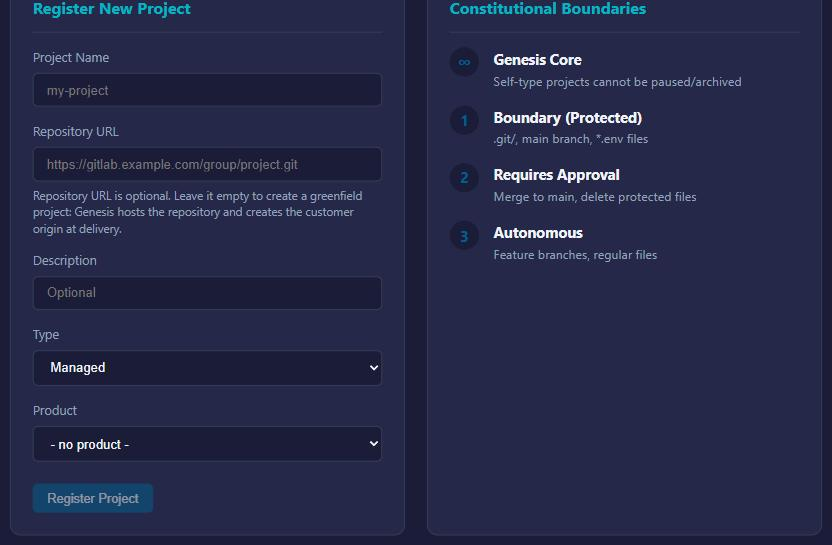
Now the project. Click Projects in the sidebar and fill in the Register New Project form:
- Project Name — anything readable.
- Repository URL — optional, HTTPS or SSH.
- Paste a URL to have ARDS work on an existing repo. For a private HTTPS repo, there's a Personal Access Token field (read scope; stored encrypted, used only to clone into the mirror). For an SSH URL, the form generates a deploy key for you to add at your Git host.
- Or leave it empty. The form spells out what that means: "Repository URL is optional. Leave it empty to create a greenfield project: Genesis hosts the repository and creates the customer origin at delivery." That's the easiest first run — no repo to prep, no URL to hunt down.
Click Register Project. That's the whole job: the project is cloned, indexed, and onboarded automatically — ARDS builds its picture of the project from what's actually in the repository. There is no separate onboarding flow to babysit.
While that runs, make it the active project: open the project selector in the top bar — the dropdown that reads All Projects until you pick one — and choose your project. That scopes the app to this project and adds two per-project links under Projects in the sidebar: Project Intel and Onboarding.
6. The dashboard
Head to Home — the dashboard is your home page.
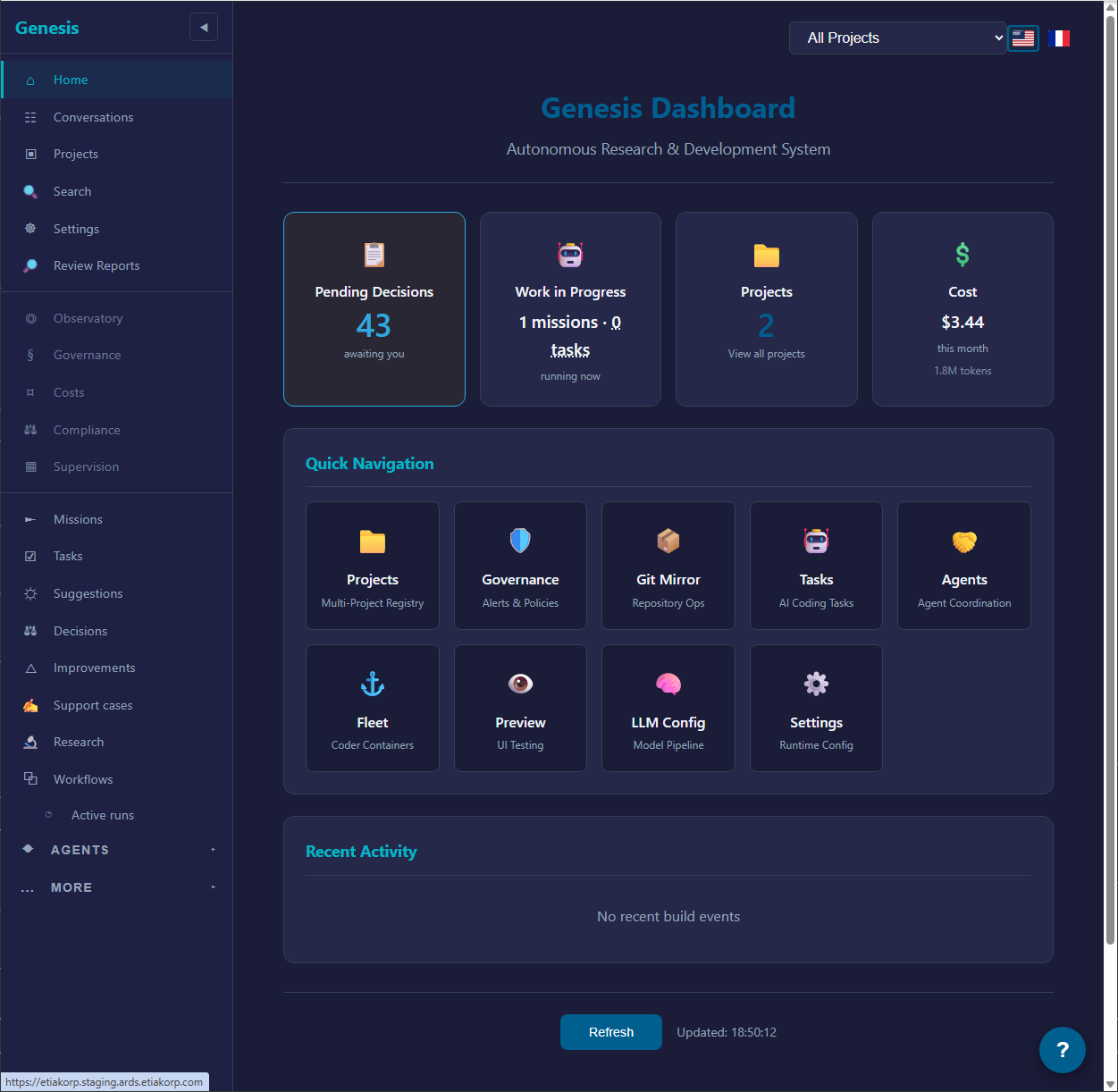
One thing worth knowing early: the sidebar starts small on purpose. A few entries — Tasks, Reviews, Suggestions, Support cases, Research — only appear once your tenant produces its first artifact of that kind (your first task, your first review…), and once revealed they stay. Until then, every page is still reachable from the All features index at the bottom of the sidebar.
From here, two places matter next:
- Decisions — the approvals queue. Once onboarding completes, the project's steward proposes a first mission here, and every approval after that arrives in the same queue.
- Conversations — where you brief ARDS yourself. That's the next page: First conversation, mission & review.
A note about the mobile app
A mobile app exists in development. It's not deployed for testers yet. Stick to the web app in a desktop browser for v1.
First conversation, mission & review
You're on the dashboard. The full loop has three pages: Conversations, Missions, and Reviews. Conversations and Missions are always in the left nav; Reviews joins them later (it appears once your first mission produces work). Walking through them once cements the model.
1. Start a conversation
Click Conversations in the sidebar, then + New Chat.
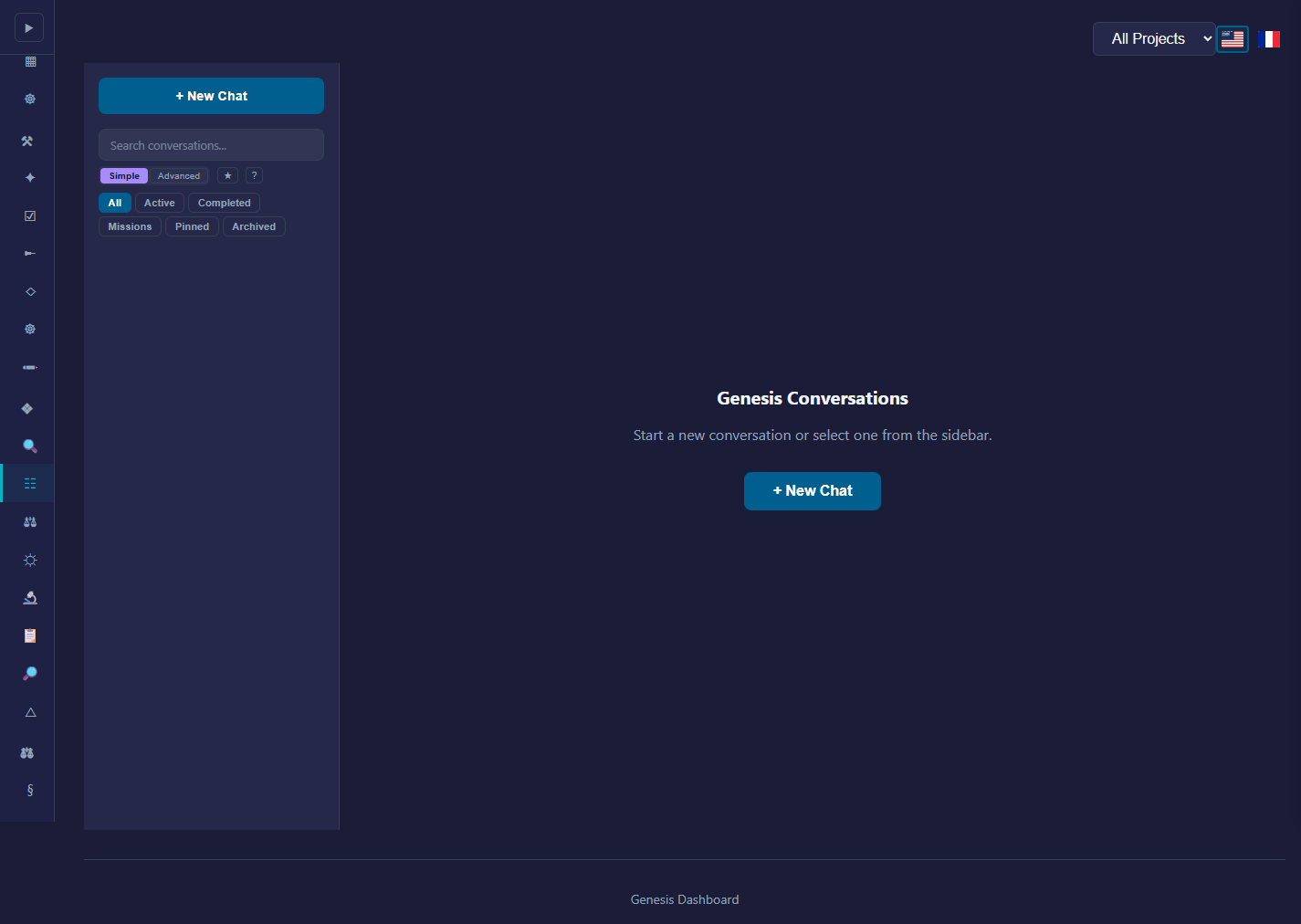
A blank chat opens. Describe what you want, in plain language, the way you'd brief a developer friend. Worked examples:
- "Scaffold a Python FastAPI service with one
/healthzendpoint and a Dockerfile." - "In
my-app/, theLoginFormdoesn't show validation errors. Add a red helper text under each field that fails validation." - "Write a brief design doc for migrating our settings module from JSON to YAML. Don't implement anything yet."
Tips that consistently land good results:
- Mention the file or area when you can. "the cart total widget" beats "the totals thing".
- Say what you don't want. "Don't touch the database schema" closes off a tempting wrong turn.
- One outcome per conversation, ideally. If you want two things, two conversations is cleaner.
ARDS responds in the chat. You're talking to a planning model, not a coder — it asks questions, clarifies scope, and proposes how it'd break the work down. Answer the questions; when it has enough, it proposes a mission.
2. Promote to a mission
When ARDS has a concrete-enough picture, it files a mission proposal itself — there's no create-mission button in the chat, and saying "yes" doesn't start anything on its own. Nothing runs yet: the proposal waits for your approval.
The proposal arrives as a pending item in the Decisions queue in the sidebar. Open Decisions, read it, and approve it — the mission then shows up on the Missions page (you're not navigated there automatically). Prefer to skip the conversation entirely? The Missions page also has a manual Create Mission form.
3. Approve the plan
If your mission was created with a workflow attached, there is no plan-approval step: the graph is the plan, and you decide at the workflow's gates instead — see Runs, acceptance & changements.
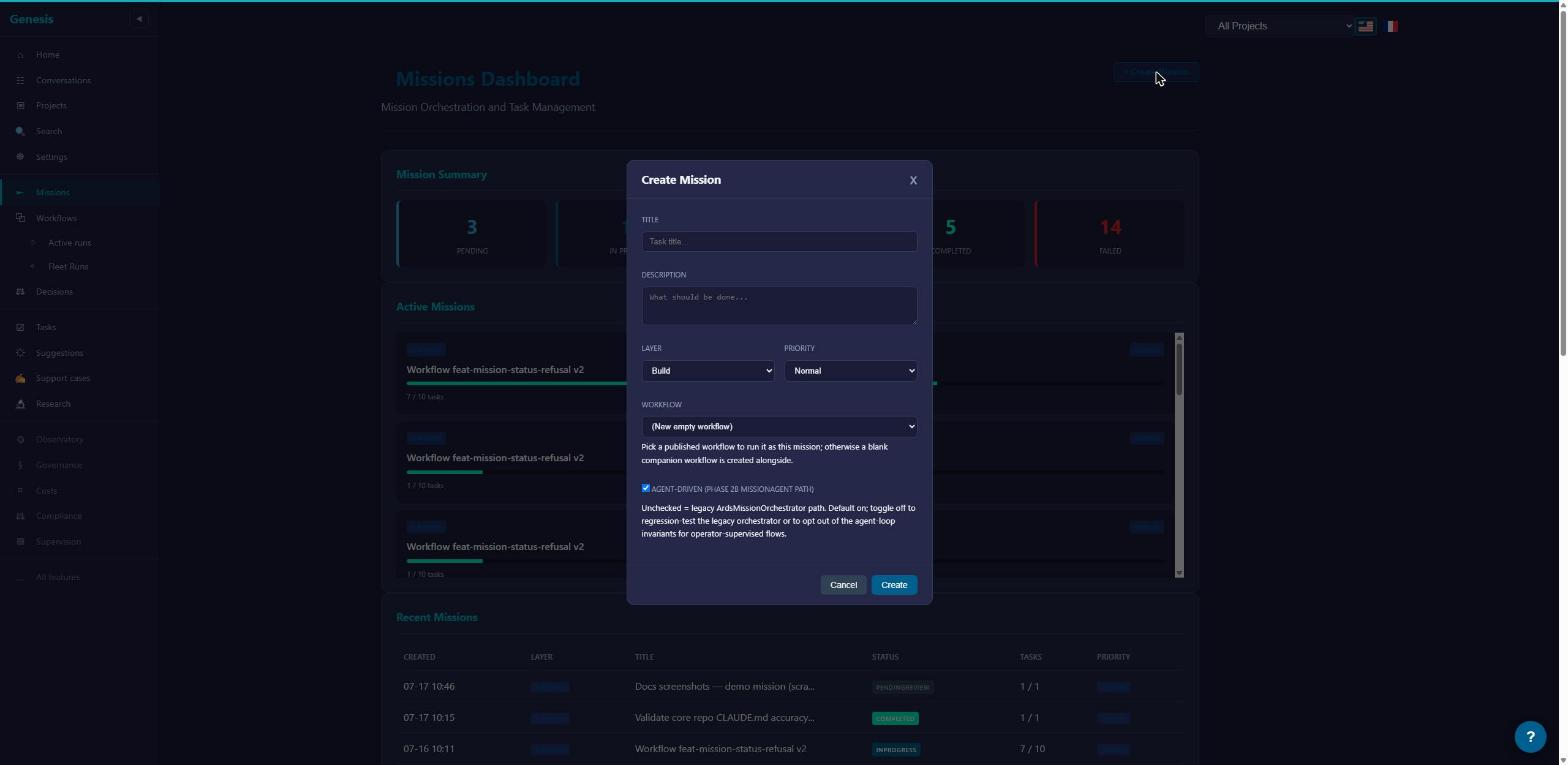
Otherwise the mission moves through its planning states (Planning, then Decomposing while the planning model breaks the work into individual tasks — usually 10–30 seconds) and stops at Decomposed. On the mission page you'll see:
- The plan: a list of tasks the mission proposes to run, in order. Each has a one-line summary.
- A banner — "Decomposition plan ready" — with one button: Approve Decomposition Plan (the Missions list offers the same action).
The plan is approved as a whole — there is no per-task selection. If you don't want it, don't approve it: nothing dispatches while the mission sits at Decomposed, and Cancel Mission on the mission page abandons it.
Until you approve, no coder runs on this plan. (Missions that run a workflow pause at the workflow's own gates instead — and either way, nothing lands on your repo without your say-so.) This is the first human gate.
4. Watch the coders work
Approved tasks transition to Pending, then InProgress as a coder picks them up. Each task shows live progress: which step it's on, which files it's touching, what model it's using. You don't need to babysit — you can leave the page and come back. ARDS sends an email when a task needs your attention or when the mission finishes.
One extra task will appear that you never planned: the platform's verification step. On a mission that produces code, once every planned task is finished ARDS appends a system task named "Verify the built application: …". It needs no approval — it dispatches on its own. Its coder checks out the integrated branch read-only, builds and starts the application, exercises the mission's main flow, and reports a verdict as the first line of its result — VERDICT: VERIFIED or VERDICT: FAILED with a reason — changing and committing nothing. The mission only completes once this task finishes, and the verdict is shown with the mission's completion review. Treat anything other than VERDICT: VERIFIED as not verified, and read the task's result for the evidence.
If a task needs you (an answer, a clarification, an approval), that need surfaces as a pending item on the Decisions page in the sidebar — that's not a failure, it's your turn. See Lifecycle states for how the states fit together.
5. Review the result
When a coder finishes, its work lands on the review mirror — a separate copy of your repo. The Reviews page lists pending changes (the sidebar entry appears once your first mission produces work).
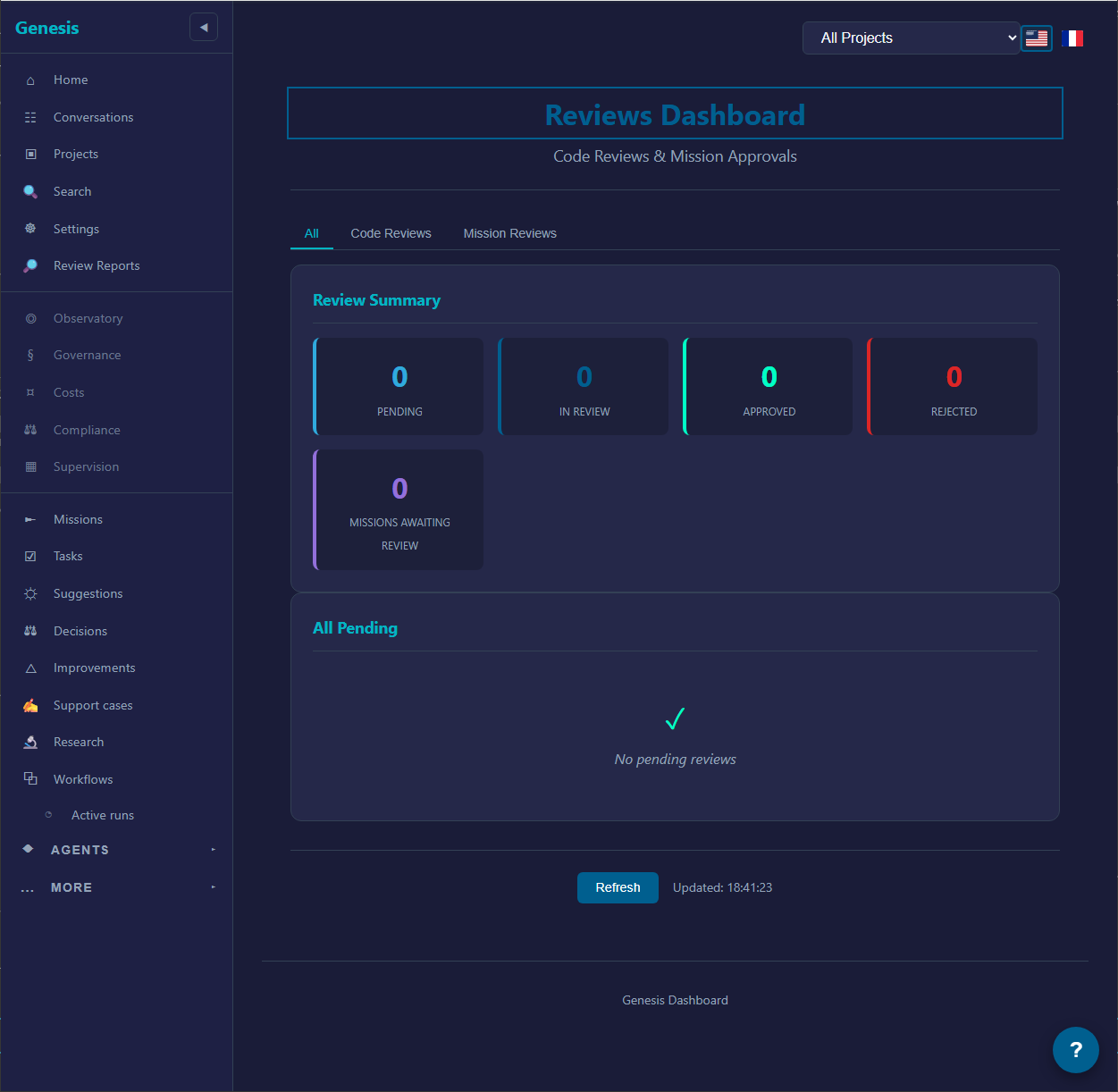
Click into a pending review. You see:
- The diff, file by file.
- A one-paragraph summary of what the coder did and why.
- A comment box and two buttons: Approve / Reject.
Approve pushes the change through to your origin repo. Reject (it asks you to confirm, and takes an optional comment) declines the work — nothing reaches your origin. There is no request-changes verb on a review: if you want another iteration, brief it in a conversation — that's the same loop you just walked.
If your mission ran a workflow: the work arrives as a run you accept — or leave unaccepted — not as a review here; see Runs, acceptance & changements.
That's the loop. Most of what's behind the dashboard (settings, fleet management, observability, LLM config) you can ignore for your first session — come back to it when you want.
Vocabulary
A short glossary of the words you'll see in the app. Each one is just what it says on the tin — there's no hidden complexity.
-
Conversation — Where you describe what you want, in plain language. Like chatting with a developer who happens to be very, very good at reading specs. A conversation can stay informal forever, or you can promote it to a mission when it's concrete enough.
-
Mission — The complete unit of work for one concrete change — usually a conversation that got concrete enough to promote. A mission lives on its own durable branch and holds the runs that build the change. It stays conversable, too: every mission has its own chat, so you can ask it where things stand or steer it mid-flight.
-
Workflow — A reusable, versioned plan, drawn as a graph of nodes in the visual editor. A workflow executes nothing by itself: you attach it to a mission, and it runs there.
-
Run — One execution of a workflow inside a mission, on its own branch. You review each run's result — the diff — and accept or discard it; accepting folds it into the mission. See Lifecycle states.
-
Task — One node of the running plan, materialized as a unit of coder work. A task is an execution snapshot you can inspect: the result, the diff, what it cost, how many attempts it took.
-
Changement — The reversible delta an accepted run adds to the mission. The mission's merge request is the composition of its accepted changements, and each one can be reverted on its own (anything built on top follows, with a confirmation first).
-
Coder — The AI agent that does the work. Each coder runs in its own container, with the model and tools it needs, and pushes its results to the review mirror. Coders come in three variants (standard, browser, android) — the lanes ARDS queues and scales containers in — and a task can additionally draw on shared capability pools (a real browser, an Android emulator, a Windows environment). See How coders work.
-
Review / approval gate — The human-in-the-loop step. Coders push to a review mirror — a separate copy of your repository — and nothing reaches your real repository until you approve it. You approve or reject each batch.
-
Attention request — A signal from the system that a person is needed. Most attention requests come from missions ("approve this plan", "answer this clarification") but they can also fire when a coder gets blocked, or a provider key fails. Attention requests are surfaced in the dashboard and via email.
-
Modification — A change that has been approved and merged through to your origin repo. The Modifications page is the audit trail of "what actually landed". With the run model, each accepted run lands as a reversible changement, and the merge request is their composition.
-
Product — A planned grouping layer above projects. Not in v1: today the top of the tree you'll actually touch is the project/workspace. If you meet the word 'product' in these docs or in chat output, read it as 'a future grouping of projects' — nothing in the current UI points at one.
-
Workspace / project — A repository ARDS knows about. You register one from the Projects page, and can add or switch there later. Each workspace has its own review mirror.
-
GitMirror — The internal service that holds the review-side clones. You'll see "the mirror" in chat messages and review screens; that's GitMirror.
-
Provider — An AI provider you've connected: Anthropic, OpenAI-compatible, Synthetic.new, etc. Providers carry API keys; multiple providers can be connected simultaneously.
-
Model — A specific LLM you can route work to:
claude-opus-4-7,claude-haiku-4-5,hf:Qwen/Qwen3-Coder-480B-A35B-Instruct, etc. Different models for different jobs — see Models, providers & costs. -
Node instructions — Every workflow node can carry extra instructions layered onto its prompt. You set them by hand — per run, per project, per tenant, or globally; the most specific one wins. ARDS proposing a better prompt on its own is not in v1; if that lands, the proposal will arrive as a decision you approve or reject — nothing will ever apply itself.
That's the core vocabulary. A handful more terms exist on advanced pages (the orchestrator, Ghost, Cycle) — see Advanced. They're optional reading.
Lifecycle states
Missions, tasks, and reviews each have their own state machine. Understanding them takes ~2 minutes and saves a lot of "wait, is this stuck or just thinking?" later.
Every mission follows the same lifecycle; what varies is where its plan comes from. Today most missions are decomposed into tasks by the planner, and you approve the plan before anything runs — that's the path this page describes. Increasingly, a mission carries a workflow as its plan: each execution is a run on its own branch; you accept a run's result — or leave it unaccepted — and accepted runs stack up as reversible changements that compose the mission's change. The workflow-run path is becoming the primary execution model; planner decomposition stays available while that transition completes. Run outcomes are in the states cheatsheet.
Mission states
The happy path reads left to right: a mission is created (Pending), gets planned (Planning — decomposition into tasks, with a stop at Decomposed while ARDS waits for you to approve the proposed plan), runs (InProgress), lands in PendingReview while its results wait on you, and ends Completed — or Failed if it can't continue. Cancelled is the early exit, and it cascades to in-progress tasks. A mission proposed from a conversation starts one step earlier still, in AwaitingApproval: the proposal itself waits for your go-ahead before the mission even enters Pending.
Two states sit beside that line rather than on it:
- Paused is a resumable hold. The Pause button on the mission page stops new work; Resume puts the mission back to InProgress. Nothing is lost while paused.
- Completed, Failed, and Cancelled are terminal — with exactly one sanctioned exception: starting a new run on a Completed mission reopens it to InProgress. That's the only way out of Completed.
A state change the mission doesn't allow is refused, not silently ignored: the error tells you the mission's current state and which transitions it will accept. If an action bounces as an invalid transition, read that list before retrying — the same click will bounce again.
The full state table (every state, terminal vs. resumable) lives in the states cheatsheet.
You can act on a mission at any time:
- Cancel Mission is shown unless the mission is already Completed or Cancelled.
- Pause / Resume hold and release the work.
- Re-planning goes through the plan decision itself: instead of approving, pick Request Changes and the mission returns to Planning for a fresh decomposition. Reject cancels the mission entirely.
Task states
A task is Pending while it queues for a coder, InProgress while the coder works, then Completed (the result lands on the review mirror), Failed (the task page shows logs and the model's last message), or Cancelled. A few tasks pause in special states instead — the coder can exhaust its turn budget, or wait out a provider quota window. Those are covered in Troubleshooting, and the full table is in the states cheatsheet.
Needing you is not a task state. When a task wants a human — an approval, an answer, a choice of direction — that need surfaces as a pending item on the Decisions page. A pending decision is not failure; it's a polite "your turn", and the work waits until you respond.
Review states
Reviews live per-task. Each review represents one batch of changes pushed to the mirror.
| State | What it means |
|---|---|
| Pending | Mirror commit is ready; nobody has looked yet. |
| In review | The review is open; the diff is being read. |
| Approved | You approved. ARDS will (or already did) push to your origin repo. |
| Rejected | You declined the work. The branch is kept on the mirror but never reaches origin. |
| Cancelled | The review was withdrawn without a verdict; nothing lands. |
A review that's still Pending or In review offers exactly two buttons — Approve and Reject. Rejecting asks you to confirm and takes an optional comment.
If a finding came from the Review Engine (the automated reviewer — see Review Engine), individual findings carry their own status: Open, Investigating, Resolved, Dismissed, Deferred.
The run path
When a mission runs a workflow, each execution is a run with its own small state machine:
| State | What it means |
|---|---|
| Proposed | The run is in flight or finished; the result isn't judged yet. Nothing lands until you decide. |
| Accepted | You accepted the run. Its changes land on the mission branch as one reversible changement. |
| Rejected | The run was declined — including proposals rejected automatically when you accept a sibling run. Nothing landed; there is nothing to undo. |
While a run waits at a gate, the gate pauses the run's tasks, and the mission shows PendingOperatorDecision until you decide. Run outcomes are in the states cheatsheet; the full acceptance loop is in Runs, acceptance & changements.
What to do when a state surprises you
- Stuck in Decomposing for more than ~2 minutes → refresh the page; the planner sometimes needs the page to be open for SignalR updates. If still stuck, see Troubleshooting.
- A task seems to be waiting on you → open the Decisions page; the pending item's card says what's needed.
- Mission marked Failed but no obvious reason → the failure summary at the top of the mission page surfaces the first failing task's error. Click into that task for the full log.
How coders work
A coder is one Docker container running an AI agent that's been wired up with a model, a set of tools (file edit, shell, git, MCP), and — for each task it picks up — a clone of your workspace. Coders aren't spawned one per task: they're pooled queue consumers, and ARDS grows and shrinks the pool with demand.
The container lifecycle
Tasks queue up per coding tool and variant (standard, browser, android). ARDS regularly compares each queue's depth with the number of coder containers consuming it, and acts:
- Cold start — tasks are waiting and no container is running for that queue → ARDS starts one. This is why the first task after a quiet stretch takes a little longer to leave Pending.
- Scale up — the backlog grows past a threshold → another container joins, up to a cap.
- Work — a container picks up a task (the task shows InProgress), clones your workspace from the review mirror, and gets going: reads files, runs commands, edits, tests, iterates. Everything happens inside the container — your host filesystem and origin repo never see any of it. Credentials the coder needs (API keys, git tokens) are injected as environment variables when the container starts.
- Task end — success, failure, or cancel: the coder commits to a branch on the mirror and pushes. Anything that wasn't committed is lost — by design.
- Reuse — the container doesn't die with the task; it goes back to its queue and consumes the next one.
- Scale to zero — once a queue has sat empty for a stretch of idle minutes, its containers are removed. A container that exits or turns unhealthy is replaced automatically while work is still queued.
So a container may live through one task or many — but a task's work products live exactly as long as they're committed to the mirror. That point matters for what coders can and can't do, see below.
Inside a workflow, a coder's success, failure, or refusal routes down the workflow's outcome arms — see Anatomy of a workflow.
Coder capabilities
Every task runs on the standard coder image (backend, frontend, MCP tool development — .NET 10 SDK, Node.js, npm, common test frameworks). What varies per task is which extra capabilities are attached to it, drawn from shared capability pools:
- Browser — a real Chrome for visual testing, browser automation, or E2E flows that need a real DOM.
- Emulator — an Android emulator for mobile work.
- Windows tooling — a Windows environment for tasks that need one.
You don't pick these yourself — they're attached when the task calls for them, and most tasks need none of them. If you're curious how a task ran, the task page's details include the provider that served it, the branch it worked on, how many turns it took, and what it cost.
What coders can do
- Read, edit, and create files in the cloned workspace.
- Run any command available in the image —
dotnet,npm,pytest, etc. - Hit the internet for documentation and package downloads.
- Use MCP tools (the ARDS bridge) to look up project state, validate work, etc.
- Commit + push to the mirror.
What coders can't do (or won't)
- Push to your origin repo. Only the approval flow pushes through to origin.
- Persist work anywhere but the mirror. Only what's committed and pushed survives a task; the container's scratch state is disposable, and idle containers are routinely scaled away.
- See other tenants' data. The coder pool is per-tenant; one tenant's containers never serve another tenant's tasks.
- Hold a conversation directly with you. If a coder needs input, it raises an attention request that surfaces in the dashboard — it doesn't pop up a chat window.
- Edit code outside the workspace. Coders are scoped to one workspace at a time.
Where to read coder logs
On any task page, the Coder session link at the top opens the live session view for that task — everything the coder said and did: the tool calls, the model output, the commands it ran. If a task failed, this is where the cause usually lives. The same data feeds the Costs page (token-level accounting per task — see Tracking costs).
For workflow runs, the run viewer goes further: the node sheet and the Coder session panel show the effective prompt exactly as dispatched, the files touched, a diff on demand, and per-file or zip downloads. See Watching a run.
How long a task takes
Highly variable. Small refactors finish in a couple of minutes; a "write a new module with tests" task might take 10–20 minutes; an "implement feature X end to end" task can run an hour or more. Token usage scales roughly with wall-clock time when the same model is in use.
Models, providers & costs
ARDS doesn't run its own models. You bring API keys and ARDS routes work to those providers. This page covers the model lineup, what each is good for, and how billing works.
Provider families
- Anthropic Claude — the recommended default. Per-token billing through your Anthropic account. Four model tiers (Fable / Opus / Sonnet / Haiku) trading intelligence for cost.
- OpenAI & OpenAI-compatible — supported via the same
sk-…API key shape. Use this for OpenAI directly or for any provider that exposes an OpenAI-style API (e.g. Azure OpenAI, OpenRouter). - Synthetic.new — flat-rate subscription, not per-token. Hosts a curated catalogue of strong open-weight models (Qwen, Kimi, GLM, MiniMax and others). Good for high-volume work where token costs would otherwise pile up. Models carry the
hf:prefix in their IDs. - JetBrains — also selectable in the add-provider dialog on the LLM Config page.
- Ollama (local) — supported but only when you're running ARDS-adjacent infrastructure yourself; not relevant for hosted testers.
You may also meet a GitHub Copilot provider entry: a bring-your-own-key kind, backed by a fine-grained GitHub PAT with the Copilot Requests scope.
You can connect more than one provider. ARDS uses fallback chains so that, e.g., a primary Claude call that fails on credits silently retries on Synthetic. Configure chains on the LLM Config page.
Picking a model
For your first session, leave the defaults alone. The default conversation model is Opus; coder tasks follow the platform's presets, which pick a model per kind of work.
When you're comfortable, the rough rules of thumb:
- Planning / decomposition → Sonnet. It's fast and good at structure.
- Implementation tasks → Opus for harder tasks, Sonnet for routine.
- Test scaffolding / boilerplate → Haiku. A fifth of Opus's price per token and entirely capable for repetitive work.
- Cost-controlled high volume → Synthetic.new (e.g. Qwen3 Coder 480B). Flat-rate so you can leave it running.
Costs you'll see
The Costs dashboard tracks every dollar spent. Its two main panels are Costs by Source (which part of the platform spent it) and Costs by Model (where your spend concentrates). Filters above them slice by provider and date range, and switch the cost basis between Billed, API-equivalent (what subscription-covered usage would have cost at per-token rates), and Both. The page also shows subscription-usage windows, rate-limit events, and a table of recent cost records.
Anthropic prices are set per model family (per million tokens, current as of v1):
| Family | Input | Output | Context |
|---|---|---|---|
| Claude Fable | $10 | $50 | 1M tokens |
| Claude Opus | $5 | $25 | 200K tokens |
| Claude Sonnet | $3 | $15 | 200K tokens |
| Claude Haiku | $1 | $5 | 200K tokens |
Newly discovered versions inherit their family's figures — Opus 4.8 and Opus 4.7 both bill at the Opus rates. Fable is the top tier, with a 1-million-token context window for work that needs a very large view. The full current lineup is in the models reference.
Synthetic.new is flat-rate by subscription — no per-token math; pick a plan and pour as much work through as you like.
Honest expectation: a "fix this bug" task costs cents on Sonnet. A "build a new microservice end to end" mission spanning several Opus tasks can run several dollars. The Costs page tells you in real time.
What happens when a key runs out
- Out of credits → you get an error in the mission, and (if a fallback chain is configured) ARDS retries on the next provider in the chain.
- Rate-limited → ARDS backs off and retries. Long-running rate limits surface as an attention request.
- Key revoked or invalid → mission fails. Re-add the key on the LLM Config page.
See Troubleshooting for the specific error shapes.
Security & data boundaries
A plain-English version of "where does my code go" and "what does ARDS keep". If you're using ARDS for real-repo work, this is the page to read carefully.
Your code
- Origin repo (yours): ARDS never pushes to it without your explicit approval click. There is no "auto-merge" mode in v1.
- Review mirror (ours): when you connect a repo, ARDS clones it onto an internal Git server. Coders work against this mirror. Approved changes are pushed back to your origin on your behalf.
- Coder containers: each coder works on its own clone of the mirror, inside a container from your tenant's pool. Containers are reused across tasks and scaled away after idle minutes — and nothing a coder doesn't commit and push to the mirror survives the task.
If you delete your tenant, all mirrors and conversation history go with it. (Backups are kept on rotation for short-window restore. Ask support if you need exact retention numbers.)
Your API keys
- Stored in our secret store (HashiCorp Vault on the platform side).
- Injected into coder containers only as environment variables at container start.
- Never written to disk inside the container.
- Never logged in plaintext.
- Never sent to providers other than the one the key is for.
You can revoke them at any time. Either remove from the LLM Config page (we stop using it immediately) or revoke at the provider — ARDS will surface the rejection as an error.
Your conversations and missions
- Stored in our database (Postgres).
- Visible only to your tenant.
- Used internally for:
- Mission orchestration (the planning model reads the conversation it's planning).
- Searchable history in the Intelligence dashboard (your own search; tenant-scoped).
- Cost accounting (token counts per task).
We do not train models on your data. We don't have a model to train.
The in-app Ask Genesis help assistant answers product questions only — it can't see or change your project data.
Tenant isolation
- Each tester gets their own subdomain:
<slug>.ards.etiakorp.com. - Each tenant has its own Postgres database (separate database per tenant inside a shared Postgres cluster).
- Each tenant has its own Vault namespace for secrets.
- Coder containers are pooled per tenant; one tenant's coder can't see another's data.
The shared edge components (Postgres cluster, Vault server, K8s control plane) are tenant-aware: every query is filtered by tenant ID at the row level and the database boundary.
What about secrets in code?
If your repository contains hard-coded secrets and you push them through the review mirror, the coders will see them. They won't do anything with them deliberately, but they're still visible. Recommendation: don't trust the mirror for unredacted secrets; rotate any key that's lived in the mirror's history if you decide to move off ARDS.
The Review Engine's secret-scan domain catches obvious leaks (AWS keys, JWT tokens, etc.) and surfaces them as findings — see Review Engine.
What we log
- Mission state transitions.
- Task starts, ends, failures, with anonymised durations and token counts.
- HTTP errors hitting the dashboard.
- Operator-side platform metrics (CPU, memory, etc.).
Logs do not contain prompts or model outputs. They contain enough to debug "why did this mission fail" without snapshotting the content of your conversation.
Notifications
ARDS sends emails when something needs your attention or when something finished. Everything you see in email is also visible in the dashboard.
Email events you might see
- Welcome / activation — once, when your tenant is provisioned. Sender:
update@etiakorp.com. Subject mentions account activation. - Mission decomposed — when a mission's plan is ready and waiting for your approval. Subject names the mission and the task count. The link goes straight to the approval screen.
- Mission completed — when every task in a mission succeeded.
- Mission failed — when a mission can't continue. The email summarises which task failed and why; the link goes to the failing task.
- Attention request — when a coder needs human input mid-task (a clarification, an approval, a decision). The email contains the question text. Use the dashboard link to respond; replying to the email itself doesn't work in v1.
- Task failure — when an individual task errors out (separate from full mission failure, e.g. one task in a five-task mission).
What you won't get emailed about
- Routine task progress (those land in the dashboard only).
- Cost milestones (visible in the Costs dashboard).
- Successful Review Engine findings (they queue up in the Reviews page).
- System maintenance windows — those go via operator-side comms, not in-app email.
Sender domain and spam
All system mail comes from update@etiakorp.com. If you're using Outlook, Live, or Gmail, the first email frequently lands in spam — mark the sender as legitimate the first time and subsequent mail reaches your inbox normally.
We don't send marketing email. If we ever need to send platform-level news, it'll come through the same channel with a clear subject prefix.
Threading
Emails about the same mission are threaded together by mission ID. If you have email-thread view in your client, every notification for a mission lives in one conversation.
Replying to notifications
Replying to a system email lands in our inbound queue but doesn't drive action in the product. For a support reply, use support@etiakorp.com directly. To answer an attention request, click through to the dashboard.
Muting
There's no self-serve mute panel yet — the Settings dashboard holds the platform's configuration values and an audit log, not notification preferences. Recipients and per-event templates are managed on the platform side. If a class of email bothers you, write to support@etiakorp.com and we'll adjust it for you.
Workspaces & repositories
In the dashboard, the home of a codebase is a project: registering one tells ARDS where your code lives and makes it the place missions run against. Behind the scenes ARDS keeps its own clone of your repository — the working copy coders write to (you'll see it called the workspace in status messages) — and pushes approved work back to your real repository. You never manage the clone yourself; you manage projects.
There is no separate setup wizard any more. Registering a project does the whole job: it is cloned, indexed, and onboarded automatically, and the first mission — like every approval after it — arrives in the decisions queue.
The Projects page
Projects in the sidebar opens the registry — the page titles itself Project Management. All Projects lists every project as a card: its name (click through to the project's page), a status badge, its type, a link to its repository, and an Aspects progress figure from onboarding.
While the first clone is running, the card says Cloning workspace…. If it fails, the card says Workspace clone failed. with a hint about the likely cause and a Try Again button — a bad token or an unreachable host are the usual suspects.
Register a project
The Register New Project form sits on the same page:
- Project Name — required.
- Repository URL — where your code lives. The form adapts to what you paste:
- HTTPS — for a private repo, add a Personal Access Token. The form states the scope it needs: "Required scope:
read_repository(GitLab) /reporead (GitHub). Stored encrypted; used only to clone into the mirror." It also offers a direct link to your provider's token-creation page. - SSH — click Generate deploy key; ARDS generates an ed25519 keypair and shows you the public key to paste into your provider's deploy-keys list. Grant write access: a read-only key clones fine, but blocks the push back to your repository when work is approved later.
- Empty — allowed. The form explains: "Repository URL is optional. Leave it empty to create a greenfield project: Genesis hosts the repository and creates the customer origin at delivery."
- HTTPS — for a private repo, add a Personal Access Token. The form states the scope it needs: "Required scope:
- Description — optional.
- Type — Managed, Consulted, or Observed.
Click Register Project and watch the new card appear in the list; the clone, indexing, and onboarding run on their own from there.
Pick the active project
The project selector lives in the top bar of the dashboard, showing All Projects by default. Picking a project scopes what you see — conversations, missions, and decisions filter to it — and per-project entries (Intelligence, Onboarding) appear in the sidebar for it.
A project's page
Click a project's name to open its page: the description, its id, current phase, repository link, and creation date, plus the project's vision when one is set. From here you reach the project's Intelligence and Onboarding views, see the branch state across its missions, review its design canvases, and set up app browsing targets.
Boundaries: what agents may touch
The Projects page also states the standing rules — Constitutional Boundaries — that apply to every project:
- Boundary (Protected) —
.git/, main branch,*.envfiles: agents don't touch these. - Requires Approval — merge to main, delete protected files: only with your explicit approval.
- Autonomous — feature branches, regular files: agents work freely here.
This is why day-to-day agent work happens on branches, and why anything that lands on your main branch passed through a human gate first.
How approved changes reach your repository
Approved work is pushed to your repository automatically, using the credential you provided at registration — the Personal Access Token for HTTPS, the deploy key for SSH. There is no separate "publish" step, which is also why a read-only deploy key eventually hurts: cloning worked, but the approval push fails.
When a mission runs workflows, the path has one more named layer: each run you accept lands as one changement on the mission's branch, and the mission's merge request is the composed stack of those changements. Each changement can be reverted individually — dependent changements cascade, and you see a preview of the cascade before anything is undone. See the changement stack.
Design canvases
A design canvas is a set of visual mockups — several artboards laid out on one surface — produced for your project by a design task. The project page has a Design canvases panel listing every canvas produced so far, with its artboard count (N artboards); before any exist it says: "No design canvases yet. Dispatch a design task to create one."

Click a canvas to open the full-screen viewer at /projects/{id}/design/{taskId}/{slug}. There you can pan and zoom across the artboards, export what you see as PNG or PDF, and download the canvas sources as a zip (Sources (zip)). The viewer is view-and-export only.
How one comes to exist: a design-type task produces it. When the visual direction is genuinely open, the coder drafts a few low-fi direction artboards first and asks you to choose between them — that question arrives in the Decisions queue. Look at the directions in the viewer, answer the decision, and the task continues by building out the direction you picked.
One honest limitation: canvases are produced by tasks, not hand-edited — there is no editing them in the dashboard. If you want a canvas changed, say so in the mission or task that owns it.
Tuning LLM configuration
The LLM Config page in the sidebar is where you go beyond the "paste one API key and roll" defaults. You probably don't need it in your first session. Come back when you want to:
- Connect a second provider, or a second key on the same provider.
- Change which model a call site uses (dialogue, mission decomposition, research…).
- Set up a fallback chain (primary configuration fails → retry on the next one).
- Restyle the whole setup in one click with a configuration mode.
A Project selector sits at the top of the page: System (default) edits the shared configuration; picking a project scopes your changes to that project only.
The six tabs
The page is organised as six tabs: Providers, Tools, Presets, Call Sites, Prompts, Modes.
- Providers — the providers you've connected and the credentials (API keys) attached to each. This is where keys live.
- Tools — coding-agent tooling for the coder fleet: the default tool, variant and model coders run with, and how many can run at once. Most testers never touch it.
- Presets — saved model configurations built from steps. Step 0 is the primary configuration; additional steps form the fallback chain.
- Call Sites — every place the product calls a model, grouped Research / Planning / Build. Attach a preset or manage a site's existing overrides here. This is the main lever you'll use.
- Prompts — per-site system prompt adjustments: add a preamble in front of the default prompt, or replace it entirely, with an Effective prompt preview.
- Modes — one-click switches that apply a named configuration across all call sites at once.
Common things you'll want to do
Add a provider and a key
Open the Providers tab. Click Add Provider and fill in a Name, the Provider Kind (Anthropic, OpenAI / Synthetic, Ollama or JetBrains) and optionally an Endpoint (leave blank for the provider's default). Then expand the provider row and click Add Credential: give the key a Label, optionally a Rate Limit Group and a Priority, and paste the API Key.
Click Test on the credential row to check that the key authenticates. The provider row has its own Test button too — it tests the highest-priority active credential.
A provider can hold several credentials. They are tried in priority order, and the ▲/▼ buttons move a key earlier or later in that order. A key that starts failing can be Quarantined (and reactivated later) without deleting it.
Pick which model a call site uses
Open the Call Sites tab. Sites are grouped by layer — Research (dialogue and research sites), Planning (mission decomposition), Build (execution). Find the card you want — for example Dialogue, or Mission Decomposition — and expand it. Pick a preset from the — Select preset — dropdown to apply it to that site — attaching a preset is how you choose the model. The Site Overrides section below lists any overrides already in effect on the site; the ✕ button resets one back to its default.
Dialogue is the most conversation-heavy site; decomposition is where mission plans are written. Moving either up or down a model tier is the cheapest way to trade quality against cost.
Set up a fallback chain
Fallback chains live inside presets. Open the Presets tab and create or edit a preset: it is a list of Steps, where step 0 is the primary configuration and each additional step is tried in turn if the previous one fails. Attach the preset to the call sites you care about from the Call Sites tab.
A common chain: an Anthropic step first, a Synthetic step second. Day-to-day runs on your Anthropic quota; if it's exhausted, the Synthetic flat-rate step picks up and keeps things moving.
Separately, within one provider, multiple credentials fail over by priority order (see above) — no preset needed for that.
Apply a mode
The Modes tab holds named whole-configuration switches — cards like Economy Mode, Max Intelligence, Synthetic Only, Local (Ollama) or Reset All. Click Apply on a card to preview and apply it across all call sites at once. You can also capture your current setup as a new mode (Capture Current State as Mode), and an application history at the bottom records who applied what, when.
Switch to a Synthetic.new model
ARDS recognises Synthetic models by the hf: prefix (e.g. hf:deepseek-ai/DeepSeek-V3.2). Connect a Synthetic credential on an OpenAI / Synthetic provider, then pick an hf: model in a preset step.
Things to know
- Changes apply immediately. The next call (dialogue turn, next task) uses the new config. In-flight calls finish on whatever config they started with.
- Every call is snapshotted. The LLM Snapshots page is a per-call viewer — it records the resolved configuration and provenance of each LLM call. Query it by time range and call site to retrace "what setup produced this output". Captured request/response text is purged after 7 days; snapshot rows after 30.
- Cost surprises are real. Moving everything up a model tier can multiply spend several times over. Watch the Costs page after big config changes.
When to leave it alone
For your first three or four missions, leave the defaults in place: dialogue sites default to Opus, and research and mission decomposition default to Sonnet 4.5. The LLM Config page is powerful but exposes a lot — don't tune it until you've felt the baseline behaviour.
Tracking costs
The Costs dashboard is the source of truth for "what does ARDS cost me?". It pulls from the live token accounting every LLM call generates.
Billed vs. API-equivalent
The dashboard's headline idea: not all usage is billed. A call that ran on a flat-rate subscription credential (an Anthropic subscription, Synthetic.new) costs you nothing extra — but the dashboard still computes what it would have cost at API list prices, so you can see the real weight of your usage.
The Cost basis switch at the top of the page has three positions:
- Billed — only dollars actually metered (API-key usage).
- API-equivalent — the ≈$ value of everything, as if it had all been API-metered.
- Both — the default: billed spend plus subscription-covered usage side by side.
The Cost Overview panel reflects the basis you picked, alongside total records and input/output token counts. A dedicated card, API-Equivalent (Covered by Subscription), carries the note "Not billed — this usage ran on the flat-rate subscription".
When subscription credentials are active, a Subscription Usage card also shows the provider's quota windows — session (5h) and week (7d) — with the percentage used and when each window resets.
What you see by default
The landing view shows the trailing 30 days. The filter bar offers:
- Date range — 24h / 7d / 30d / All tabs, or a custom From / To range.
- Provider — filter everything to one provider.
Below the overview, two panels split the spend:
- Costs by Source — by what generated the call:
coding_task,research,dialogue,mission_agent,workflow,email_content,search_synthesis, and so on. This is where you spot patterns like "research is 30 % of my total". - Costs by Model — by model, across providers.
Drilling down
Click a row in Costs by Source or Costs by Model to open a repartition drawer: a source's spend split by model (Repartition by model), or a model's spend split by source (Repartition by source).
There is no per-mission cost report. Instead, the Recent Cost Records table at the bottom lists individual records — timestamp, source, model, tokens, estimated cost — and each row links to the page that owns it: the coding task, the mission, the conversation. For per-call detail (the exact configuration and provenance of one LLM call), use the LLM Snapshots page.
What's free vs. metered
- Subscription credentials (Anthropic subscription, Synthetic.new flat-rate) — not billed per call. Their usage shows up as API-equivalent ≈$ values and counts against the subscription's quota windows.
- API-key credentials — metered per token. Every input and output token counts, at the provider's list price.
The dashboard shows public list prices. If your billing relationship gives you a discount, your actual invoice will be smaller than what the page reports.
Quotas and limits
Two surfaces keep you ahead of quota trouble:
- The Rate Limit Events table on the Costs page lists recent rate-limit hits — timestamp, the task that hit the wall, provider, model, and when the limit resets.
- The Quotas page shows each account's subscription quota windows with an Open / Shut until verdict per account. When an account's quota is exhausted, ARDS stops spawning new agent work on it until the window resets.
There is no hard spend limit: ARDS won't pause work because metered spend crossed a dollar threshold. If you want a guardrail, run on subscription credentials (flat-rate, can't surprise you) or set a monthly cap at your provider (Anthropic's console has one) — and watch the Costs page after big configuration changes.
The Decisions Dashboard
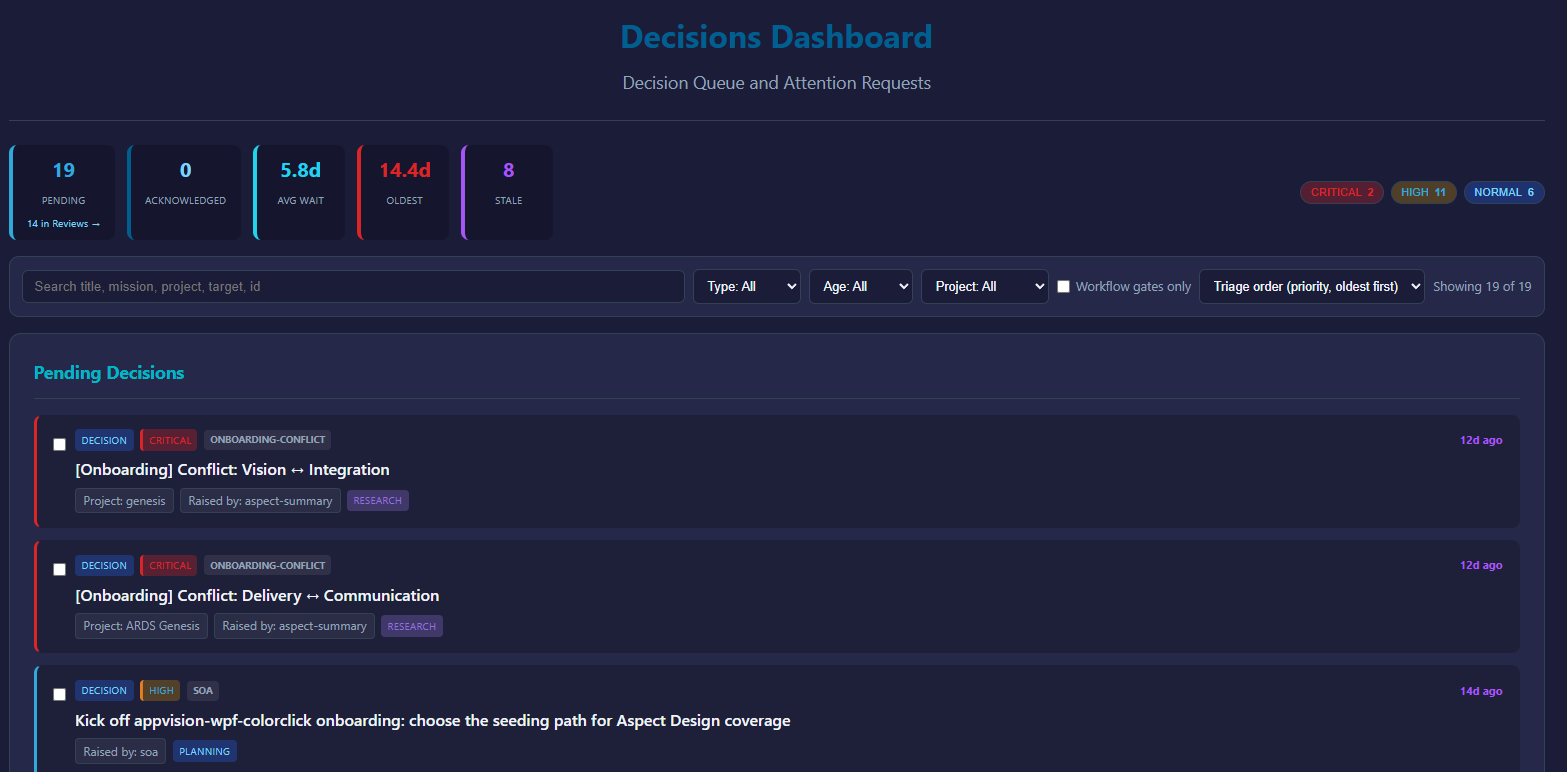
Decisions is always in the sidebar, and it is the one queue that matters most: everything in ARDS that is waiting on a human lands here. Wherever an attention request is raised — a mission asking you to approve its tasks, a workflow run parked on an approval gate, a coder blocked on a clarification, a provider key that failed — it surfaces on this page, across all your missions and projects, so you never have to hunt through individual mission pages to find what needs you.
Its subtitle says it plainly: Decision Queue and Attention Requests.
What lands here
Every card in Pending Decisions is something ARDS cannot (and will not) do on its own:
- Task approvals — a mission decomposed into tasks and waits for you to approve them before coders start.
- Workflow gates — a running workflow reached an approval gate. These cards carry a Workflow gate badge, and when a live run is sitting behind the gate, a second badge: A run is parked on this gate. A gate may declare its own named choices and even typed fields for you to fill in.
- Design-direction choices — a design task drafted a few visual directions and asks you to pick one. View them on the project page first (see Design canvases), then answer here.
- Clarifications — a coder is blocked and needs a question answered.
- Errors that need a human — for example a provider credential that failed.
Each card names its type (Decision, Approval, Input, Clarification, Error), its priority (Critical, High, Normal, Low), the mission and project it came from, what it is deciding on, who raised it, and how long it has waited.
One deliberate exception: mission code reviews are handled on the Reviews page, not here. The Pending tile points at them — N in Reviews — so the count stays honest without duplicating the review workflow.
Reading the queue
The strip at the top — Queue Statistics — shows Pending, Acknowledged, Avg Wait, Oldest, and Stale (items waiting more than 7 days), plus per-priority chips you can click to filter. Every figure is computed over exactly the rows rendered below it.
The toolbar cuts the queue down: a search box (Search title, mission, project, target, id), filters by type, age (Last 24h, 1-7 days, Stale (7d+)) and project, a Workflow gates only toggle, and a sort selector — Triage order (priority, oldest first) by default. Showing X of Y tells you what the filters are hiding; Reset brings everything back.
Acting on one decision
Click a card to open the Decision Details panel. It shows the full description, the context the decision was raised with (a gate over research branches shows each branch's output separately), and any choices the decision declares.
- Acknowledge marks the decision as seen — it moves from Pending to Acknowledged — but resolves nothing. Use it to signal "I know, I'll get to it."
- Resolve is the real action: pick a resolution, optionally add notes, and confirm. When a decision doesn't declare its own choices, the dropdown offers Proceed, Skip, Fail/Reject, and Defer: Proceed lets the gated work continue, Skip cancels the gated step, Fail/Reject fails it, Defer leaves it waiting. A workflow gate may instead declare its own named options and typed fields — required fields must be filled before Resolve enables.
Resolving is what unblocks the mission, task, or run that was waiting. See Lifecycle states, gates, and workflow governance.
Resolving several at once
When retries pile up you often face several byte-identical decisions. Tick their checkboxes and a bulk bar appears (N selected):
- Resolve selected applies one resolution to the whole selection — but only when the selected decisions are genuinely alike. Mixed selections are refused with an explanation: "These decisions are not alike. One verb cannot mean the same thing for all of them - select decisions of a single kind, or resolve them one at a time."
- Select all N alike widens the selection to every visible decision of the same kind — it selects, it never resolves.
- Some decisions can never be bulk-resolved: governance changes, separation-of-duties gates, and gates with required typed fields must each be opened and resolved on their own. The bar tells you which rail held and why.
- The receipt stays visible after the batch: "N resolved, M refused. The refused decisions are still selected and still pending."
There is no bulk acknowledge — acknowledging is a per-decision action in the details panel.
The habit
When a mission seems idle, check Decisions — it is usually waiting on you. Autonomy in ARDS is bounded by this queue: work stops at every human gate until you answer, so the queue's throughput is your throughput.
- Work Critical priority and the Oldest items first — those hold the most back.
- Refresh re-pulls the queue; Updated: HH:mm:ss shows when the view last did.
- A decision can also be resolved from the mission page it came from; this dashboard is just the aggregated, cross-mission view of the same queue.
- Decisions also arrive by email as attention-request notifications, but replying to the email doesn't drive action in v1 — click through to the dashboard to respond.
Searching your history
Two pages give you two different ways in: Search federates a query across your project and your history, and the Conversations page carries its own filter language for digging through past dialogue.
Search
Type a phrase, hit Enter. The query fans out to seven sources, each with its own toggle above the results:
- Code — your project's codebase, as ARDS has it cloned.
- Chat — your conversations, both your inputs and ARDS replies.
- Expert — expert knowledge attached to your projects.
- Docs — documentation sources.
- Git — your repository's commit history.
- CI — CI pipeline results.
- Web — the public web.
Each result links back to the original record, and per-source pills above the list show how many results each source returned. Results come Ranked (one merged list) or Grouped (by source).
Show advanced filters adds a File filter (e.g. *.cs *.razor), a Branch, From / To date pickers, and Max per source.
AI Synthesis
Tick AI Synthesis before searching and ARDS writes an answer over the top of the results — a short synthesis with citations back to the individual sources it drew from. It costs one model call (it shows up on the Costs page as search_synthesis), so leave it off for quick lookups.
Filtering conversations
The search bar on the Conversations page is a different tool: a filter language over your conversation list. Switch it from Simple to Advanced and the bar accepts queries like:
title:"architecture review",body:refactor,id:a1b2— text fields.model:opus,status:active,tag:CI— attribute filters.messages:>5,tokens:>10000— numeric thresholds.after:monday,after:yesterday,age:>24h— time.is:pinned,is:archived— flags.has:missions,has:tasks,missions.status:failed— relations.
Terms combine with spaces (AND), OR between alternatives, and a leading - negates: -status:completed. The ? button opens the full syntax reference with clickable examples; the query-builder button composes a query visually; and the bookmark button holds preset queries plus any you save with Save current query....
Intelligence dashboard
Intelligence is not a search-history view — it's a per-project knowledge page. Open a project and its Intelligence entry appears in the sidebar, with tabs:
- Profile — what ARDS knows about the codebase: primary language, framework, build system, completeness.
- Knowledge — the knowledge sources registered for the project, and discovery to find more.
- Prisms — analysis passes over the project.
- Governance — governance rules in force.
- Alerts — things that need attention.
Use it when you want to see what ARDS understands about a project — not to look up something you said last week.
What's not in search
- Coder logs — they're per-task, on the task page. Search doesn't index them.
- External provider logs (Anthropic's, Synthetic's). Search doesn't reach those.
Privacy reminder
Search results are scoped to your tenant. There is no cross-tenant search, and there is no operator search of your tenant. (Operators can see system logs for debugging, but not the contents of your prompts or model outputs.)
If you want a record deleted — say you pasted a secret into a conversation by accident — open a support case and we'll wipe the specific record (we can do this on demand for v1; longer-term we'll add a self-service path).
Filing a support case
You can report a problem without leaving ARDS. Use it for anything where email feels heavy — bug reports, "is this expected?" questions, feature requests.
Filing a case
Click the floating ? button in the bottom-right corner (Help & support). It offers two options: Ask the assistant, for product questions, and Report an issue, which opens the report form:
- Summary — one short line. "Mission stuck Decomposing for 3 minutes" is good. "It's broken" isn't.
- Description — what happened, what you expected, what you tried. Include rough timestamps (so we can find logs).
- Severity (optional) — Low / Medium / High. Leave it empty if you're not sure; we triage everything anyway.
- Include a screenshot of the current page — tick it and ARDS captures the page for you when you submit.
- Attachments (optional) — add files from disk: up to 20 per report, 10 MB total. For anything bigger, use email.
Click Submit. The case appears on your Support cases page in state Received.
Why use this over email
Cases filed in-app are tied to your tenant, can carry a screenshot of the exact page where things went wrong, and surface in your dashboard — you see every status change directly, without checking your inbox.
Email still works (see Getting help — support@etiakorp.com). Use email when:
- You can't sign in (so you can't open a case).
- Your files exceed the in-app limit (20 attachments / 10 MB per report).
- The issue involves billing or security and you'd rather not file it in-band.
What happens next
We read it. Response times during early access are best-effort — somewhere between minutes and a couple of business days depending on time zone and severity.
The case moves through states you'll see as badges:
- Received — filed, not yet picked up.
- Investigating — someone (or an investigation mission) is looking at it.
- AwaitingReporter — we asked a question; the case thread says "The team is waiting on your reply." — answer there.
- Confirmed / Fixing — the bug is reproduced, then being fixed.
- AwaitingVerification — a fix shipped, and it's your call: "The team has shipped a fix. Please verify whether it resolves your issue." with two buttons, Confirm fixed and Still broken. Only you, the reporter, can close this loop.
- Resolved — you confirmed the fix.
A case can also close with a verdict instead of a fix: WontFix, CannotReproduce, Misconfiguration, Misuse, or Duplicate — each states why, so the outcome is never a silent close.
While a case is open you can add context to the thread at any time; it doesn't change the state.
Anti-patterns
- Don't paste secrets. Mask anything sensitive in screenshots. We don't need API keys or tokens to diagnose — they make our retention story harder.
- Don't file the same issue twice. If you see the same bug a second time, add a message to the existing case. Multiple cases for one bug make us slower to triage.
- Don't inflate severity on feature requests. It dilutes the signal. Leave severity empty or Low; we read everything.
Status check
Your Support cases page lists all your tenant's cases, filterable by project and status. Each row shows the case's state, its severity hint, and an SLA badge — On track, Stale, or Overdue — so you can see at a glance whether it's moving. Opening a case shows its full thread, attachments, and any investigation missions ARDS spawned for it.
What a workflow is
A workflow is a saved, versioned graph of steps — reads, model calls, coder work, approval gates — that a mission can execute instead of ad-hoc planning. Four rules define how workflows behave in ARDS. Learn them on this page; every other page in this section builds on them.
A workflow executes nothing by itself
A workflow executes nothing by itself. It is a plan, not a process. The only thing that executes in ARDS is a mission: the workflow describes what should happen, and it stays inert until a mission runs it.
A workflow meets a mission in exactly two ways:
- Attach it to a mission. You pick a published workflow (and its version) for a mission — typically in the attach dialog when you create the mission — and the mission runs it.
- Invoke it directly. You start from the workflow itself, and ARDS creates a new mission around it, because a run always needs a mission to live in.
Both roads lead to the same place: one mission, running one workflow, on the mission's own branch. There is no third road where a workflow "just runs" in the background on its own.
Runs propose; you accept
Each execution of a workflow inside a mission is a run. A run does its work on its own branch and is born Proposed. From there you choose what happens: Accept run lands its changes as Accepted; a run you decline ends Rejected — discarded by an agent, or auto-rejected when a competing sibling wins. The run states are summarized in the states cheatsheet.
Accepting a run lands exactly one changement — a single reversible delta — on the mission's branch. Discarding lands nothing, so there is nothing to undo. The full loop, revert included, is walked through in Runs, acceptance & changements.
Nothing is automatic by default
Workflows carry gates: points where the run pauses and waits for a decision in your Decisions queue. No gate auto-approves unless that specific gate was explicitly opted in — auto-resolution is per-gate, tracked, and off by default. It is never a platform-wide switch.
And approval always changes hands: you can't approve your own proposal. Whoever proposed a piece of work — human or agent — cannot be the one who approves it. Gates are covered in Control flow; the wider rules live in Governance.
Acceptance is physical
When you click Accept run, the merge is validated mechanically before anything lands: the system validates the run branch by exercising the merged result — never by an LLM verdict — and it refuses rather than waving anything through when it can't verify. Treat this as a requirement the platform enforces on every accept, not a feat any single run demonstrates: if the mechanical check cannot complete, the accept refuses, and the right move is to start a fresh run. A model saying "looks good" is never acceptance.
What's in the box
- The visual editor — where you draw, wire, validate and publish a graph.
- The node palette — the catalog of step types you can place, organized by category.
- System templates — built-in workflows you clone and make your own.
- The run viewer — where you watch a run, node by node, while it executes.
How to read this section
Pick the path that matches where you are:
- "I want to build my first workflow." Finish the first two headings above, then go: Build your first workflow → The visual editor → Control flow → The workflow lifecycle.
- "A workflow already ran and I want to understand what happened." Go: Runs, acceptance & changements → Watching a run → run outcomes → Gates → Governance.
Build your first workflow
In this tutorial you build a five-node workflow from nothing, publish it, and run it on a mission. It takes about twenty minutes and assumes nothing beyond What a workflow is — the short version: a workflow is a saved graph of steps that executes nothing by itself; a mission runs it, and you accept the result.
What you'll build
A tiny create-read-review-write pipeline, five nodes in a line:
- A workspace create node opens a run-scoped workspace and hands out its handle — every read and write below needs that handle wired in.
- A workspace read node loads a file from that workspace.
- An llm node drafts an improvement to it, in one bounded model turn.
- A gate pauses the run so you can check the draft.
- A workspace write node saves the approved text.
The gate is the heart of the exercise. Every path to a write must pass a gate. The validator enforces this rule — a graph where generated content can reach a write without a human checkpoint will not publish.
Create a draft
- Open the Workflows page and click New Workflow.
- Name it —
my-first-workflowis fine. - The editor opens: empty canvas, palette on the side.
A draft is the only editable state, and a draft can't run. Nothing you do here executes anything yet.
Place and wire nodes
- From the palette's Workspace category, add a workspace-create node. It produces the workspace handle that the read and write nodes require.
- From the same category, add a file-read node.
- Add an llm node. In its panel, tell it what to do — for example: "Suggest one concrete improvement to this file, as plain text."
- From the palette's Structural section, add an Approval Gate — drag the tile onto the canvas, or click it to add. Give it a label ("Review the suggestion") and instructions for the person deciding — that's you, later.
- Add a file-write node and give it a target path.
Now wire the graph:
- Connect the execution spine first: each node's
outpin to the next node'sinpin — create → read → llm → gate → write. The spine is what fixes execution order. - Wire the workspace handle: the create node's
workspaceoutput to theworkspacepin of both the read node and the write node. These pins are required — leave one unwired and the graph will not publish. - Connect the data: the read node's
resultto the llm node's input, and the llm node'sresultto the write node's content.
Note where the gate sits: between the model and the write, so nothing the model produces is saved without you.
Publish — and read the problem list
Click Publish. In the editor, publishing is the validation step — the Problems panel's own empty state says it: "No problems. Publish to validate." The validator checks the whole graph, and if anything is wrong the publish refuses and the Problems panel reports every problem at once — one exhaustive list, not a fix-one-and-retry loop. Typical first-workflow entries: a required pin left unwired, a write that no gate guards. Work through the list top to bottom, then publish again; it goes through once the list is empty. (Agents can run the same check on demand, without attempting a publish, via the workflow_validate_draft tool.)
When the publish succeeds, the graph freezes: version 1 is now immutable, and every run of version 1 — today or next year — executes exactly what you just drew. To change anything, you edit a new draft and publish version 2. Details in the workflow lifecycle.
Run it on a mission
A workflow executes nothing by itself, so give it a mission:
- Open the Missions dashboard and create a mission.
- The creation dialog offers a workflow selector, set to (New empty workflow) by default. Pick
my-first-workflowinstead. - From the mission page, start a run.

The other direction works too: Invoke on the workflow's own page creates a fresh mission around it.
One prerequisite: the run needs a model and provider. If neither the node, a preset, nor your tenant's configured defaults name one, the run refuses to start.
The gate pauses for you
When the run reaches your gate, it stops. No timer pushes it past you, and no gate ever approves itself — auto-resolution exists only as an explicit per-gate opt-in, and you didn't opt this one in.
The pause arrives as a card in your Decisions queue, carrying the label and instructions you wrote, plus the llm's draft, frozen exactly as the run sees it. Read the draft, then click Approve. The run resumes and the write executes — into the run's isolated workspace, not your repository. (Gates can also capture typed answers, offer named decisions, and time out — see gates.)
Accept the run
When the run finishes, it appears on the mission page as Proposed: work done, nothing landed. You have two outcomes:
- Accept run — the merge is validated mechanically before anything lands; if the system can't verify it, acceptance refuses rather than taking anyone's word for it. On success the run becomes one changement on the mission's branch.
- Not accepting it — nothing landed, so there is nothing to undo. There is no decline button: you can simply leave the proposal where it is, and agents can drop it explicitly with the
mission_run_discardtool. (The board's other button, Close-out…, belongs to acceptance — it opens the leftover checklist that unlocks Accept run.)
That's the whole loop: the gate guarded the write inside the run, and acceptance guarded your mission. Runs, acceptance & changements covers what acceptance does in depth.
Where next
- The visual editor — everything the canvas, palette and presets can do.
- Control flow: gates, branches & loops — typed gate fields, branching, fan-out over up to 1000 items, waits from 1 minute to 28 days.
- The workflow lifecycle — versions, triggers, cloning and archiving.
- Runs, acceptance & changements — the changement stack, revert, competing runs.
Anatomy of a workflow
A workflow is a graph you can read at a glance: boxes that each do one thing, wires that connect them. This page names the parts — at exactly the depth that changes what you do on the canvas. If you haven't built one yet, start with Build your first workflow and come back.
Execution order comes from the Exec spine. Everything else on this page hangs off that fact.
The graph
Every node is one step: read a file, call a model, pause for your approval, write a result. Each node carries two execution pins, in and out. Chain out to in and you get the Exec spine — the thread a run follows from first node to last. When you wonder "what runs next?", follow the spine, not the layout.
The palette offers 138 node types across 17 categories — see The node palette for the full index. Control constructs — gates, branches, loops, fan-out — are structural tiles with a page of their own: Control flow.
Pins carry typed data
Around the execution pins, nodes carry data pins. Every pin has a kind, and wires only connect compatible kinds — the editor won't let you plug a String into a Bool.
Six kinds are in use:
| Kind | What it carries |
|---|---|
Exec | Nothing — execution order only. |
Context | The mission's working context, consumed by the generative nodes. |
String | Plain text. |
Bool | True or false. |
Json | Structured data — the workhorse. |
Artifact | A produced bundle (a coder's output, a compiled report), passed by reference. |
One convention worth knowing: 125 of the 138 node types expose a result output pin of kind Json carrying the node's outcome. Wire it into the next step when you need it; leaving it unwired is fine.
The three generative primitives
Exactly three generative primitives call a model to produce something new:
- llm — one bounded turn: input in, answer out. It has no tools, so it can only answer — it can't touch your workspace or anything else.
- agent — a multi-turn loop with an explicit toolset and a mandatory budget. Several built-in
sys-flows now run on it — the aspect-onboarding flow alone dispatches ten agent nodes. For your own graphs, llm or coder is still the simpler first reach. - coder — a full coding session in its own container, working in a workspace that exists only for the run.
On the palette these three map to more than three tiles: the coder ships as a synchronous and an asynchronous tile, and domain-flavored model call-sites — mission decomposition, review — are configurations of a site, never new primitives.
The rule that ties them together: primitives propose, verbs commit. A generative node never writes anywhere durable on its own. Writes happen in separate action nodes, and every path to a write passes a gate — nothing a model produces lands without a decision point in front of it.
Outcome arms
Most nodes have a single out pin: they succeed and continue, or they fail. One node is different. The asynchronous coder finishes in one of three ways — Success, Failure, or Refusal — and each way is its own execution pin, an outcome arm: onSuccess, onFailure, onRefusal. You wire each arm to whatever should happen in that case.
One rule changes how you draw: arms never reconverge. The paths downstream of two arms stay separate; the validator rejects wiring that merges them back together.
In practice, wire each arm to an explicit next step — every built-in template that uses the asynchronous coder routes all three.
Two nodes carry outcome arms today — the asynchronous coder and service:mission:integrate; you won't meet arms on other tiles.
Sub-workflows
A workflow can embed another published workflow as a single node — a FlowRef tile. On the canvas it looks like one box. The child workflow decides which inputs and outputs to expose; that small pin surface is its tunnel signature, and you wire it like any other node's pins.
A sub-workflow shares its parent's run and its parent's acceptance. It's composition, not a call: no second run to accept, no second branch to watch.
The sys- tiles in the palette — sys-research-codebase, sys-decompose-propose and friends — are published building blocks designed for exactly this. See System templates.
Params and slots
Two mechanisms keep a graph reusable. Run parameters are declared on the workflow and bound to values when a run starts — same graph, different inputs each run.
A slot is a typed hole you declare where generation is allowed to fill in structure. Generation fills the hole and nothing else: it never rewrites the topology around it, and the structure you already committed stays untouchable.
What publishing freezes
When you Publish a draft, the graph is frozen: a published version is immutable and checksummed, and nobody — ARDS included — can silently change it. At run time, each node also gets a frozen execution snapshot of its own: retrying a step re-runs exactly that snapshot rather than renegotiating it.
The day-to-day consequences are on the lifecycle page; the full mechanics are in the architecture chapter.
The visual editor
The editor is where you draw and change a workflow's graph. Everything here is design-time: you shape the plan, and a mission executes it later — nothing runs from the editor itself.
Only a draft is editable — a published version never changes.
Opening the editor
Open a workflow from the workflow list. What you get depends on what you opened:
- A draft opens fully editable: the palette is on the left, every node and wire can change, and Save Draft and Publish are available in the toolbar.
- A published version opens read-only. You can inspect every node, wire and setting, but no palette is rendered — there is nothing to add or remove. To change a published workflow, you create a new draft, usually by cloning (see the workflow lifecycle).
If you are looking at a graph and cannot find the palette, you are in a read-only view — check which version you opened.
The canvas
The canvas is the graph itself: nodes, wires, and the execution spine running through them.
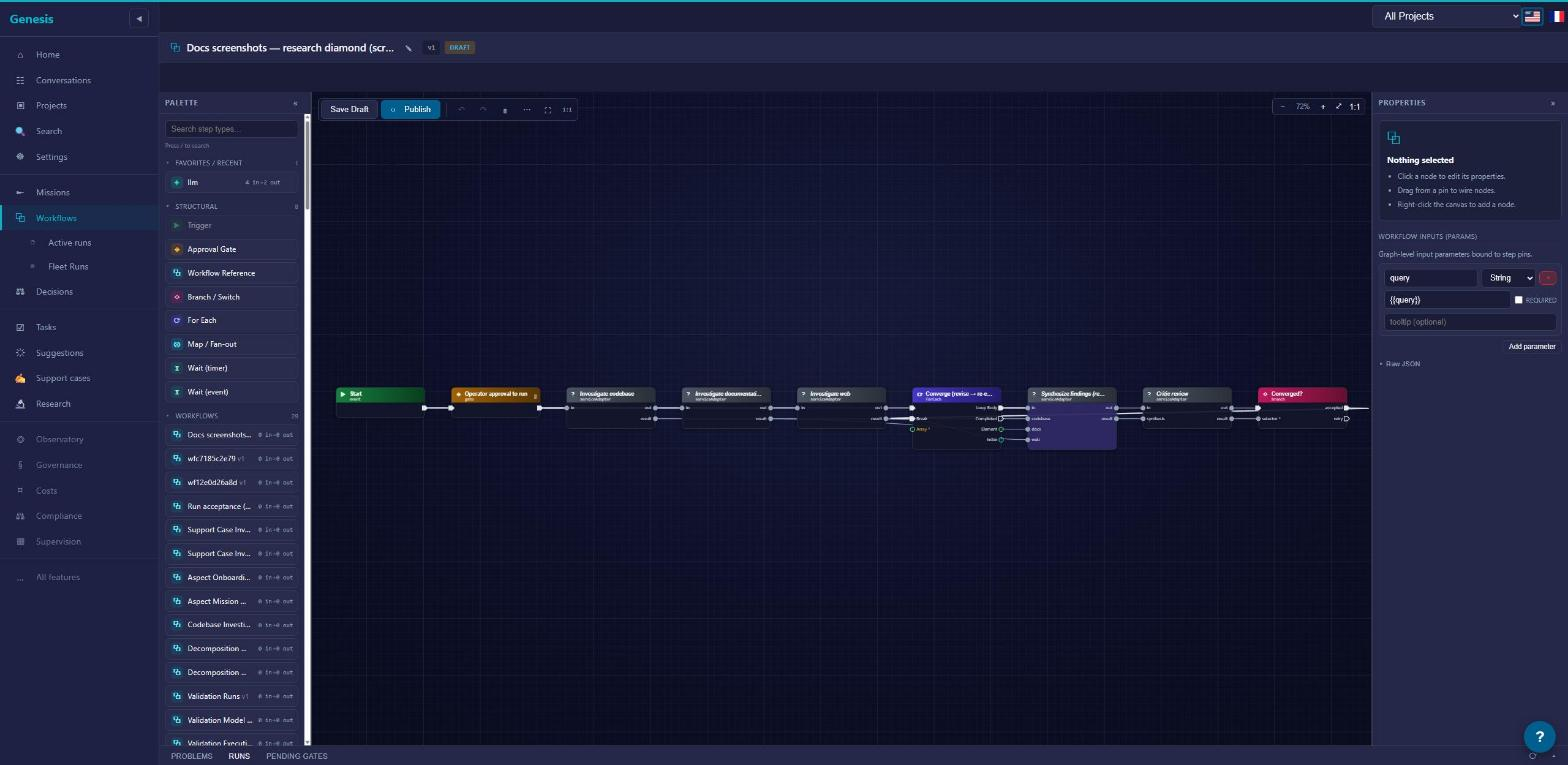
Two things worth knowing before you start dragging:
- Layout direction. A toggle switches the canvas between
LR(left-to-right) andTB(top-to-bottom) layout. It only changes how the graph is drawn — the graph is identical either way. Wide, shallow graphs usually read better inTB; long pipelines inLR. - Live wiring. Drag from any pin and the canvas answers as you move: pins that can accept the wire light up, pins that can't stay dark. Release on a lit pin to connect; release anywhere else and nothing happens.
Click a node to open its settings panel; drag it to reposition it.
The palette
The palette lists everything you can place — 138 node types across 17 categories, plus a structural section.
- Categories group nodes by domain (Missions, Workspace, Git, Review…). Each category collapses and expands, so you keep open only the ones you use.
- Favorites / Recent lets you pin the nodes you reach for constantly to the top of the palette.
- Structural is the control-flow section. Its tiles are not catalog nodes but the shapes that organize them: Trigger, Approval Gate, Workflow Reference, Branch / Switch, For Each, Map / Fan-out, Wait (timer) and Wait (event) — plus Comment, a titled annotation frame you place behind nodes to describe a region of the graph; it is purely descriptive and never runs.
- Workflows lists published workflows as tiles — drop one onto the canvas to embed it as a sub-workflow reference.
- Shortcuts holds composite emitters, like the Research shortcut that drops a preconfigured research step (an LLM service step, or a coder configured to analyze).
To place anything, drag its tile onto the canvas — or just click the tile and it is added, ready for you to position.
The full catalog, category by category, is in the node palette. What each structural tile does is in control flow.
Wiring and pin compatibility
Every node exposes pins. The in/out pair is the execution spine — it decides order. The other pins carry typed data between nodes: Exec, Context, String, Bool, Json, Artifact. Most nodes deliver their output on a Json pin named result.
The editor enforces types while you wire: a String output only connects to inputs that accept a String, and the highlight during a drag shows you exactly which pins those are. You cannot create an ill-typed wire, so a graph that wires up is a graph whose data at least fits together.
What each pin kind means, and how the spine relates to data flow, is covered in anatomy of a workflow.
Presets on a draft
Generative nodes carry a preset selector: pick a preset and the node is bound to that model/provider bundle.
What you choose on the canvas is the authored default, not the last word. At dispatch, preset bindings set at any scope (global, project or customer) are resolved and the most specific one wins — it beats what you authored here. If nothing is bound anywhere, the run falls back to the baked-in default rather than failing. Details in presets.
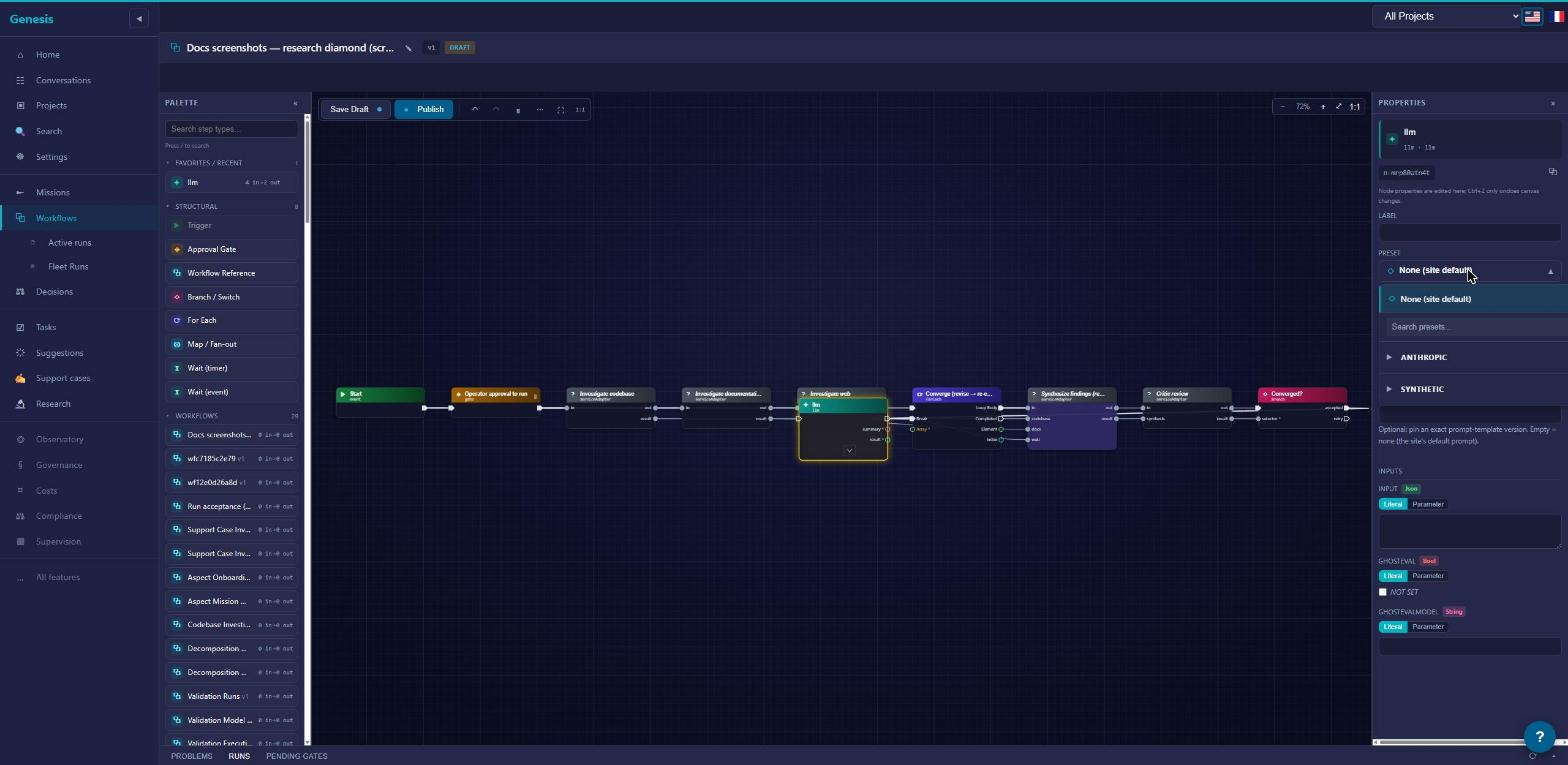
Setting node instructions
A node's task text lives in its Instructions field: select the node and write it in the settings panel. It is part of the graph — publishing freezes it with everything else.
Coder and agent nodes can additionally carry an instruction binding — override text that replaces the authored instructions at dispatch, without touching the published graph. Bindings, their scopes and precedence (run > project > tenant > global) are covered in node instructions.
Publish is the validation step
There is no separate Validate button. In the editor, clicking Publish runs the whole validation — the Problems panel's own empty state says it: "No problems. Publish to validate." If anything is wrong, the publish refuses and the panel reports everything it finds at once — one exhaustive problem list, not a stop at the first error. Work down the list, fix, and publish again; it goes through once the list is empty. (Agents can run the same checks as a dry run, without attempting a publish, via the workflow_validate_draft MCP tool.)
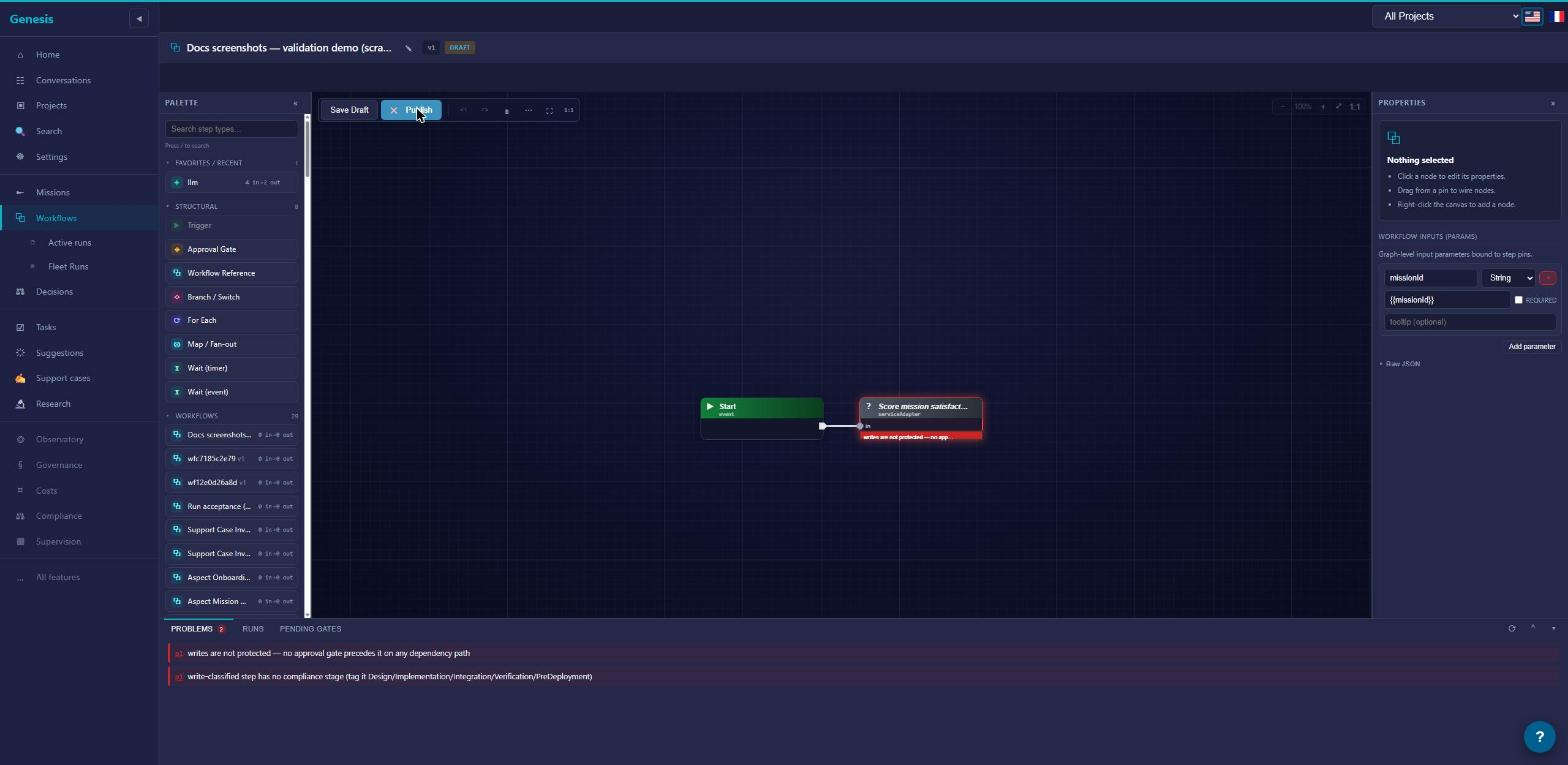
A successful Publish freezes the draft into an immutable published version — from that point the graph never changes (see the workflow lifecycle).
If your draft is governed — it writes somewhere that requires controls — publishing from the editor injects the required control nodes as part of the publish itself: they land in the published graph marked as injected (runs badge their origin), rather than appearing on your canvas first. To review injected controls before publishing, use the agent path: the workflow_materialize MCP tool writes them into the draft, where you read them like any node you placed yourself. What makes a draft governed, and which controls arrive, is in governance.
Control flow: gates, branches & loops
Nodes do the work; control flow decides which nodes run, when, and under whose approval. The tiles you insert live in the palette's Structural section — drag a tile onto the canvas, or click it to add (the editor). The tiles: Trigger, Approval Gate, Workflow Reference, Branch / Switch, For Each, Map / Fan-out, the two wait tiles — Wait (timer) and Wait (event) — and Comment, a titled annotation frame that describes a region of the graph and never runs. This page covers the decision and repetition constructs; Workflow Reference — embedding another workflow — is covered in Anatomy, and Trigger belongs with triggers in the lifecycle.
One rule shapes everything else here: every path to a write passes a gate. The validator enforces it — you cannot publish a graph where a node that writes is reachable without a human decision standing in front of it.
Gates
A gate pauses the run and asks you to decide. You give each gate a label and instructions — the text the decider reads when the gate fires. While it waits, the gate sits in your Decisions queue (Decisions).
A gate can capture data, not just approval. Add typed fields — String, Number, Bool, Json, or Enum — and the values the decider fills in leave the gate on its response pin, available to every node downstream.
For routing decisions, give the gate named decisions: each becomes a human-labelled outgoing arm ("Ship it" / "Needs rework"), and the run continues down whichever arm the decider picks.
A gate can carry a timeout. If nobody decides in time, the gate does what you chose when authoring: fail the step, or skip it and move on. No gate ever approves itself — auto-resolution is a per-gate opt-in you configure deliberately, never a default (governance).
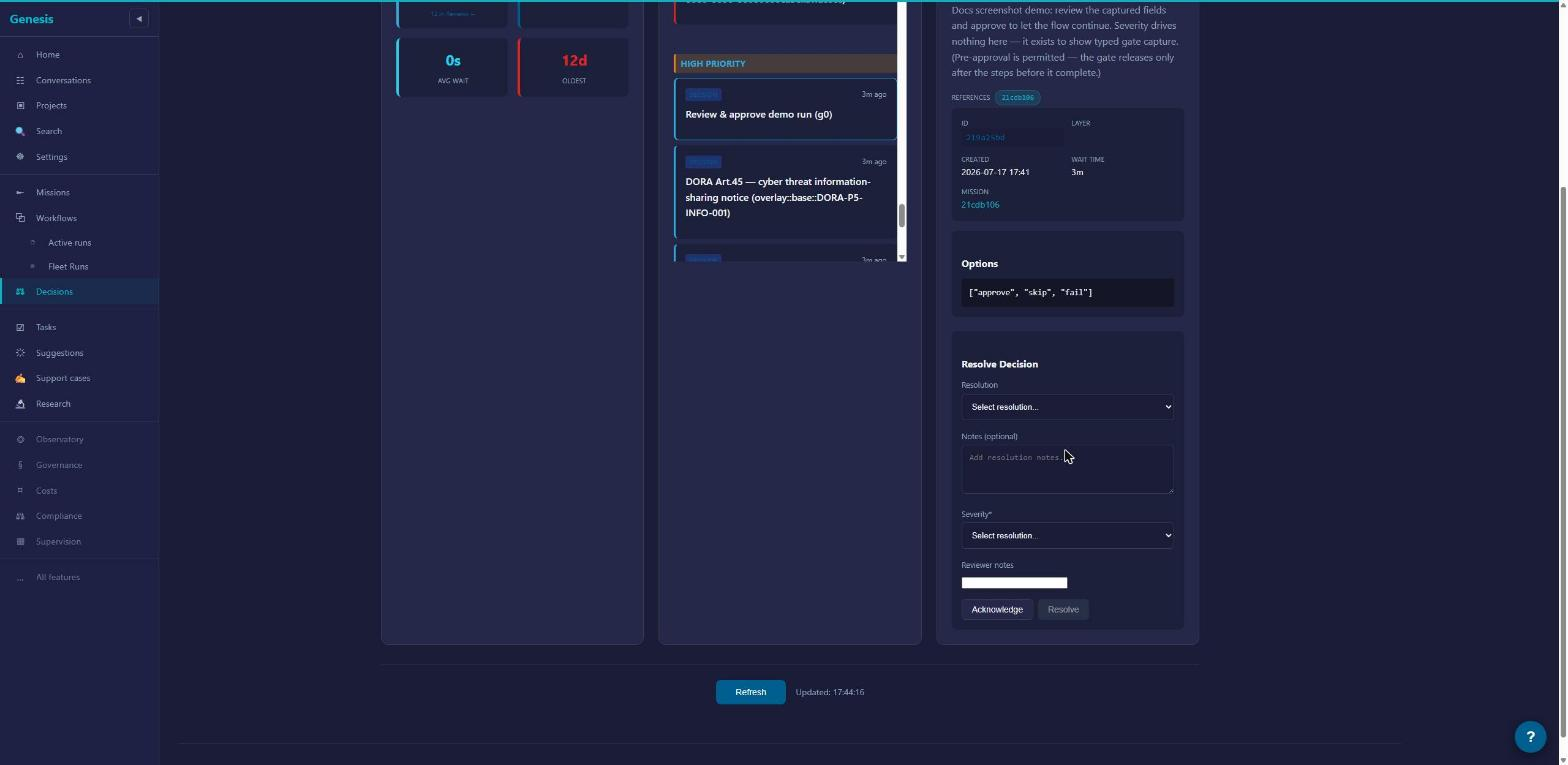
Branch
Branch — the Branch / Switch tile — routes on data instead of on a human. You write an ordered list of cases; at run time the first case that matches wins, and the run continues down that case's arm. A case matches in one of two ways: give it a match value to compare against the wired selector, or give it an Expression — a boolean rule — and that case becomes a Switch arm, routing by rule instead of by value. Every Branch has exactly one else arm for when nothing matches. Once arms diverge they stay apart — see the validator rules below.
Loop
Loop repeats a step until its result is accepted, up to a maximum of 10 attempts. It is a legacy construct: retired for new authoring, so you won't find a Loop tile in the Structural section. Published workflows that contain one still run, unchanged. For anything you author today, reach for ForEach below.
Fan-out in parallel (MapFanOut)
MapFanOut — the Map / Fan-out tile — runs the same body once per item of a list, in parallel. You point it at a source pin — the upstream output holding the list — name the item variable the body reads, and it fans out up to 1000 items.
The body is deliberately small: a single catalog step, or a sub-workflow when one step isn't enough (Anatomy covers sub-workflows). The natural shape is three nodes: a prepare step that loads the list, the per-item body, and a reduce step that aggregates the results. Items normally run independently; if some items must wait for others, declare sibling dependencies and the fan-out runs as a small dependency graph instead of a free-for-all.
Fan-out one at a time (ForEach)
ForEach — the For Each tile — walks the same list one item at a time, in order, and supports breaking out early when a condition is met.
Its body comes in two shapes, mutually exclusive:
- Inline body — one catalog step (or a sub-workflow) run once per element, with an optional break condition checked between items.
- Loop Body region — wire the tile's Loop Body to a small multi-step sub-graph of plain catalog steps, with one Branch driving the live Break pin when you need to stop early. That buys you a real multi-step body without splitting off a sub-workflow; nesting further structural tiles inside the region is still rejected.
Which one do you want? MapFanOut when items are independent and you want throughput. ForEach when order matters, when each item should see the effects of the previous one, or when you want to stop as soon as one item succeeds.
Wait
Two tiles, two behaviors:
- Wait (timer) pauses the run for a fixed duration — from 1 minute up to 28 days.
- Wait (event) pauses the run until something happens elsewhere in the platform. Six event types are live:
mission.created,conversation.completed,support-case.created,incident.created,batch.completed,mr.merged.
Finally
Finally is for cleanup — releasing a lease, closing out a workspace, posting a summary. Whatever it wraps, the cleanup runs exactly once, whether the surrounding flow succeeds, fails, or is cancelled. Use it when a step acquires something that must not leak.
One caveat: Finally has no palette tile. Today it is authored in the graph payload itself — the agent/MCP authoring path — not placed from the editor.
Rules the validator enforces
When you Publish a draft — or dry-run the same checks with the workflow_validate_draft tool — everything is checked at once and every problem is reported together (lifecycle). For control flow, three rules matter most:
- Arms stay isolated. Branch cases, a gate's named decisions, and outcome arms (Anatomy) never reconverge downstream. An arm that leads nowhere is a valid dead end, not an error.
- Fan-out bodies stay flat. A MapFanOut body is one catalog step or one sub-workflow; a ForEach body is that — or a wired Loop Body region of plain steps. Either way, you cannot nest further structural control inside the body itself. Need more? Put it in a sub-workflow.
- Gate dominance. Every dependency path to a node that writes must pass through a gate. If any route around a gate reaches a write, the publish is refused and the problem list names it.
The node palette
The palette is the panel in the visual editor you drag from — or click — to add steps to a draft. It carries 138 node types in 17 categories. This page is the index: one honest line per node, so you can find the right one without placing it first. Exact inputs and outputs are deliberately not here — pin-level signatures belong to the agent reference.
Primitives propose, verbs commit: brain nodes never write by themselves, state-changing service nodes are gate-guarded on every path, and the run's repository delta merges only when you accept the run.
Four conventions cover almost everything, so we state them once:
- Every node sits on the Exec spine. Execution wires order the steps; data wires carry the values. See Anatomy of a workflow.
- Almost every node emits one JSON
result. 125 of the 138 end in a singleresultoutput that downstream nodes consume. - A few hand you a typed handle as well — a run id, an incident id, a lease id, or a workspace — which you wire straight into the nodes that need it.
- Families come in threes for fan-out. Many service families ship a prepare (or load) node, a per-item node built to sit inside a fan-out body, and a reduce node that folds the items back together (analyze, aggregate, finalize, score or submit-report). Rows marked (per-item) below are the middle piece.
One thing you will not find in this catalog: the flow-control constructs. The palette's Structural section carries the tiles — Trigger, Approval Gate, Branch / Switch, For Each, Map / Fan-out, Wait (timer), Wait (event), Workflow Reference and the Comment frame — and Finally, which has no tile and is authored through the graph payload. They all have their own page.
The brain nodes
Six of the 138 are generative — they call a model. Four are wired call-sites with a fixed job:
Missions:Decompositionturns a mission objective into a proposed task breakdown.Coder:Defaultdispatches one coder task and waits for the resulting artifact.Coder:AsyncDefaultdispatches coder work and routes what happens next down outcome arms —onSuccess,onFailureoronRefusal. It is one of the palette's two multi-arm nodes — the other isservice:mission:integrate, under Git; see Outcome arms.ReviewEngine:Defaultreviews an artifact and produces findings.
Two are generic:
llmruns one bounded model turn over its input. It has no tools, by construction.agentruns a multi-turn agent loop with an explicit toolset and a mandatory budget. Several built-insys-flows now use it — one dispatches ten agent nodes. For your own graphs,llmor a coder is still the simpler first reach unless you know why you need it.
The discipline is the same for all six: primitives propose, verbs commit. A brain node never writes anywhere by itself. Its output reaches the world only through explicit service nodes downstream — and on every such path, a gate stands before the write.
Reads, actions and service nodes
The other 132 nodes are adapters, in three kinds:
- Reads — 20 nodes. They fetch state and change nothing: a mission's details, a file from a branch, a project's onboarding progress. Safe to place anywhere.
- Workspace actions — 2 nodes.
workspace:write_fileandworkspace:createdo write — but only inside a sandboxed workspace. They never touch your repository. - Service operations — 110 nodes. One platform operation each: create an incident, classify a support case, run a compliance check, push a branch. The ones that change platform state are exactly what the gate-dominance rule guards.
You can usually read the kind off the id: read: fetches, service: operates, and the workspace file verbs live under workspace:.
Category index
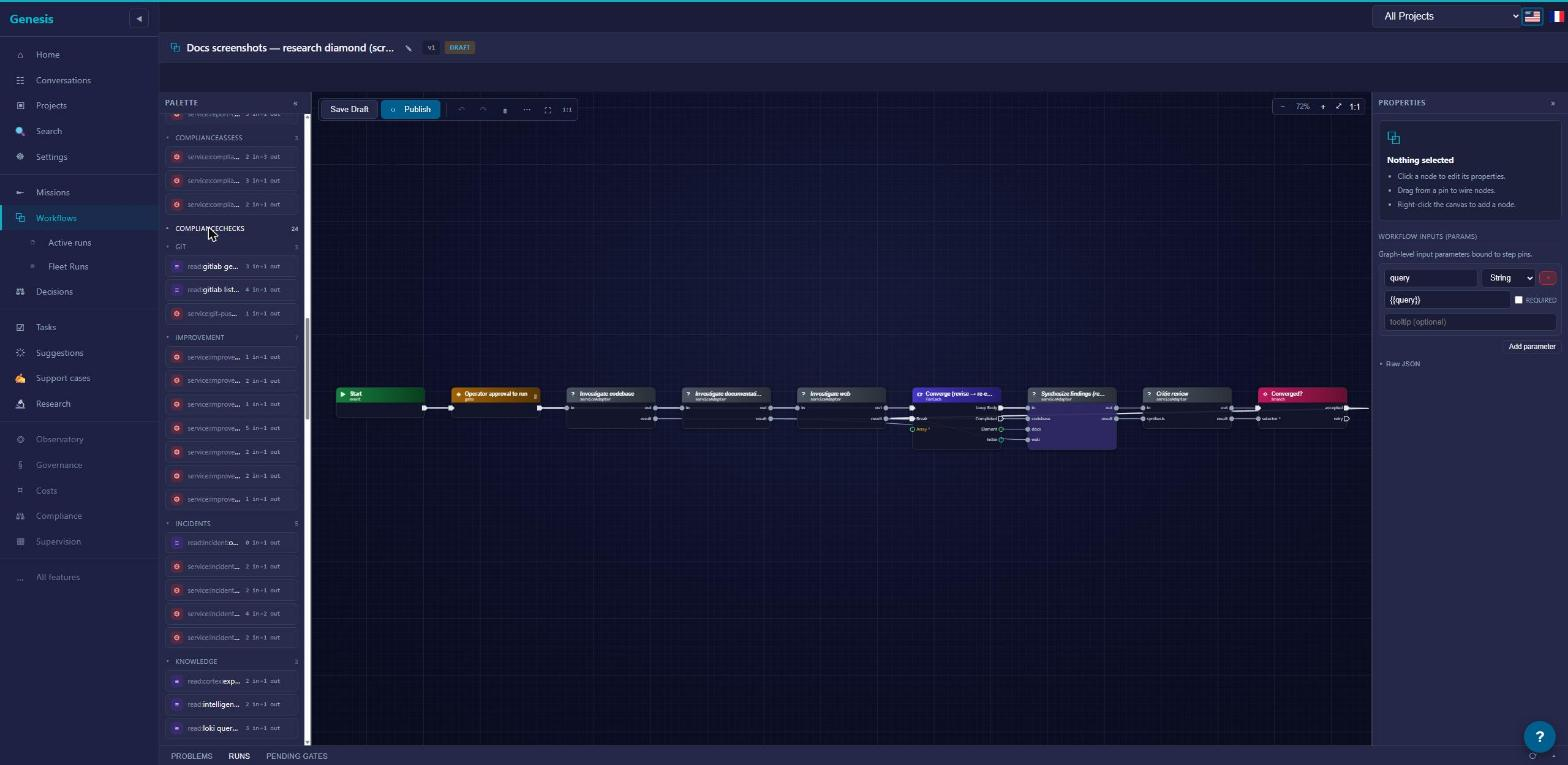
Sixteen categories here, ordered by how often a tester reaches for them — the seventeenth, Legacy, closes the page. Expand a block to see its nodes.
Missions — plan, decompose and score mission work · 12 node types
| Node | What it does |
|---|---|
Missions:Decomposition | Turns a mission objective into a proposed task breakdown (generative). |
read:mission_get | Reads a mission's details and state. |
read:mission:stale | Lists still-open missions with no recent activity. |
read:task-deps:resolve | Resolves the dependency order between a mission's tasks. |
read:boundary:validate | Checks that a proposed child item stays inside its parent's boundary. |
read:task-routing:route | Picks the right routing for a task from its description and requirements. |
service:satisfaction:score | Scores how well a mission's outcome satisfies its objective. |
service:decomposition:propose | Proposes a decomposition for a mission from an objective and findings. |
service:decomposition:coder | Produces a coder-oriented decomposition for a mission. |
service:proposal:record | Records one proposed item against a mission. |
service:decomposition:materialize-tasks | Materializes an accepted decomposition into real tasks. |
service:mission:create | Creates a new mission — the one node that spawns a child mission. |
Workspace — read and write inside sandboxed workspaces · 6 node types
| Node | What it does |
|---|---|
workspace:read_file | Reads one file from a workspace. |
workspace:list_files | Lists files under a workspace path. |
workspace:write_file | Writes a file into a workspace (sandbox only — never your repository). |
workspace:create | Creates a fresh workspace and returns its handle. |
workspace:merge | Merges several workspaces into one and returns the merged handle. |
service:workspace:copy-tree | Copies a source tree into a workspace. |
Git — read repository files and push work · 4 node types
| Node | What it does |
|---|---|
read:gitlab_get_file | Reads one file from a repository branch. |
read:gitlab_list_files | Lists files under a repository path. |
service:mission:integrate | Integrates a coder task's branch into the mission branch, routing the outcome down onSuccess / onRefusal / onFailure arms (multi-arm). |
service:git-push:default | Pushes the run's work to a branch. |
Research — investigate, synthesize, critique · 6 node types
| Node | What it does |
|---|---|
service:research:investigate-codebase | Investigates the codebase for a query. |
service:research:investigate-docs | Investigates documentation for a query. |
service:research:investigate-web | Investigates web sources for a query. |
service:research:synthesize | Synthesizes codebase, docs and web findings into one answer. |
service:research:critique | Critiques a synthesis against the original query. |
service:research:record-findings | Records research findings against a mission. |
Review — code and UX review pipelines · 7 node types
| Node | What it does |
|---|---|
ReviewEngine:Default | Reviews an artifact and produces findings (generative). |
service:review-engine:discover-targets | Discovers what a project offers to review in a given domain. |
service:review-engine:review-target | Reviews one discovered target (per-item). |
service:review-engine:submit-report | Submits the assembled review report for a session. |
service:ux-review:discover-pages | Discovers a project's pages for UX review. |
service:ux-review:review-page | Reviews one page for UX issues (per-item). |
service:ux-review:submit-report | Submits the UX review report for a session. |
Validation — physical validation, target driving and batch runs · 20 node types
| Node | What it does |
|---|---|
service:canary:prepare | Prepares a canary run and its test cases. |
service:canary:run-test-case | Runs one canary test case (per-item). |
service:canary:analyze | Analyzes the canary run's results. |
service:run-acceptance:prepare | Prepares the validation cases for accepting a run. |
service:run-acceptance:run-built-target | Exercises one built target for a run (per-item). |
service:run-acceptance:analyze | Analyzes the run-acceptance results. |
service:run-target:lease | Leases a running target to drive; returns a lease id. |
service:run-target:drive-case | Drives one case against the leased target (per-item). |
service:run-target:release | Releases a target lease. |
service:llm-preset-validation:load | Loads the preset-validation cells to run. |
service:llm-preset-validation:run-cell | Runs one preset-validation cell (per-item). |
service:llm-preset-validation:evaluate | Evaluates a preset-validation run. |
service:validation-runs:load | Loads a model-validation run from models and prompts. |
service:validation-runs:run-model-group | Runs one model group (per-item). |
service:validation-runs:record-execution | Records one execution's response or error. |
service:validation-runs:finalize | Finalizes a model-validation run. |
read:validation-runs:group-executions | Reads the recorded executions for one model group. |
service:batch-processing:create-batch | Creates a batch from a set of chunks. |
service:batch-processing:process-chunk | Processes one chunk of a batch (per-item). |
service:batch-processing:aggregate | Aggregates a batch's processed chunks. |
Knowledge — query knowledge bases, experts and logs · 3 node types
| Node | What it does |
|---|---|
read:intelligence_knowledge_query | Queries a project's knowledge base. |
read:cortex:expert-query | Asks a domain expert a question. |
read:loki_query_range | Queries logs over a time range. |
Communication — talk and report · 2 node types
| Node | What it does |
|---|---|
service:dialogue:send | Sends a message into a conversation. |
service:report-compile:default | Compiles a titled report and emits it as an artifact. |
Scaffolding — generate and execute project scaffolding · 9 node types
| Node | What it does |
|---|---|
service:scaffolding:generate | Generates a scaffolding proposal for a project. |
service:scaffolding:save-plan | Saves a scaffolding plan for a project. |
service:scaffolding:approve | Marks the scaffolding proposal approved. |
service:scaffolding:reject | Marks the scaffolding proposal rejected. |
service:scaffolding:execute | Executes the saved scaffolding plan. |
service:scaffolding:execute-step | Executes one plan step (per-item). |
service:scaffolding:finalize | Finalizes the scaffolding run. |
read:project-profile | Reads a project's profile. |
read:scaffolding:plan-steps | Reads the steps of the saved scaffolding plan. |
Improvement — the improvement proposal lifecycle · 7 node types
| Node | What it does |
|---|---|
service:improvement:propose | Records a new improvement proposal. |
service:improvement:validate | Validates a proposed improvement. |
service:improvement:promote | Promotes a validated improvement. |
service:improvement:reject | Rejects an improvement, with a reason. |
service:improvement:complete | Marks an improvement completed. |
service:improvement:fail | Marks an improvement failed, with a reason. |
service:improvement:rollback | Rolls an improvement back, with a reason. |
Support — the support case lifecycle · 8 node types
| Node | What it does |
|---|---|
read:support:case-context | Reads the full context of a support case. |
service:support:classify | Classifies a support case. |
service:support:investigate | Runs an investigation on a support case. |
service:support:apply-verdict | Applies a verdict to a case, including duplicate links. |
service:support:escalate | Escalates a case. |
service:support:request-verification | Requests verification on a case. |
service:support:resolve | Resolves a case into a terminal state. |
service:support:link-investigation | Links a case to the mission investigating it. |
Incidents — create, classify and close incidents · 5 node types
| Node | What it does |
|---|---|
service:incident:create | Creates an incident and returns its id. |
service:incident:classify | Classifies an incident. |
service:incident:timeline-entry | Appends an entry to an incident's timeline. |
service:incident:close | Closes an incident. |
read:incident:overdue | Lists overdue incidents. |
Onboarding — project and charter onboarding · 17 node types
| Node | What it does |
|---|---|
service:project-onboarding:start | Starts onboarding for a project. |
read:project-onboarding:progress | Reads a project's onboarding progress. |
read:project-onboarding:design | Reads a project's onboarding design. |
service:onboarding:decompose | Decomposes an onboarding intent into steps. |
service:onboarding:approve | Marks an onboarding decomposition approved. |
service:onboarding:deny | Marks an onboarding decomposition denied. |
service:aspect-onboarding:load-charter | Loads a charter's aspects for onboarding. |
service:aspect-onboarding:collect-analyses | Gathers a run's per-aspect analysis results into one array. |
service:aspect-onboarding:complete-matters | Completes every matter whose aspect is done, advances the next, and finalizes the charter when all are complete. |
service:onboarding:update-design-concern | Writes one aspect's phase and notes into the project's design tracker. |
service:aspect-onboarding:run-aspect | Runs one aspect of a charter (per-item). |
service:aspect-onboarding:advance | Advances a charter's aspect onboarding. |
service:aspect-onboarding:determine | Dispatches the discovery review that produces a project determination (the result arrives later as an event). |
service:aspect-onboarding:refresh-summaries | Refreshes every aspect summary and re-detects cross-aspect conflicts. |
read:project-onboarding:concerns-settled | Reads whether a project's onboarding concerns are all settled. |
service:project-onboarding:apply-determination | Folds a determination's answers into the project's design tracker. |
service:aspect-onboarding:reconcile | Completes the matters settled by determinations and finalizes the charter when all are. |
Agents — the generative primitives · 4 node types
| Node | What it does |
|---|---|
Coder:Default | Dispatches one coder task and waits for the resulting artifact (generative). |
Coder:AsyncDefault | Dispatches coder work and routes the outcome down onSuccess / onFailure / onRefusal arms (generative; one of the two multi-arm nodes). |
llm | One bounded model turn over its input — no tools (generative). |
agent | A multi-turn agent loop with an explicit toolset and budget (generative; used by several built-in sys- flows). |
ComplianceChecks — deterministic regulatory checks · 24 node types
Deterministic checks — the platform evaluates them mechanically; no model writes a compliance verdict. Grouped by regulation family: cra-* (Cyber Resilience Act), pld-* (product liability), aiact-* (AI Act), nis2-* (NIS2).
| Node | What it does |
|---|---|
service:compliance:sca-check | Checks software-composition-analysis (dependency) results. |
service:compliance:clause-map | Checks a contract's clause mapping. |
service:compliance:roi-completeness | Checks an ROI submission for completeness. |
service:compliance:incident-timeliness | Checks an incident's timeline against reporting deadlines. |
service:compliance:cra-sbom | CRA: checks the submitted SBOM. |
service:compliance:cra-sca | CRA: checks declared components (composition analysis). |
service:compliance:cra-secure-update | CRA: checks the secure-update channel. |
service:compliance:cra-techdoc | CRA: checks the technical documentation. |
service:compliance:cra-ce-marking | CRA: checks CE-marking evidence. |
service:compliance:cra-reporting | CRA: checks reporting obligations. |
service:compliance:pld-disclosure-pack | PLD: checks the disclosure pack. |
service:compliance:pld-provenance | PLD: checks component provenance. |
service:compliance:pld-update-channel | PLD: checks the update channel. |
service:compliance:pld-retention | PLD: checks retention rules. |
service:compliance:aiact-techdoc | AI Act: checks the technical documentation. |
service:compliance:aiact-registration | AI Act: checks registration. |
service:compliance:aiact-gpai-doc | AI Act: checks GPAI documentation. |
service:compliance:aiact-logging | AI Act: checks logging obligations. |
service:compliance:aiact-transparency | AI Act: checks transparency obligations. |
service:compliance:aiact-conformity | AI Act: checks conformity evidence. |
service:compliance:aiact-retention | AI Act: checks retention rules. |
service:compliance:aiact-serious-incident | AI Act: checks serious-incident handling. |
service:compliance:nis2-incident-timeliness | NIS2: checks incident-reporting timeliness. |
service:compliance:nis2-retention | NIS2: checks retention rules. |
ComplianceAssess — compliance assessment runs · 3 node types
| Node | What it does |
|---|---|
service:compliance-assess:prepare | Prepares a compliance assessment run; returns run and profile ids. |
service:compliance-assess:probe | Probes one assessment item (per-item). |
service:compliance-assess:score | Scores a compliance assessment run. |
Legacy
Legacy — 1 node type
One node on the palette is legacy: service:research:llm, an early research step superseded by the generic llm node. The validator blocks it at publish in new drafts. Workflows you already published are frozen graphs, so they keep resolving as they were.
System templates
ARDS ships with two catalogs of built-in workflows, and they play different roles. A gallery template is an example you clone and own; a sys- building block is a published workflow you embed. Everything else on this page hangs off that distinction.
Two kinds of built-ins
The template gallery holds 22 read-only templates. Each one shows, in workflow form, how a real platform flow is shaped — decomposition, review sweeps, incident handling. You can't run a template directly and you can't edit it in place: you Clone it, which gives you an editable Draft you own. From there it's an ordinary workflow — yours to rename, rewire and publish.
One thing templates are not: live wiring into the platform. Cloning Mission lifecycle and running your clone runs your graph — it does not execute or replace the platform's internal mission pipeline. Templates teach shape; they don't carry the machinery.
The sys- building blocks are different: 19 published workflows seeded into every tenant. You don't clone these to use them — you embed one by dropping its tile into your own graph as a sub-workflow reference. The embedded block runs inside your run, pauses at its own gates, and lands through your acceptance; it is composition, not a separate execution (see Anatomy of a workflow).
A few names appear in both catalogs — sys-run-acceptance is both a gallery template and a seeded block. Where you meet it tells you which one you're holding: the gallery clones, the palette embeds.
The template gallery
The 22 templates group under 9 categories. Clone any of them and read the graph node by node in the editor — that's what they're for.
Mission (6)
| Template | What it does |
|---|---|
Mission lifecycle (sys-mission-lifecycle) | The default flow: decompose the objective, approve the plan, fan out one coder per task, review the results. |
Decompose (direct) (sys-decompose-direct) | An approval gate, then a proposed task plan — the no-research variant. |
Decompose (research-first) (sys-decompose-research) | Parallel codebase/docs/web research, synthesized, then a task plan informed by the synthesis. |
Decompose (grounded coder) (sys-mission-decompose-grounded) | A repo-cloned coder creates the mission's tasks directly, each path verified against the clone. |
Research mission (sys-research-mission) | Read-only investigation: parallel research, then a bounded revise loop until the critic approves (max 3 passes). |
Task dispatch (sys-task-dispatch) | The per-task decision chain: resolve dependencies, check boundaries, route to the best agent, dispatch the coder. |
Onboarding (4)
| Template | What it does |
|---|---|
First-run onboarding wizard (sys-first-run-onboarding) | The five-act tenant bootstrap: providers, workspace, intent, a first mission and a policy check. |
Project onboarding (sys-project-onboarding) | Bootstraps a project charter with its 12 Matters, then reads back the charter progress. |
Aspect onboarding (sys-aspect-onboarding) | Fans out one mission per charter aspect, in charter order, each carrying the previous aspect's context. |
Intelligence scaffolding (sys-intelligence-scaffolding) | Generates a project scaffolding plan, then a decision gate: approve executes it, reject parks it. |
Ops (3)
| Template | What it does |
|---|---|
Batch processing (sys-batch-processing) | Creates a batch, fans out one process per chunk, waits for the completion event, aggregates the results. |
Canary (sys-canary) | Fans out one run per test case, analyzes the aggregate verdict and gates promotion to production. |
Run acceptance (physical) (sys-run-acceptance) | Physically drives the run's built target for every validation case — fail-closed — and gates the merge on the verdict. |
Compliance (2)
| Template | What it does |
|---|---|
Compliance assessment (sys-compliance-assess) | Fans out one infrastructure probe per framework control, then scores the results — probe-driven, no LLM. |
Incident pipeline (sys-incident-pipeline) | Registers an incident, classifies it through typed gate forms, tracks the regulator timeline and closes on root cause. |
Review (2)
| Template | What it does |
|---|---|
Review engine sweep (sys-review-engine) | Discovers review targets, fans out one review per target, submits a consolidated report. |
UX review (sys-ux-review) | Discovers pages, fans out one usability review per page, submits a consolidated report. |
Validation (2)
| Template | What it does |
|---|---|
LLM preset validation (sys-llm-preset-validation) | Resolves the preset × site grid, fans out one run per cell, evaluates the aggregate verdict. |
Validation runs (sys-validation-runs) | Runs prompt × model executions in parallel per model group, then finalizes the aggregate counters. |
Evaluation (1)
| Template | What it does |
|---|---|
Satisfaction scoring (sys-satisfaction-scoring) | Computes and persists a quality score for a completed mission. |
Improvement (1)
| Template | What it does |
|---|---|
Improvement cycle (sys-improvement-cycle) | Registers an improvement, validates it, then either implements the fix through a coder or rejects it early. |
Support (1)
| Template | What it does |
|---|---|
Support-case triage (sys-support-case-triage) | Investigates and classifies a reported case, then branches on the verdict: gate and fix a bug, or resolve the rest early. |
Cloning a template
- Open the template gallery from the workflow list.
- Pick a template and click Clone. You get a
Draftyou own — the template itself is untouched. - Rename the draft so it reads as yours, not as a system flow.
- Open it in the visual editor and make it yours: swap nodes, change gate instructions, rewire arms.
- Validate, then Publish. Publishing freezes the graph exactly as it does for a workflow you built from scratch — see the workflow lifecycle.
A clone is a copy, not a subscription: if the gallery template changes in a later release, your clone doesn't move. You can also clone in the other direction — from a mission that already ran — which is covered in The workflow lifecycle.
The sys- building blocks
The 19 seeded sys- workflows are published and versioned like any workflow of your own; they show up as ready-made tiles you can drop into a draft. Embedding one means your workflow calls it as a sub-workflow: it contributes its steps to your run, and its output lands through your acceptance like everything else in the graph.
Two you're likely to reach for:
sys-research-codebase— a read-only codebase investigation; a good grounding step before anything generative.sys-decompose-propose— the agentic task-plan proposal; embed it when your workflow should propose an ordered task plan the way the platform does.
Most of the 19 exist to serve the platform's own seeded flows. You're free to embed any of them, but you never need one — a workflow built entirely from palette nodes is just as legitimate.
The workflow lifecycle
A workflow is a versioned thing: one stable identity that owns a series of numbered versions, each moving through the same three states. A published version never changes — evolution always means a new version. Everything else on this page follows from that rule.
Three states, two transitions
| State | What it means |
|---|---|
Draft | The working copy. The only state that accepts edits — change the graph as often as you like. |
Published | Frozen and runnable. Can never be edited again; its only remaining move is to Archived. |
Archived | Retired. No longer runnable, kept for provenance. |
The only legal transitions are Draft → Published and Published → Archived. There is no way back: you can't unpublish, and you can't unarchive.
Delete exists only for drafts, and it is permanent. A published version can never be deleted — if you want it out of the way, you archive it.
Versions
Version numbers count up — 1, 2, 3 — and are never reused or rewound. To change a published workflow, you start a new draft; publishing it creates the next version.
Several published versions of the same workflow can coexist, and each one stays runnable. Running one is always an explicit version choice: nothing silently substitutes "the latest" for the version you asked for. (Triggers are the one place a latest-version policy exists, and even there it is a choice you state explicitly — see below.)
Validation happens at publish
There is no separate Validate step in the editor: clicking Publish runs the checks, and if anything is wrong it refuses and reports every problem at once — wiring mistakes, missing required pins, writes with no gate in front of them — in a single list, so you fix in one pass instead of resubmitting to discover the next complaint. The list is exhaustive: once it is empty, the publish goes through. The problems list lives in the editor. Agents can run the same checks as a true dry run — without attempting a publish, freezing nothing — via the workflow_validate_draft tool.
Publish freezes the graph
Publish validates one last time, then freezes the draft. From that moment the graph is immutable and sealed with a checksum; every run records exactly which frozen graph it executed, so what you reviewed is provably what ran.
One thing lives outside the freeze: the display name. Renaming with Rename touches all versions of the workflow and never alters a graph — a rename is always safe, even on published versions.
For the full mechanics of the freeze, see the architecture chapter on workflows.
Ways a workflow starts
A workflow executes nothing by itself; every start becomes a mission. Three doors:
- Attach at mission creation. You create a mission and pick a workflow as its plan. Runs then happen on that mission — see Runs, acceptance & changements.
- Invoke. You run the workflow directly with Invoke; ARDS creates a new mission for it. Same loop from there.
- Triggers. A schedule, a webhook, or a platform event starts the workflow automatically. You configure them from the workflow list: Manage triggers opens the dialog where you pick Schedule, Webhook or Event and name the mandatory provider and model. Each trigger binds either a pinned version or the latest published one — you state which when you create the trigger — and names its model and provider up front (there is no silent fallback). A trigger never bypasses a gate: an automatic start pauses at every approval a manual start would.
Clone
Cloning always lands a new draft you own — never a published version.
- From a template. System templates clone into an editable draft; edit and publish it like any other.
- From a mission. "Save this run as a workflow." If the mission was itself born from a workflow, the source graph is re-drafted verbatim. If it was an organic, planner-decomposed mission, ARDS reconstructs a graph from what actually ran — and attaches a notes list of every repair it made along the way, so you can judge the reconstruction before trusting it.
Changing a sub-workflow reference
A workflow can embed another workflow by reference (see Anatomy of a workflow). You can rebind that reference — point it at a different workflow, or a different version — but rebinding invalidates any gate ratification given against the old target. Nothing carries over silently: the rebound draft passes through your approval again before it can publish.
Archive
Archive retires a published version for good. It stops being runnable, but it is kept forever: past runs still point at it, and provenance never evaporates.
One guard: you cannot archive a version while a published parent workflow still references it as a sub-workflow. Rebind or archive the parent first. And since archiving is terminal, the way "back" is always forward — publish a new version.
Runs, acceptance & changements
A workflow never lands anything on its own. Work happens inside a run, and a run only ever produces a proposal. A run proposes; only your acceptance lands anything.
The loop at a glance
You attach a workflow to a mission — or invoke one, which creates its mission for you. You start a run; the run executes the graph on its own branch, away from the mission's work so far. When it finishes, it sits in Proposed with its changes ready for you. You inspect the result and decide: Accept run lands the work on the mission as one changement; a proposal you don't accept lands nothing, and the mission stays exactly as it was (declining is not a button).
Start a run
Runs start from the mission page. The Runs & acceptance board lists every run this mission has had, past and present — the live tag in its header means it refreshes as the mission moves — and each new run starts from the mission's current state.
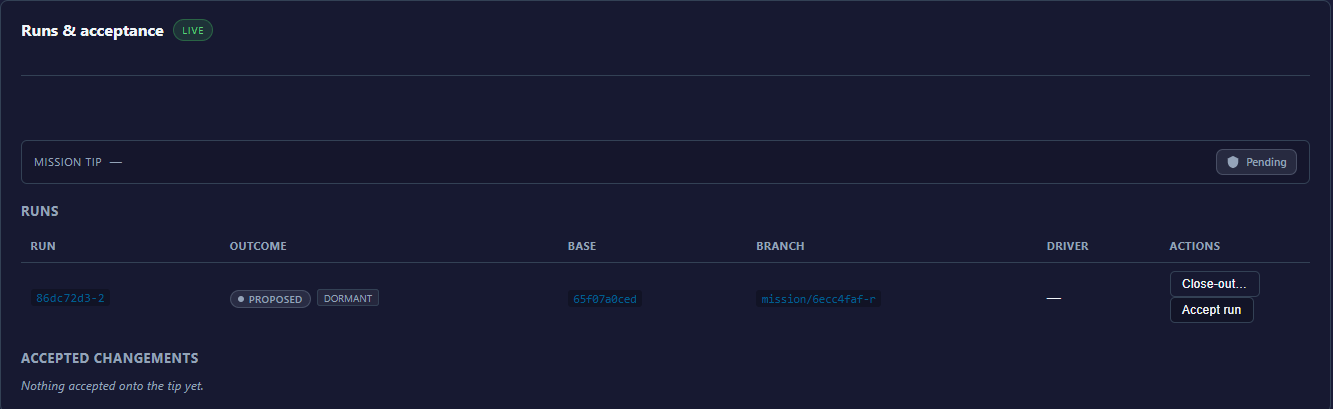
Each run row shows its outcome and, when they apply, two small badges: dormant — the run has no provisioned target yet, nothing has run against it — and stale — the run's base is behind the mission tip, so an accept would refuse until you start a fresh run.
A run can refuse to start. The reasons you will actually meet:
- A run is already open. One run at a time per mission — wait for it, or accept or discard it first.
- The mission isn't planned yet. Its plan isn't in place; let it get there first.
- The mission is finished. A completed or cancelled mission takes no new runs.
Anything more exotic is an agent-level refusal; the full list lives on the agent pages.
While it runs
While a run executes, its gates pause into your Decisions queue: the run holds at the gate until you respond (or, if the gate was authored with a timeout, until it expires), then resumes. Everything else about a live run — the graph view, per-node status, the coder session panel — is in the run viewer; see Watching a run.
A run proposes changes
A run is born Proposed and stays there until you decide.
| Outcome | What it means |
|---|---|
Proposed | The run's changes exist on its own branch and wait for your decision. |
Accepted | You accepted; the changes landed on the mission as a changement. |
Rejected | The run was declined — dropped with the agent verb, or a competing sibling was accepted instead. Nothing landed, and the run branch is gone. |
Superseded | The run was replaced by another run and is out of play. |
The full cheatsheet is under run outcomes.
Accept
Accept run does three things, in order — and refuses rather than half-doing any of them:
- Stale check. The run started from a specific mission state. If the mission has moved since, the accept refuses.
- Physical validation. The merged result must be verified mechanically before it lands. This is fail-closed: if the system cannot mechanically verify the merge, it refuses — it never lands work on anyone's word, including its own.
- Merge. The changes land on the mission branch, and a changement is created to record them as one reversible unit.
On the board, a proposed run carries two buttons: Accept run — it reads Accepting… while it works — and Close-out…, which opens the run's close-out checklist. Anything the run left open — a leftover task, an open gate, a failed node — needs a dated dispose note there before the accept unlocks; a clean run answers "No leftovers — every node landed terminal and clean."
Why an accept may refuse:
- Things moved underneath. The mission advanced since the run started. Start a fresh run.
- Merge conflict. The run's changes no longer apply cleanly. Start a fresh run from the current state.
- Another run already won. If runs were competing (below), only one gets accepted.
A refused accept lands nothing and breaks nothing — the mission is untouched.
Declining a proposal
There is no discard button on the run board: a proposed run is either accepted or left where it is. Leaving it is safe — nothing happened to the mission, so there is nothing to undo — but the mission won't take a new run while a proposal is still open.
An unwanted proposal clears in one of two ways. Accepting one proposal auto-rejects the other proposed runs in its competing group, and their branches are deleted — that answers "what happens to the others?" for competing runs. And agents can drop a run explicitly with the MCP verb mission_run_discard (agent reference): the run is marked rejected and its branch deleted. Either way it is the cheap way to say "not this one" — nothing ever landed.
The changement stack
On the board this is the Accepted changements stack — empty, it reads "Nothing accepted onto the tip yet." Each accepted run becomes exactly one changement, and changements stack in order on the mission's branch. The mission's merge request is that composed stack — not a pile of raw commits, but a sequence of accepted, validated deltas. Because every accept is validated before it merges, the tip of the mission is always a state that passed validation.
Revert
Any changement can be reverted — its Revert… button shows a preview before anything is undone. The preview shows the cascade: later changements that touch the same files depend on the one you're reverting, and they revert with it, in reverse order. If a revert would conflict, ARDS refuses rather than guessing at a resolution. And nothing evaporates: the reverted changement and the revert itself both stay in the mission's history, dated and attributed.
Competing runs
Advanced, but worth knowing exists: you can start several runs from the same starting point — different workflows, different parameters, different instructions — as one competing group. Inspect them side by side and accept the one you prefer; the losers are rejected and their branches deleted. It is A/B testing where the judge is you, on real, validated results.
Governance: presets, instructions & the publish floor
Workflows describe work; governance decides who signs off on it, which model performs it, and what a graph must contain before it may be published. This page covers the four levers you'll actually touch: gates as decisions, presets, node instructions, and the publish floor.
Nothing approves itself: no gate auto-resolves unless you explicitly opted that specific gate in — and the separation-of-duties floor never can be.
Gates are decisions
Every gate a running workflow reaches becomes a card in your Decisions queue. The run pauses; the card carries the gate's label, its instructions, and any typed fields the author asked you to fill. You resolve it with one of three verbs:
- Approve — the gated step resumes once every step before it has completed.
- Skip — cancels the gated step; the run continues without it.
- Fail — fails the step, and the workflow's failure routing takes over.
Or do nothing: an unresolved gate just waits. Nothing moves until someone decides.
One rule sits above all three: you never approve your own proposal. The identity that resolves a gate must be different from the one that proposed the work, and a gate raised by an agent always requires a human. If ARDS cannot attribute the resolver, it refuses the resolution rather than guessing.
Never automatic by default
No gate auto-approves out of the box. Auto-resolution is a per-gate opt-in: you grant it explicitly, for that one gate, and every automatic resolution is logged. The grant is also tied to the exact content it was given for — if what the gate guards changes, the gate comes back and asks a human again.
Even with opt-ins, one floor never moves: the separation-of-duties gate that stands between a mission's accepted work and your project can never be made automatic — not by configuration, not by waiver. Runs are accepted by you; the promotion past that point is decided by you too.
Presets
A preset is a named bundle of model and provider choices (plus the tool transport that goes with them) used by a workflow's generative nodes. Rather than hard-coding a model on every node, you bind a preset and manage the choice in one place.
Presets carry a scope — global, project, or customer — and the most specific one wins: a project-level binding beats a customer-wide one, which beats a global one.
Two facts matter in practice:
- Presets resolve at dispatch, not at publish — when a run starts, the preset bound at that moment wins, even over what was authored on the canvas. Publishing froze the graph, not the model choice.
- Resolution walks a chain — a preset bound at dispatch wins; otherwise the node's authored (pinned) preset applies; otherwise the site-wide default preset fills in. If nothing names a model anywhere, the run refuses to start rather than guessing.
You bind a preset on a draft with the selector in the editor. Fleet profiles are a different lever entirely — container sizing and concurrency, not model choice; see Fleet tuning.
Node instructions
A workflow's coder and agent nodes can carry node instructions — an instruction binding that replaces the node's authored instructions at the next dispatch (for a coder, inputs and the outcome contract are recomposed unchanged; for an agent, the binding replaces its task text), without touching the published graph or its checksum. Exactly one binding applies — the most specific: run beats project, which beats tenant, which beats global.
Today you set node instructions by hand, from the editor or per run when you start one. ARDS proposing a better prompt on its own is not in v1; if that lands, the proposal will arrive as a decision you approve or reject — nothing will ever apply itself.
The publish floor
A workflow counts as governed when your organisation's control catalogue applies to it — in practice, as soon as its graph writes anywhere that matters. For a governed graph, two things happen before publish:
- Every write needs a stage — one of
Design,Implementation,Integration,Verification,PreDeployment. The stage tells the floor which controls that write requires. - The required controls are injected as part of publish — the gates and reviews the catalogue demands land in the published graph as real nodes, visually marked as injected. Publishing from the editor injects them during the publish itself; to review them on the draft before publishing, agents run the
workflow_materializetool, which writes them into the draft exactly like nodes you placed yourself. Publish is refused until the graph is complete.
The check is deterministic: the same graph plus the same control catalogue always yields the same controls — the LLM never synthesizes compliance. And the floor only ever adds: governance can raise the bar above what you authored, never quietly lower it. Publishing itself is covered in the workflow lifecycle.
Waivers
When a required control genuinely doesn't apply, you don't delete it — injected controls are non-negotiable on the canvas. The escape hatch is a waiver: explicit, tied to one control, carrying a written reason, and permanently logged. A waived control stays visible as waived, not absent.
Some controls cannot be waived at all. The 25-year retention rule is one: no reason, however good, removes it.
Watching a run
A run is a proposal, and you should never have to accept a proposal you can't inspect. The run viewer shows you what a run actually did — every node, every prompt, every file it touched — while it executes and after it finishes. When the run viewer doesn't know a value, it shows nothing rather than guessing. An empty field means "not recorded", never "invented".
The run viewer
Every run belongs to a mission. Open the mission, find the run on its runs board, and click it — the run viewer opens on the same graph you published, now painted with execution state. At a glance you see which nodes completed, which failed, and which one is holding the run at a gate.
The run's URL is shareable — anyone you send it to lands on the same run. And wherever a node is referenced elsewhere in the UI, that reference deep-links into the viewer with the node's sheet already open. That deep link is the fastest way to say "look at this step" in a bug report.
The viewer covers a run in any state — still executing, parked at a gate, or finished and waiting as Proposed. What happens next — accepting the proposal, or leaving it — is covered in Runs, acceptance & changements.
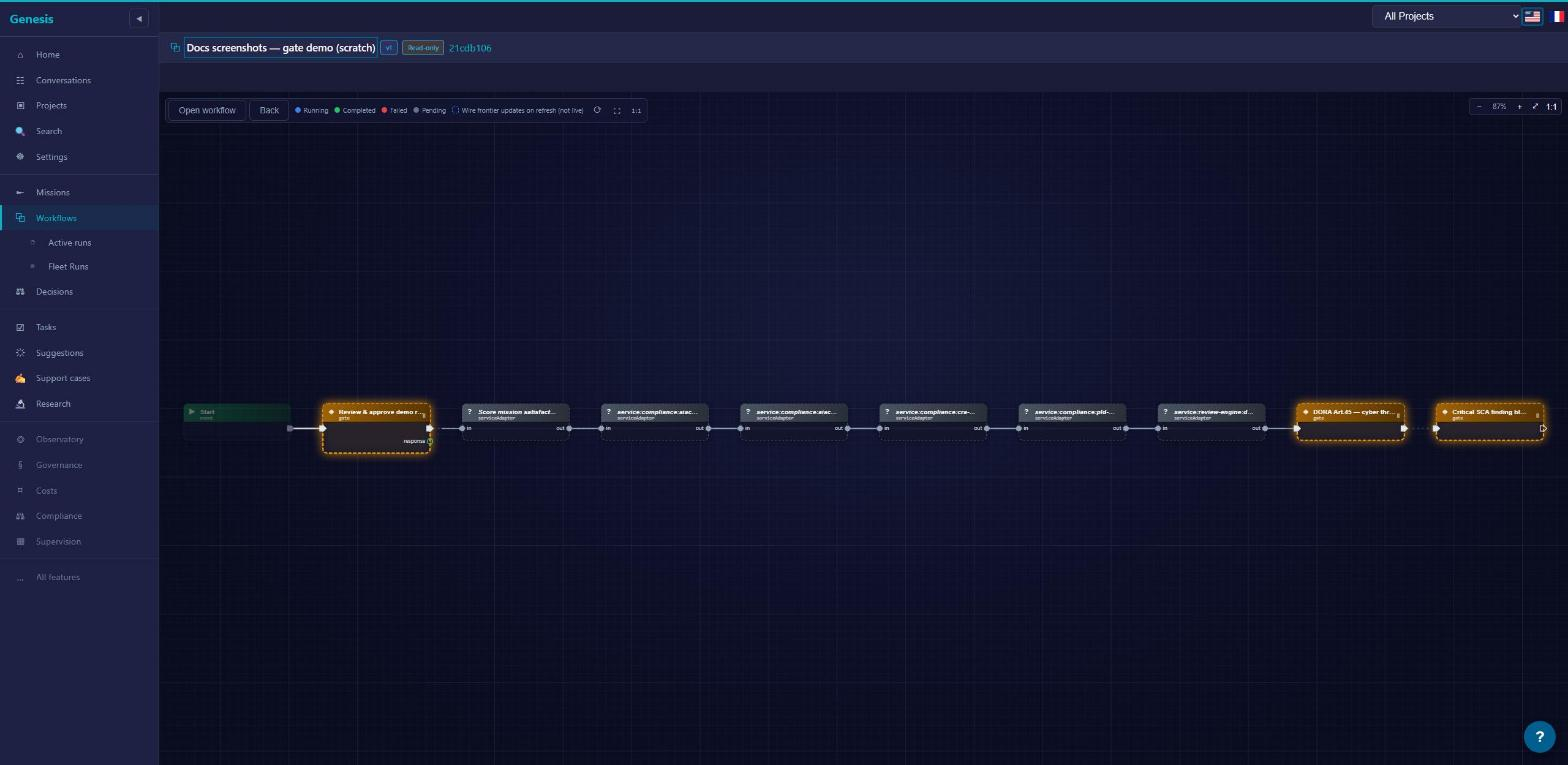
The node sheet
Click a node and its sheet opens: status, failure reason if it failed, start time and duration, how many attempts it took, and the tokens it consumed. If one of those values wasn't recorded, the row is simply absent — the sheet never fills a gap with a plausible number.
The sheet also links outward. A node that dispatched a coder links to the coder task. A node that raised a gate links to that decision. A multi-arm node — the async coder or service:mission:integrate — shows which arm the run actually took (outcome arms).
Finally, the sheet flags nodes that didn't come from the author's hand — generated, injected or amended; a node you authored carries no origin badge at all. Provenance matters when you're deciding how much to trust a step — a control you placed yourself reads differently from one governance added.
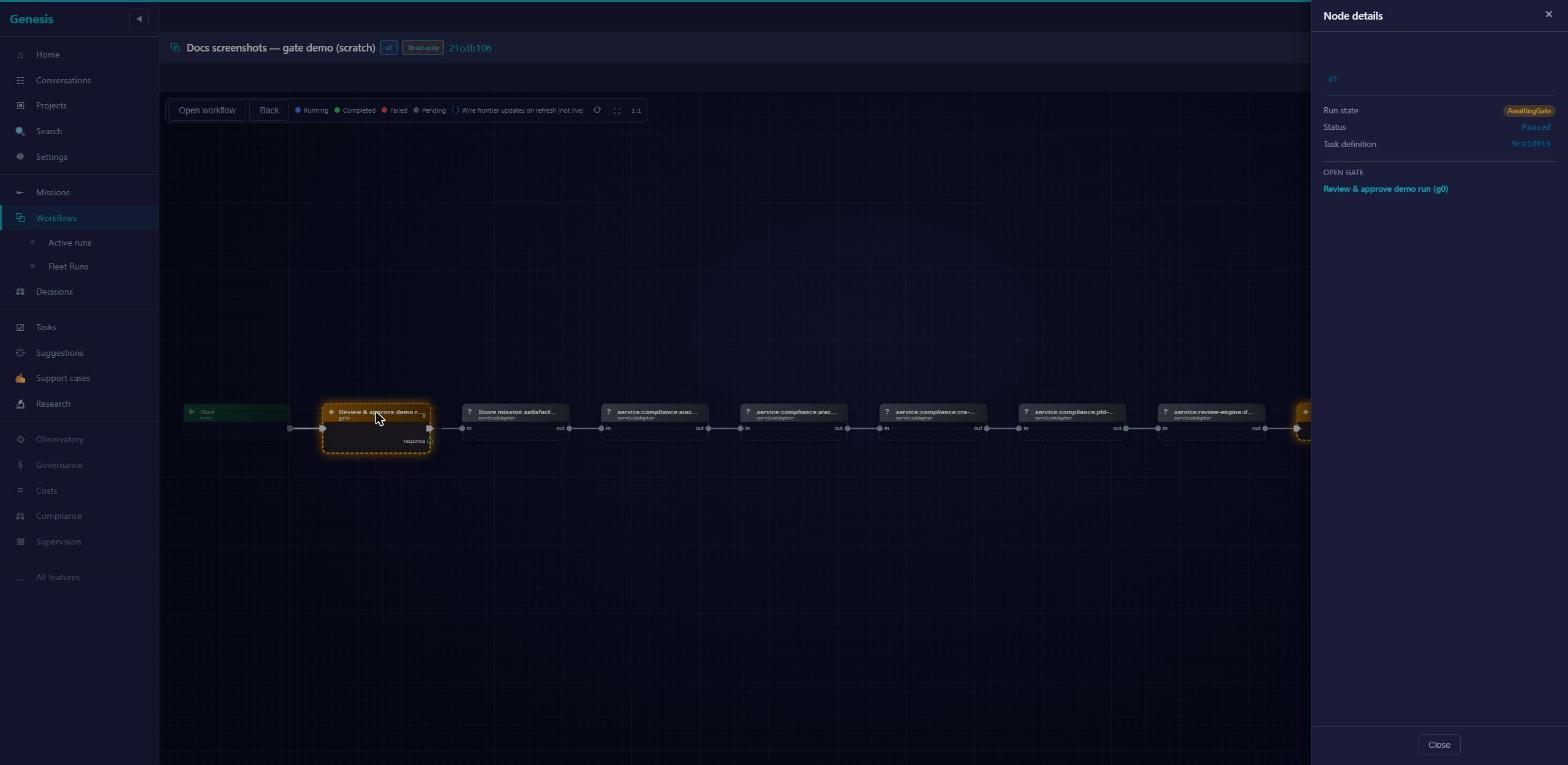
Gate sheets
When a run pauses at a gate, the gate lands in your Decisions queue, and its sheet shows the exact variable snapshot the run held when it raised the gate. That snapshot is frozen: what you approve is what you saw, not whatever the values become later.
A gate can carry typed capture fields (String, Number, Bool, Json, Enum) and named decisions — the same shapes described in Gates. Fill them on the sheet; your answers flow back into the run.
Injected controls are visually distinguished from authored gates. If the pause you're looking at was required by the publish floor rather than placed by the workflow's author, the sheet says so — see Governance for why those controls exist and why they can't be negotiated away at run time.
The coder session panel
When a node dispatched a coder, its sheet includes a Coder Session panel — the full record of what that coder was told and what it did:
- The effective prompt, exactly as dispatched. Expandable to the full text. This is what the coder actually received — not a summary, not a reconstruction.
- Files touched. Every file the session changed, listed.
- Diff on demand. Click Load changes to render the full diff — file count, additions and deletions, real hunks.
- Downloads. Any file individually, or everything as one zip.
This panel is how you audit a coder without leaving the run. For what coders are and how they work, see Coders.
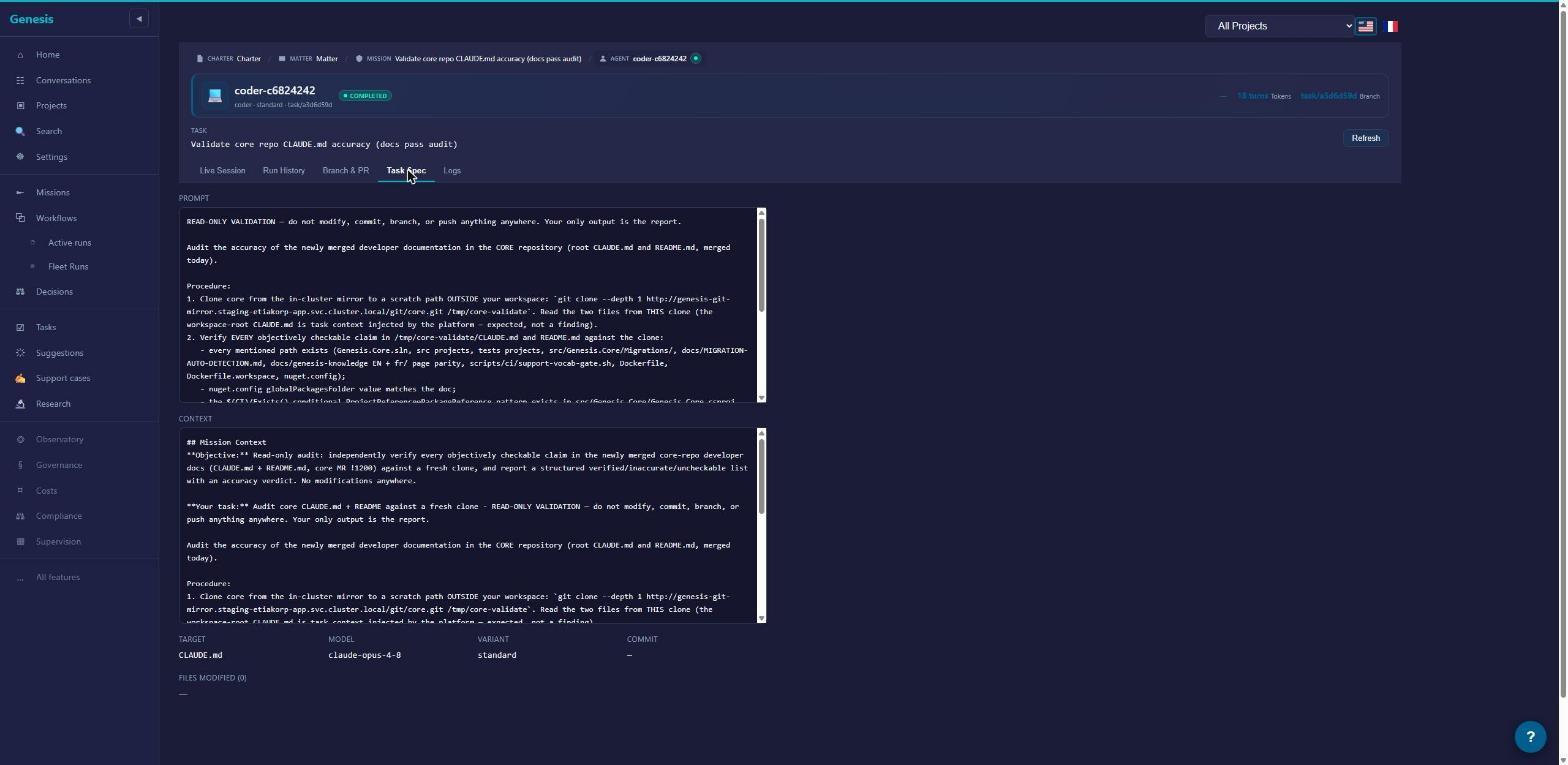
From run to mission and back
The run viewer is one hop from everything it touches. The breadcrumb takes you back to the mission, where the runs board shows this run next to its siblings. The node sheet takes you to the coder task or to the raised decision. And references to the run elsewhere in the UI — on a decision card, on the mission page — link straight back here.
When you've seen enough, the decision happens on the mission page, not in the viewer: Accept the run — or decline it. The viewer's job ends where yours begins — it shows; you decide.
Agent reference: workflow & run tools
This page is the lookup surface for the 33 MCP tools that author, run, and accept workflows: 23 workflow_* tools, 3 workflow_node_instructions_* tools, and 7 mission-run/changement tools, in eight groups. For step-by-step procedures, use the cookbook; when a call refuses, the refusals page maps every token to a recovery.
Who this is for
You are an MCP-connected agent — or the operator driving one. Every tool on this page returns the same envelope: { success, data } on success, { success: false, error, code } on refusal. All of these tools require tenant-admin rights; if a call fails authorization, that is a permissions problem, not a workflow problem.
This page tells you what each tool does and what it returns. For how the machinery works underneath — compilation, branches, seals — read the workflow architecture chapter.
The two legal entry surfaces
A published workflow executes through exactly two surfaces: workflow_invoke and mission_run_start — everything else on this page authors, inspects, or accepts.
workflow_invoke— workflow-first. Compiles a published version into a fresh mission it creates for you. Use it when the work has no mission yet.mission_run_start— a run on an existing mission. The run gets its own branch off the mission tip and enters the acceptance loop: bornProposed, then you accept or discard it. Use it when the work belongs to a mission you already have.
The human-side walkthrough of that loop is Runs, acceptance & changements.
Authoring & lifecycle (9 tools)
These take a graph from empty draft to frozen published version. Drafts are the only editable state; publishing freezes the graph — see The workflow lifecycle.
| Tool | Purpose | Key inputs | Returns | Refusal codes |
|---|---|---|---|---|
workflow_create_draft | Create a new draft version from a graph payload. Omit workflowId for a new identity at version 1; supply it to open the next version. | graphJson; optional workflowId, tunnelsJson | { id, workflowId, version, status } | — |
workflow_update_draft | Replace a draft's graph and tunnels. Drafts only. | id, graphJson; optional tunnelsJson | { id, workflowId, version, status } | NOT_FOUND · CONFLICT (not a draft) |
workflow_materialize | Inject the required governance controls into a draft, deterministically, from the active control catalog. Run it before publish on governed graphs; idempotent. | id | { id, workflowId, version, status } | NOT_FOUND |
workflow_waive_control | Record an explicit, reasoned, audited waiver for a missing required control. Some controls are non-waivable and refuse. | id, controlId, reason | { id, workflowId, version, status } | NOT_FOUND; non-waivable control |
workflow_validate_draft | Dry-run validation — the same validator publish uses, aggregating every problem in one pass. Changes nothing. | id | the full problems list | — (problems are returned, not raised) |
workflow_publish | Validate, then freeze the draft into an immutable, checksummed published version. | id | { id, workflowId, version, status, checksum, publishedAt } | VALIDATION_ERROR (every issue listed at once) |
workflow_rename | Set the display name, shared by all versions. The name lives outside the checksum, so renaming a published workflow is allowed. | workflowId, name | { workflowId, name, updatedVersions } | NOT_FOUND |
workflow_archive | Archive a published version — terminal, kept for provenance. | id | { id, workflowId, version, status } | CONFLICT (not Published, or a published workflow still references it — check workflow_referenced_by first) |
workflow_delete_draft | Permanently delete a draft version. Destructive. | id | { id } | CONFLICT (not Draft) |
Composition (3 tools)
Workflows compose by reference: a FlowRef node embeds another published workflow as a sub-workflow.
| Tool | Purpose | Key inputs | Returns | Refusal codes |
|---|---|---|---|---|
workflow_tile_catalog | List the published tiles you can embed as sub-workflows — including the sys- building blocks — each with the pin surface it projects. | — | the tile list | — |
workflow_rebind_flowref | Re-point a FlowRef in a draft to a different target workflow or version. Rebinding invalidates gate ratification: approvals given on the old binding must be given again. | draft id, the FlowRef node, the new target | the updated draft | NOT_FOUND · CONFLICT (not a draft) |
workflow_referenced_by | List the published workflows that reference this one. Call it before archiving: archive refuses while this list is non-empty. | workflowId | the consumer list | — |
Discovery & observation (6 tools)
| Tool | Purpose | Key inputs | Returns |
|---|---|---|---|
workflow_catalog | The node-type palette: all 138 node types across 17 categories, each with its typed input/output pins. lifecycle is Standard or Legacy; placing a Legacy node in a new draft is publish-blocked. Read it before authoring so you wire compatible pins. | — | the catalog with per-type pins |
workflow_list | All versions of one workflow, newest first. | workflowId | versions with status, checksum, dates |
workflow_list_all | The latest version of every workflow in the tenant. | — | one row per workflow |
workflow_get | One version with its full graph payload. version=0 (or omitted) means the latest published version. | workflowId; optional version | the full version, including graphJson |
workflow_runs | The runs launched from a workflow, newest first. | workflowId; optional version filter | the run list |
workflow_run_nodes | Per-node status of one run — maps the run's tasks back to the authoring node ids. | the run's mission id | per-node statuses (see Node run states) |
Execution (1 tool)
workflow_invoke — run a published version, workflow-first.
- Inputs:
workflowId,version(must be ≥ 1 — running "whatever is latest" is never implicit), optionalobjective,model,provider,paramsJson,projectId,presetId(+forceOnAllCallSites),agentBudgetJson(+forceBudgetOnAllAgentSites). - Parameters bind at compile time. The values in
paramsJsonare bound when the graph is compiled into the new mission's plan; nothing rebinds mid-run. - Model resolution is explicit.
modelandproviderare required unless tenant defaults resolve them — there is no silent model fallback. - Presets are the preferred lever.
presetIdruns this invocation with a named preset instead of a rawmodel; an unknown preset refuses withNOT_FOUNDrather than falling back. By default it replaces only the workflow-level default preset — a step that pinned its own preset at edit time keeps it — unless you also passforceOnAllCallSites. - Per-run agent budgets.
agentBudgetJsonadjusts agent budgets for this run only, applied axis by axis. By default a stated axis stands in for the engine default only — it fills the axes a step's authored budget leaves unstated, and a step that authored that axis keeps its own value — unless you also passforceBudgetOnAllAgentSites, which pushes the stated axes onto every agent site, outranking what the step authored. A malformed override refuses withVALIDATION_ERRORbefore any mission is created. - Project targeting is explicit and fail-loud.
projectId(id or slug) aims the run's writes at a project: an unknown target refuses withNOT_FOUNDand a non-Active project withCONFLICT, both before any mission is created. Omit it and the run lands in the tenant's default project — recorded as such in the mission's provenance. - Returns the new
missionIdwith step, gate, and control counts. Every gate is born paused behind a pending decision. - Follow-ups:
mission_getto watch the mission,decision_listto find pending gates,workflow_run_nodesfor per-node status.
Cloning (2 tools)
| Tool | Purpose | Key inputs | Returns |
|---|---|---|---|
workflow_clone_from_mission | "Save this run as a workflow." Clones a mission into a new draft — never publishes. A workflow-born mission is re-drafted verbatim from its source; an organic mission is reconstructed from its tasks, and notes lists every repair made on the way. | the mission id | { id, workflowId, version, status, source, notes }; source = workflow-born | organic |
workflow_clone_from_system | Clone a system template into a fresh draft your tenant owns. | the template key | { id, workflowId, version, status } |
System templates (2 tools)
| Tool | Purpose | Key inputs | Returns |
|---|---|---|---|
workflow_system_list | List the platform's 22 read-only gallery templates. | — | template summaries |
workflow_system_get | One template with its full graph, so you can inspect it before cloning. | workflowKey | the template, including graphJson |
Templates are representational: cloning gives you a graph to own and edit, not a wire into the platform's internal flows. The full enumeration of the 22 lives on System templates.
Node instructions (3 tools)
Coder and agent nodes can carry an instruction binding — override text that replaces the node's authored instructions at the next dispatch, without touching the published graph or its checksum. Exactly one binding applies — the most specific wins: run > project > tenant > global.
| Tool | Purpose | Key inputs | Returns |
|---|---|---|---|
workflow_node_instructions_get | Read a node's authored text, the winning binding (if any), and the effective text dispatch would use. | the node reference; optional scope | authored, binding, effective |
workflow_node_instructions_set | Set the manual instruction text at one scope. | the node reference, scope, text | the updated slot |
workflow_node_instructions_clear | Remove the manual instruction at one scope. | the node reference, scope | the cleared slot |
Only manually-set slots are writable through these tools; a slot owned by the platform's prompt-engineering machinery refuses with CONFLICT. ARDS proposing prompt improvements on its own is not in v1; if that lands, proposals will arrive as decisions you approve — nothing will ever apply itself. See Governance for the human-side view.
Mission runs & changements (7 tools)
The acceptance loop on an existing mission. Strict-sequential by default: one undecided run at a time, each accepted run landing as one changement on the mission branch. Pass the same groupId to several starts to open a competition instead — one winner, siblings rejected.
| Tool | Purpose | Key inputs | Returns | Statuses |
|---|---|---|---|---|
mission_run_start | Start a run of a published version on an existing mission. The run branches off the mission tip and is born Proposed. | the mission id, workflowId, version; optional groupId | the run id + a status token | the 11 run-start statuses |
mission_run_get | One run with its per-node roll-up, its changement once accepted, and its seal anchors. isAnchored is true only once the run is accepted, its changement applied, and its seal passed. | the run id | the run detail | — |
mission_run_accept | The unit of acceptance: re-checks the run's base against the mission tip, runs the physical-validation floor (fail-closed), merges, and records exactly one changement. | the run id | the changement on success | the 7 run-accept statuses |
mission_run_discard | Drop an unaccepted run: marks it Rejected and deletes its branch. Nothing landed, so there is nothing to undo. | the run id | confirmation | — |
mission_changement_stack | The mission's changements in ordinal order, each with its touched files and the prior changements it depends on. | the mission id | the stack | — |
mission_revert_preview | Preview a revert: the changement plus the transitive closure of its dependents, in the reverse order they would be reverted. Changes nothing. | the mission id, the changement | the cascade | — |
mission_revert | Execute the previewed cascade, newest first, fail-closed: a conflict aborts cleanly and names the failing member — nothing partial lands. | the mission id, the changement | the reverted list | — |
The human-side walkthrough — accept, discard, revert, competition — is Runs, acceptance & changements.
Mission context
Four neighbouring tools you will meet in every workflow session; the full mission surface is documented in Missions & tasks.
mission_propose drafts a mission and routes it for approval instead of creating it outright — the proposal arrives as a decision a human accepts or rejects. You never approve your own proposal.
mission_create creates a mission directly. Attach a workflow at creation, or start runs on it later with mission_run_start.
mission_decompose asks the planner to break a conversation-born mission into tasks. Missions that carry a workflow skip this: the graph already is the plan.
decision_respond is the single gate-resolution verb. Its resolutions map onto a paused gate as: approve releases the gate once prior steps complete; skip cancels the gated step; fail fails it. Leaving the decision unresolved keeps the run paused. Pending gates are listed by decision_list and appear in the Decisions queue.
Status vocabularies
Normative token tables. Tokens are returned verbatim; match on them exactly. Per-token recovery detail lives in Refusals & failure modes.
Run-start statuses
Returned by mission_run_start. One success token, ten refusals.
| Token | Meaning | What to do |
|---|---|---|
Started | The run was created on its own branch off the mission tip, born Proposed. | Watch it with mission_run_get; resolve gates via decision_respond. |
FeatureDisabled | Workflows:MissionRuns:StartEnabled is off in this environment. | Ask your operator to enable it — see Refusals & failure modes. |
AgenticMissionUnsupported | This mission's type can't host workflow runs. | Use a standard mission, or create one with workflow_invoke. |
MissionTerminal | The mission is already Completed, Failed, or Cancelled. | Start the run on a live mission, or invoke a fresh one. |
MissionNotPlanned | The mission hasn't reached a planned state yet. | Wait for planning to finish, then retry. |
ChildSpawnerDisallowed | The graph contains a node that spawns child missions — disallowed inside a mission run. | Run that workflow through workflow_invoke instead. |
RunAlreadyOpen | Strict-sequential: an undecided run is already open on this mission. | Accept or discard the open run first — or compete with the same groupId. |
TipUnavailable | The mission tip couldn't be resolved. | Retry; if it persists, see Refusals & failure modes. |
WorkflowNotFound | No workflow matches that workflowId and version. | Check with workflow_list. |
NotInvocable | That version isn't Published. | Publish the draft, or pick a published version. |
MaterializationFailed | Compiling the graph into the run's tasks failed. | Read the returned error; the causes are catalogued in Refusals & failure modes. |
Run-accept statuses
Returned by mission_run_accept. One success token, six refusals.
| Token | Meaning | What to do |
|---|---|---|
Accepted | Validated and merged; exactly one changement recorded; the mission tip advanced and stays green. | Read the stack with mission_changement_stack. |
StaleRefused | The mission tip moved since the run branched. | Start a fresh run off the new tip — never force. |
MergeConflict | The run branch no longer merges cleanly onto the tip. | Discard it and start a fresh run off the current tip. |
GroupAlreadyWon | Another run in this competition group was already accepted. | Nothing — the group is decided; losing branches are deleted. |
ValidationRefused | Acceptance is physical, and the check is fail-closed: if validation does not pass — or no validation backend is reachable in your environment — the accept is refused rather than waved through. The run stays Proposed; nothing merges. | Confirm a validation backend is available (ask your operator), then retry — see Refusals & failure modes. |
NotProposed | The run isn't in Proposed — it was already accepted or discarded. | Check mission_run_get. |
TipUnavailable | The mission tip couldn't be resolved. | Retry; if it persists, see Refusals & failure modes. |
Run outcomes
The lifecycle of a run itself — the same tokens as the states cheatsheet.
| Token | Meaning | What to do |
|---|---|---|
Proposed | Born state: the run's changes exist on its branch and nowhere else. | Inspect it, then accept or discard. |
Accepted | The merge passed physical validation; one changement landed. | — |
Rejected | Declined — dropped via discard, or auto-rejected when a competing sibling was accepted; the branch is deleted; nothing landed. | — |
Superseded | Replaced by another run; no longer in play. | — |
Version statuses
The only legal transitions are Draft → Published → Archived.
| Token | Meaning | What to do |
|---|---|---|
Draft | Editable — the only state workflow_update_draft and workflow_delete_draft accept. | Iterate, validate, publish. |
Published | Frozen and checksummed; runnable; never silently mutated. | To change it, open a new draft version. |
Archived | Terminal; kept for provenance; no new runs. | — |
Node run states
Per-node statuses as reported by workflow_run_nodes and the mission_run_get roll-up.
| Token | Meaning | What to do |
|---|---|---|
Pending | Upstream steps haven't finished; the node isn't eligible yet. | Nothing — normal. |
Ready | Eligible, waiting to be dispatched. | Nothing — normal. |
Dispatched | Handed to its executor, not yet reporting progress. | Nothing — normal. |
InProgress | Executing now. | Watch via workflow_run_nodes. |
Completed | Finished successfully. | — |
Failed | Finished unsuccessfully; the roll-up carries the failure reason. | See Refusals & failure modes. |
Cancelled | Stopped by the mission or an operator. | — |
Paused | Waiting on a human decision or an event. | For gates: decision_list, then decision_respond. |
AwaitingGate | Derived from Paused: this specific pause is a gate awaiting a decision. | Resolve it with decision_respond. |
Agent cookbook: canonical sequences
This page is for an MCP-connected agent (or the operator driving one) that already knows the individual tools and wants the proven order to call them in. Every call returns the { success, data } envelope described in the agent reference; sequences 1 and 2 below are the two legal entry surfaces. Each sequence states its preconditions, the numbered calls with their key parameters, what you should see, and where to look when a call refuses.
No sequence in this cookbook lands anything by itself: every path ends at a gate or an accept, and a proposer never approves its own proposal.
Author, publish, invoke
The full authoring loop: from an empty draft to a fresh mission running your graph.
Preconditions — tenant-admin MCP access; a model and provider you are allowed to bind (there is no silent fallback at invoke).
Steps
workflow_catalog— read the palette first: 138 node types in 17 categories, each with its pins. Wire only pin-compatible connections; node types with lifecycleLegacyare publish-blocked in new drafts.workflow_create_draft— pass your graph payload asgraphJson(a minimal skeleton is fine); you get back anidand aworkflowIdin stateDraft, the only editable state. There is no name parameter here — set the display name separately withworkflow_rename.workflow_update_draft— send nodes and wires; repeat as often as needed while the version is still a draft.- Governed graphs only:
workflow_materializeinjects the required control nodes into your draft — deterministically, before publish — so review them like any node you authored. Useworkflow_waive_controlwith a written reason for a control that can be waived; some controls are non-waivable. See Governance. workflow_validate_draft— a dry run of the same validator publish uses. It aggregates every problem in one response: fix them all, then validate again — do not fix one and retry.workflow_publish— freezes the graph into an immutable, checksummed (SHA-256) version. A later rename stays outside the checksum. See what publishing freezes.workflow_invoke— pass an explicitversion(≥ 1: a published version, never a draft), your run parameters (bound at compile time), andmodel+provider(required unless tenant defaults resolve them) — or bind a named preset withpresetIdinstead, the lever this estate prefers over a raw model (agent reference). Invoke creates a fresh mission around the run.- Watch it:
mission_getfor mission state,workflow_run_nodesfor per-node progress,decision_listfor gates waiting on a decision.
Expected outputs — a workflowId; a published version number; a new mission id from the invoke; gates arriving as decisions while it runs.
If it refuses — validation problems (gate dominance, arm reconvergence, a Legacy node, …) all arrive at once under VALIDATION_ERROR; edits to a non-draft return CONFLICT; invoke refuses when the workflow is not invocable. Causes and recoveries: Refusals & failure modes.
Run on an existing mission
The acceptance loop: start a run on a mission that already exists, resolve its gates, then accept or discard what it proposes.
Preconditions — an existing mission that is planned and not terminal; a published workflowId and version; no run already open on the mission — unless you are deliberately competing with a shared groupId.
Steps
mission_run_start—missionId,workflowId,version, parameters;groupIdoptional. OmitgroupIdfor strict-sequential behavior. OnlyStartedmeans a run exists — handle all 11 start statuses.- Poll
mission_run_getuntil the run reachesProposed. While it runs, gates park as decisions: list them withdecision_list, resolve them withdecision_respond—approveresumes the step,skipcancels it,failfails it. You never approve a proposal you raised yourself. - Decide.
mission_run_accept: onAccepted, exactly one changement lands on the mission branch, andmission_run_getnow carries the seal anchors andisAnchored. Acceptance is physical and fail-closed: if no validation backend is reachable in your environment, the accept returnsValidationRefusedand nothing merges — the run staysProposed. OnStaleRefusedthe tip moved underneath you: start a fresh run off the new tip; never retry in a loop. Ormission_run_discard: nothing landed, nothing to undo. All 7 tokens: accept statuses. mission_changement_stack— the ordered stack of everything accepted so far; the mission's MR is this composed stack. See changements.- To undo an accepted run:
mission_revert_previewfirst — it shows the transitive dependent cascade — thenmission_revert, which reverts in reverse ordinal order and fails closed on conflict: the cascade aborts cleanly and names the failing member; nothing partial lands.
Competition variant — start several runs with the same groupId from the same tip (different workflows, parameters, or node instructions). Accept the one you keep; the others are rejected and their branches deleted; a later accept in the group returns GroupAlreadyWon.
Expected outputs — a run id; outcome Proposed → Accepted or Rejected (run outcomes); one changement ordinal per accepted run.
If it refuses — 10 non-Started start tokens and 6 non-Accepted accept tokens, each with a recovery: Refusals & failure modes.
Clone a system template
Preconditions — none beyond MCP access; you clone into your own tenant.
Steps
workflow_system_list— the 22 built-in templates.workflow_system_get— inspect the graph before you clone; cheaper than cloning just to look.workflow_clone_from_system— you get a fresh draft you own. Cloning never publishes.- Continue as in sequence 1, steps 3–6: edit, validate, publish.
Templates are representational: cloning gives you the graph to make your own, not a wire into the flow the platform runs internally. See System templates.
Expected outputs — a new workflowId in state Draft, fully editable.
If it refuses — the clone itself rarely refuses; any problems you inherit surface at workflow_validate_draft, all at once — Refusals & failure modes.
Compose by reference
Preconditions — a draft open for editing; the sub-workflow you want to embed has a Published version — only published versions resolve.
Steps
workflow_tile_catalog— the published tiles you can embed, including thesys-building blocks.- Place a FlowRef node via
workflow_update_draft. The child's tunnel pins project onto the tile; the child shares your run and your acceptance — composition, never a separate invocation surface. - Before archiving a workflow that others may embed:
workflow_referenced_by. Archive is refused while the list is non-empty. workflow_rebind_flowref— move a consumer to a different target. Rebinding invalidates gate ratification: the affected gates must be re-approved.
Expected outputs — a draft whose FlowRef resolves at validation; workflow_referenced_by returning the live consumers of any published flow.
If it refuses — archiving with live consumers returns CONFLICT; a FlowRef pointing at an unpublished target surfaces at validation. Refusals & failure modes.
Start from a trigger
Preconditions — a published version, and a way off the MCP surface: there is no workflow-trigger MCP tool, so registering the trigger happens in the dashboard or over the platform's REST API. Triggers never fire drafts.
Steps
- Publish, as in sequence 1.
- Register the trigger outside MCP — either a human uses Manage triggers on the workflow in the dashboard's workflow list, or you call the REST triggers endpoint. Pick one of three kinds: Schedule (a cron expression), Webhook (the endpoint carries a write-only secret — store it at creation, you cannot read it back), or Event (one of the six live seams:
mission.created,conversation.completed,support-case.created,incident.created,batch.completed,mr.merged). - Choose the version policy:
LatestPublishedfollows the latest published version;Pinnedstays on the one you name.selectedModelandselectedProviderare mandatory on the trigger. - Verify a firing:
workflow_runsfor the workflow's runs, thenmission_getanddecision_liston the mission each firing creates.
Every firing behaves like a workflow_invoke: a fresh mission, the same graph, the same gates. Triggers never bypass gates — a triggered run pauses at the same decisions a manual run does.
Expected outputs — one new mission per firing; the runs visible under workflow_runs.
If it refuses — a trigger pointed at an archived or never-published workflow cannot fire; omitting the model or provider refuses at registration. Refusals & failure modes.
Refusals & failure modes
This page is the diagnosis surface for the workflow and run tools: when a call is refused, look the token or code up here. Each entry gives the token verbatim, the tool that raises it, the cause, and the recovery. The normative token tables live in the agent reference; the canonical call sequences live in the cookbook.
Every refusal on this page is fail-closed: Genesis refuses and leaves state intact rather than guessing — nothing partial ever lands.
How to read this page
Refusals arrive in two shapes:
- a status token in the reply —
mission_run_startandmission_run_acceptanswer with a token, and any token other thanStarted/Acceptedmeans the operation did not happen; - an error envelope carrying a
code— the authoring and lifecycle tools refuse withVALIDATION_ERRORorCONFLICT.
A refused call never needs cleanup: fix the cause and retry. For the architecture behind these rules, see the workflows chapter.
Publish & validate failures
Raised by workflow_validate_draft and workflow_publish, code VALIDATION_ERROR. The validator aggregates: it reports every problem in the graph at once, so work through the whole list before you revalidate — there is no hidden queue of problems behind the first one.
| Problem | What the validator saw | Fix |
|---|---|---|
| Gate dominance | A dependency path reaches a write-classified node without passing through a gate. | Add a gate that dominates the write — every path to the write must traverse one. See gates. |
| Ungoverned llm site | A generic llm node is bound to a site that is not a registered deny-all site. | Bind the node to a registered deny-all site. Generic llm nodes carry no tools by construction. |
| Agent toolset out of policy | An agent node's toolset is not a subset of its site's effective tool policy. | Trim the toolset to the site's policy. Any authored tool — write or read — also reclassifies the node as a write at publish (fail-closed; only an empty toolset keeps a node read-classified) — gate dominance then applies to it. |
| Missing stage on a write | The graph is governed and a write node carries no development stage. | Tag the node with one of Design, Implementation, Integration, Verification, PreDeployment. See the publish floor. |
| Legacy node in a new draft | The draft places a node whose lifecycle is Legacy — today exactly one: service:research:llm. Legacy nodes are publish-blocked in new drafts. | Replace it with the current Standard node the catalog offers for the same job. |
| Arm reconvergence | Branch cases, gate decisions or outcome arms converge back onto a shared downstream node. Arms never reconverge. | Keep each arm's continuation separate. An unrouted arm is a valid dead end. |
| Fan-out body shape | A fan-out body breaks its shape rules: a MapFanOut body with more than a single catalog step or sub-workflow reference, or a ForEach Loop Body region carrying structural nodes. | Move a multi-step body into its own workflow and reference it — or, for ForEach only, wire it as a Loop Body region of plain catalog steps. Structural nodes never nest inside a fan-out body. |
| Reserved id segment | A node id uses a reserved segment (__ or #). | Rename the node. |
| Non-waivable control | A waiver was requested on a control that cannot be waived. | There is no path around it — publish with the injected control in place. See waivers. |
Lifecycle conflicts
Code CONFLICT. These protect the three-state lifecycle — Draft → Published → Archived, in that order only.
| Conflict | Raised by | What it means | What to do |
|---|---|---|---|
Editing outside Draft | workflow_update_draft, workflow_delete_draft | The target version is Published or Archived. Only a draft can be edited or deleted. | Create a new draft — published graphs are immutable, so changes always land as a new version. |
| Archiving a non-published version | workflow_archive | Only Published versions archive. A draft is deleted, never archived. | Use workflow_delete_draft on drafts. |
| Archive blocked by live references | workflow_archive | A published workflow still embeds this one as a sub-workflow. | List consumers with workflow_referenced_by, move them with workflow_rebind_flowref (rebinding invalidates gate ratification — they re-approve), then archive. |
Run-start refusals
Raised by mission_run_start. Any token other than Started means no run was created. The full 11-token vocabulary is in the agent reference; the sequence that handles them is attach and run.
| Token | What it means | What to do |
|---|---|---|
RunAlreadyOpen | The mission already has an open run, and runs are strict-sequential by default. | Accept or discard the open run first — or use groupId competition from the start when you want parallel candidates. |
ChildSpawnerDisallowed | The graph contains a node that spawns child missions; such nodes cannot run inside a mission run. | Remove or replace the child-spawning node, republish, then retry. |
FeatureDisabled | Workflows:MissionRuns:StartEnabled is off in this environment. | Ask your operator to enable it; no call parameter works around a disabled flag. |
MissionNotPlanned | The mission has no approved plan yet. | Let planning finish and get the plan approved, then retry. |
MissionTerminal | The mission is finished — completed, failed or cancelled. | Start a new mission, or create one directly with workflow_invoke. |
AgenticMissionUnsupported | This mission's type cannot host workflow runs. | Use a mission that can, or create a fresh one with workflow_invoke. |
TipUnavailable | The mission branch tip could not be resolved right now. | Retry. If it persists, ask your operator. |
WorkflowNotFound | The workflow id and version do not resolve to a known workflow. | Check the id with workflow_list and the version with workflow_get. |
NotInvocable | The version exists but is not runnable — it is a draft, or archived. | Publish first; a run always starts from an explicit published version. |
MaterializationFailed | Building the frozen execution snapshot for this run failed. | Validate the workflow and its parameter bindings, then retry. If it persists, ask your operator. |
Accept refusals
Raised by mission_run_accept. Any token other than Accepted means nothing merged: no changement was created and the mission tip did not move. The full vocabulary is in the agent reference.
| Token | What it means | What to do |
|---|---|---|
StaleRefused | The mission tip moved after this run started; its base is stale. | Start a fresh run off the new tip. Never try to force a stale accept. |
MergeConflict | The run branch no longer merges cleanly onto the mission tip. | Start a fresh run from the current tip and let it propose the change again. |
GroupAlreadyWon | Another run in the same competition group was already accepted. Losing runs are rejected and their branches deleted. | Nothing to recover — the group has its winner. Start a new run if you still need the change. |
NotProposed | The run is not in Proposed — it is still executing, or was already accepted or discarded. | Poll mission_run_get until it reaches Proposed, resolving any waiting gates with decision_respond. |
TipUnavailable | The mission branch tip could not be resolved right now. | Retry. If it persists, ask your operator. |
The last token deserves its own entry, because it comes from the acceptance doctrine rather than from run state:
ValidationRefused— Acceptance is physical: before a run merges, Genesis validates the run branch by exercising it — never by an LLM verdict. The check is fail-closed: if no validation backend is reachable in your environment, the accept is refused rather than waved through. The run stays intact asProposed; nothing merges. Recovery: confirm a validation backend is available (ask your operator), then retry the accept.
Revert refuses on conflict
Raised by mission_revert. A revert unwinds changements in reverse order, cascading over dependents. It is fail-closed on conflict: if any changement in the cascade cannot be reverted cleanly, the whole cascade aborts and the refusal names the failing member. Nothing partial lands — the mission branch is exactly as it was before the call.
Recovery:
- Run
mission_revert_previewfirst — it shows the full dependent cascade before you commit to anything. - Inspect the named changement in the stack (
mission_changement_stack) and resolve what makes it conflict. - Retry. A refused revert changed nothing, so retrying is always safe.
See the changement stack for how changements compose on the mission branch.
The Orchestrator
This page exists so you're not surprised when you see the orchestrator surface in the UI. It's internal plumbing; you don't need to know about it for any normal use.
The orchestrator in one paragraph
The orchestrator is ARDS's internal reasoning and routing layer. When it needs to make a decision that isn't a single tool call — picking which coder variant to assign, deciding whether to split a task in two, comparing two possible implementation paths — it dispatches a small research mission to its reasoning layer. That layer runs a parallel investigation (codebase, docs, web), synthesises an answer, and hands it back to the orchestrator to act on.
The orchestrator dashboard
The Orchestrator page is not in the sidebar — open the All features index (the "…" entry at the bottom of the sidebar) and look for Orchestrator. The dashboard shows an overview — expert status, queries handled, recent maintenance waves — and an Explore row of sibling surfaces:
- Team Compositions — team composition history and recommendations.
- Intent Expansions — intent expansion history and implication rules.
- Living Diagrams — auto-generated system diagrams with diff tracking.
- System Health — system harmony analysis and balance metrics.
- Scenario Runner — system validation scenarios and test execution.
- Validation Harness — test prompts across multiple LLMs and compare responses.
- Email Channel — outbound notifications and inbound email processing.
- Migration Dashboard — system migration planning and context mapping.
- Expert Traces — debug expert routing, consultations, and response quality.
These are research surfaces, and browsing them is safe — but not everything is read-only. Trigger Maintenance on the dashboard sits behind a confirmation dialog; Scenario Runner has live Run and Run All buttons that actually execute validation scenarios; and Validation Harness has a New Run panel that sends test prompts to several LLMs (real calls, real spend), plus a Cancel on runs in flight. Leave those controls alone unless an operator asks; everything else you can explore freely without breaking anything.
When you'll see the orchestrator in the UI
- In mission decomposition: a long-running mission may show "Investigating…" during planning. That's the orchestrator's reasoning layer at work, and it's normal. Missions that run a workflow largely skip this decomposition-time reasoning — the graph already is the plan — so the "Investigating…" behavior applies to conversation-born missions.
- In Costs: there's an Orchestrator call-site row alongside Planning, Coder, Review Engine. Usually a small fraction of total spend.
- In Search results: research mission outputs are searchable like conversations.
What testers can actually do with the orchestrator
Nothing you need to, in v1. There's no "start an orchestrator research" button exposed to testers; the orchestrator triggers its reasoning layer as needed. (The one active control on its dashboard, Trigger Maintenance, is for operators.)
If you want a research-style answer from ARDS — "survey the codebase and tell me what's there" — the right path is to start a Conversation and ask for that. The planner will route it through the orchestrator under the hood.
Review Engine
The Review Engine is the automated reviewer — but not of diffs. It sweeps a project's own surfaces (pages, code, config, data, pipelines) and produces findings across quality domains, both on demand and on a schedule. Reviews of coder-produced diffs happen on the Reviews page; that's a separate mechanism.
What it covers
Findings come from domains — each is a tab on the dashboard. The built-in set:
- Security, Architecture, Code Quality, Functional, Data Integrity
- Design Coherence, Discovery, Pipeline Health
- Regulatory Compliance, Third-Party Risk, UI/UX
Each domain produces findings with a severity — Info / Low / Medium / High / Critical — and a one-line summary.
What it reviews
Review sessions run against targets inventoried per project: application pages, code projects, config files, database tables, MCP tools, repositories. Each domain tab has a Target Inventory listing what it knows about. Everything on the page is scoped to the project selected in the top bar.
How it runs
- Scheduled — a daily pulse (lightweight automated checks) and a weekly deep sweep run per project, so sessions and findings appear without any action from you. The Maintenance Schedule panel on the dashboard shows the last daily pulse, the last weekly deep, the last reviewed commit, and the conversation thresholds: when a sweep produces enough findings at or above the configured severity, the engine opens a conversation about them, and High/Critical findings raise attention requests.
- Manual — tick the domains you want in the domain-selection panel and click Review Selected Domains (a dialog asks which LLM preset to run with). On a single domain's tab you get Review domain and, for domains that support it, Trigger Maintenance.
The domain checkboxes only scope the run you're starting — there is no per-domain on/off switch on this page, and nothing here blocks merges: the engine has no merge-gating mode at all.
Reading findings
A finding has a domain, severity, status, a category, a title and description, the target it was spotted on, and usually a recommendation. Click a finding to open the detail panel; from there you can add a note and act: Acknowledge, Open Matter, Won't Fix, Resolve.
Finding states:
- Open — fresh, hasn't been triaged.
- Investigating — marked as being looked at.
- Resolved — fixed.
- Dismissed — you decided it's not a real issue. Stays in history.
- Deferred — punt to later.
When findings are wrong
The Review Engine uses rules and LLM judgments. It will sometimes flag things that aren't issues. Marking a finding Won't Fix (with a note saying why) is a perfectly good outcome — dismissed and won't-fix findings stay in history and searchable.
What Review Engine isn't
- It's not a security scanner you'd bet your life on. Don't substitute it for SAST/DAST.
- It's not a compiler. Some "obvious" errors might slip past if they only fail in a specific build configuration.
- It's not a substitute for reviewing coder work. Diffs from your missions are reviewed on the Reviews page — the engine's findings live here, on its own dashboard.
When to use the Review Engine page
- Checking what the scheduled sweeps found — the domain tabs carry open-finding badges, and the dashboard's domain cards show open/critical counts and when each domain last ran.
- Starting a targeted review after a big change landed in a project.
- Browsing the target inventory and each domain's rules.
- Triaging findings — acknowledging, resolving, or opening a matter from the good ones.
The page is on the All features index (the "…" entry at the bottom of the sidebar), under Review Engine.
Ghost Evaluation
Ghost Evaluation is ARDS's "would a different model have done as well?" machinery. Useful when you're deciding which model to pin to a call site and want evidence, not vibes.
What it does
Ghost re-runs LLM calls against one or more ghost models and compares each ghost's answer with the response the product actually used (the authoritative response). Two things feed it:
- Shadow evaluations, automatically. Live calls from the platform's own call sites — dialogue, research, critic, decomposition, classification, coder — are re-run in the background against the configured ghost models. You don't start these; they accumulate on their own.
- On-demand evaluations. You can queue one yourself from the dashboard (see below).
Ghost runs are ghost: they never change product state. The original conversation is untouched; results live on the Ghost Evaluations dashboard, scored and comparable. Each evaluation compares one ghost model side by side against the authoritative response — there is no N-model matrix.
When it's useful
- "Could a cheaper model hold the planning call site? The leaderboard has weeks of evidence."
- "Does an open-weight model answer dialogue as well as the default, at a fraction of the cost?"
- "We changed the default model — did the character of the answers actually move?"
The dashboard
Two main tabs:
- Stats — filter by source type, read the counters (Total / Completed / Failed / Timeout) and the Model Leaderboard: per ghost model, its completed evaluations, average concordance, judge score, latency, tokens and failures. Rows highlighted green are promotion candidates — models with ≥ 90% concordance over ≥ 50 evaluations.
- Evaluations — the individual runs, filterable by source, status and model. Click a row to open the detail: the concordance breakdown, judge scores when enabled, a latency and token comparison, and a Side-by-Side Comparison of the ghost response against the authoritative response. A Re-run button queues the same prompt again.
Running one yourself
Click New Evaluation on the dashboard:
- On the Manual tab, type a prompt (plus an optional system prompt) — or switch to From History and pick a single past conversation message (with options to include its context and system prompt).
- Optionally tick Enable LLM judge scoring.
- Click Run Evaluation. The prompt is queued against every configured ghost model.
You don't pick models in the dialog. Which ghost models run — and which model judges — is tenant-wide configuration resolved server-side from LLM Config (the ghost-models call site takes a comma-separated model list).
Scoring
Every completed evaluation gets a concordance score computed without an LLM: length ratio, keyword overlap and structural similarity against the authoritative response.
If judging is enabled, one judge model also compares the two answers on fixed dimensions — semantic similarity, factual accuracy, completeness — plus an overall score and a short written reasoning. The dimensions are fixed; there is no per-run rubric and no multi-judge mode. (The judge's instructions can be overridden tenant-wide on the LLM Config Prompts tab, like other system prompts.) The judge is itself an LLM call with biases of its own — read the reasoning, not just the number.
Cost considerations
Each evaluated prompt runs once per configured ghost model, and the judge adds one more LLM call per evaluation. Ghost spend scales with the size of the ghost-model list — keep it short. There is no projected-cost display; watch the Costs dashboard if you're unsure what Ghost is spending.
What Ghost doesn't do
- Doesn't replay tool calls. When the original work involved file edits and commands, Ghost can't re-execute the side effects. It re-runs the LLM-level exchange only.
- Doesn't change anything live. Even when a ghost model outscores the authoritative one, nothing swaps in automatically. Use the evidence to update LLM Config, then run new work.
Fleet tuning
The coder fleet is the pool of containers ARDS spawns to run tasks. In v1, you almost never need to tune it — the defaults are sized for the typical tester workload. This page exists so you can if you want to.
Where to look
- LLM Config → Tools tab — the fleet's home since the surfaces were consolidated. It holds the Fleet Defaults (default tool, variant, model, concurrency, turn budget), per-tool configuration with a live count of active instances, per-variant Resource Limits, and the container registries. The old Fleet Resources page now lands here automatically. LLM Config is on the All features index (the "…" entry at the bottom of the sidebar).
- Fleet Profiles page — named configuration sets layered on top of the system defaults. It has no sidebar entry; open
/fleet/profilesdirectly. - Coder Fleet page — live operations, not configuration: a Coder Monitor tab (running coders) and a Queue Dashboard tab (what's waiting). Diagnostic reading only.
What you can tune
On the Tools tab of LLM Config:
- Fleet Defaults — Default Tool, Default Variant, Default Model, Max Concurrent (default 3) and Max Turns (default 30). Increase concurrency if you have a big mission with parallelisable tasks; decrease to throttle spend (each coder uses tokens independently).
- Tool Configurations — one card per coder tool, with an enable toggle and API key. Each card shows how many instances are active right now.
- Resource Limits, per variant (
standard/browser/android) — Memory, CPU, shared memory (SHM) and Max Instances. Increase memory only if a task page shows out-of-memory kills in the logs; browser and Android variants need the SHM allowance.
Model fallback chains are not a fleet setting — they live in LLM configuration. For workflow runs, dispatch-time preset bindings take precedence — see Presets.
Profiles
The Fleet Profiles page manages named configuration sets with sparse overlays: a profile only stores the fields that differ from its parent; everything else is inherited. One profile ships seeded — System defaults (marked with an S badge; it can't be deleted). There are no other built-in presets.
- Buttons: New Profile, Clone, Delete, Save Profile, Preview Resolved.
- Profile fields: a description, an optional Parent Profile, the defaults (Default Tool —
claude,copilot,codex,gemini,aider,octofriend,junieorcustom; Default Variant —standard,browser,android; Default Model; Max Concurrent; Max Turns), profile-level environment variables, and a read-only view of per-tool overrides. - Resolution runs system defaults → parent profile → profile → per-project overrides; provenance badges next to each field show where the resolved value came from, and Preview Resolved shows the final merged configuration.
Profiles apply per project, and binding a profile to a project is currently API-only — there is no button in the UI for it. Until a binding is made, every project runs on the system defaults.
Fleet profiles vs workflow presets
The names rhyme; the jobs don't. A fleet profile configures how coders run for a project: which coder tool and variant, the default model, how many run at once, the turn budget. A workflow preset is a bundle of model and provider choices bound to a workflow, resolved at dispatch time — the most specific scope wins, and it beats whatever model was authored on the canvas. Tune coders here; tune what a workflow's nodes talk to in Presets.
When to worry about the fleet
- Tasks queue forever before running → Max Concurrent (Fleet Defaults) or the variant's Max Instances is too low for your workload. Bump it on the Tools tab.
- Tasks die with "out of memory" → raise the variant's memory limit on the Tools tab.
- Spend doubled overnight → check the Default Model in Fleet Defaults and remember that more concurrency means more parallel token spend.
When to leave it alone
If you're doing 1–3 missions a week of moderate scope, the shipped defaults are correctly sized. Tuning further usually doesn't pay back.
The Tools tab also exposes some operator-grade controls (Docker registries, image discovery). Don't touch those unless an operator told you to — they're there for platform-team use, not testers.
How Genesis Works
Genesis is a multi-agent software-delivery orchestrator. You describe an outcome in plain language; Genesis plans the work, breaks it into tasks, dispatches AI coding agents to do it, runs governance and review gates, tracks every dollar of model spend, and surfaces the whole pipeline to humans through a dashboard, a REST API, and a large catalog of MCP tools. It is multi-tenant: one deployment hosts many isolated customer tenants, each with its own projects, missions, agents, conversations, costs, and compliance posture.
This page is the map. It explains the big pieces and how they fit together, then points to a dedicated page for each subsystem. Every subsystem page is written from two angles: the operator / product surface (what it does and how you drive it — MCP tools, REST controllers, dashboard pages) and the internal architecture (the services, data model, and execution internals).
The shape of the system
Genesis is organized as a hierarchy of intent that narrows from strategy to execution:
- Tenant — the top-level isolation boundary (a customer). The control-plane database holds the tenant registry, environments, and all shared catalogs (LLM providers / presets / routing, system workflows, the compliance requirement/control catalog, constitutional rules, fleet profiles). Each tenant then has its own operational data (missions, tasks, agents, conversations, costs, reviews, knowledge) in a tenant database. Tenancy is implicit via the per-tenant database — there is no
TenantIdcolumn (ADR-008). - Project — a unit of work inside a tenant, typically bound to one or more Git repositories. Projects group missions, hold a registered file/module tree, carry a boundary policy, and are the scope for costs, knowledge, and fleet configuration.
- Charter → Matter → Mission → Task — the work hierarchy. A Charter is a strategic initiative (it carries a Vision and acceptance criteria). A Matter is a strategic epic under a Charter. A Mission is a concrete piece of deliverable work that gets decomposed into Tasks, the atomic units agents actually execute.
- Track — every mission and conversation runs in one of four tracks that frame the kind of work: Governance (policy), Research (strategy / investigation), Planning (command / decomposition), and Build (execution). (Older code persists this under a legacy field name; it always denotes the Track.)
The two cornerstones
Two subsystems are the heart of Genesis and have their own deep-dive guides.
- Agents — the autonomous workers. A native Strategic Orchestration Agent (and a standing Compliance agent) run on an event-sourced core (
agent_instances+agent_event_queue) and are self-pacing: a backgroundAgentDispatcherticks everyActiveinstance, the agent reads its event log, plans through one provenance-recorded LLM call, then takes typed, governed actions. Mission-type agents (Feature, Research, Review, onboarding, etc.) wrap that core to drive a specific mission to completion. Coding work is delegated to coders — containerized CLI tools (Claude, Copilot, Codex, Gemini, Aider, Octofriend) spawned per task. See the Agents guide for the full lifecycle, event model, budgets, and dispatch internals. - Workflows — a reusable, versioned graph of typed steps (stored as
GraphJson, with a Draft → Published lifecycle and a content checksum). Invoking a published workflow compiles the graph into a mission whose tasks carry the step wiring; gate steps become pending approval decisions that humans resolve, and the mission recordsworkflowId@version+ checksum as compliance provenance. Workflows can embed compliance controls from a versioned catalog (with per-run waivers). See the Workflows guide for the node/pin model, the compiler, gates, controls, triggers, and run internals.
The cross-cutting layers
Three layers run underneath everything above:
- Dialogue — strategic conversations with the model that can propose missions for human approval (the main on-ramp from idea to work).
- The LLM routing layer — every model call is attributed to a named call site (e.g.
Missions:Decomposition,ReviewEngine:Architecture). A preset attached to that site resolves the provider, model, routing chain (with fallbacks), tool policy, sampling / limits, and prompt overlay at dispatch time. Modes apply a whole bundle of site attachments atomically. See LLM Configuration & Prompt Overlays. - Costs & governance — every call writes a cost record (tokens, cache, batch pricing, estimated USD) attributed to its mission / task / project; budgets, quotas, constitutional rules, and compliance gates constrain what agents may do. See Costs & Budgets.
Subsystem guide
| Page | What it covers |
|---|---|
| Workflows | Reusable versioned step graphs; compile-to-mission; gates, controls, triggers, run observability. |
| Agents | Standing and mission agents; the dispatcher, tick scheduling, per-tick budgets, the LLM-call pipeline, the governance rail. |
| Missions & Tasks | The execution backbone — mission lifecycle, decomposition, tasks, and human-decision gates. |
| Charters & Matters | The strategic layer above missions — initiatives and epics. |
| Dialogue | Strategic conversations that propose missions for approval. |
| Compliance | Continuous regulatory posture, assessments, incidents, SBOM, dossiers. |
| Support Cases | The agent-assisted support desk and its playbooks. |
| Intelligence & Knowledge | Codebase profiling, the knowledge corpus, prisms, aspects, scaffolding. |
| LLM Configuration & Prompt Overlays | Presets, call sites, modes, providers, credentials, overlays. |
| Costs & Budgets | Spend metering, attribution, quotas, and budget guardrails. |
| Projects & Workspaces | Registering codebases and the ephemeral agent scratch workspaces. |
| Atlassian: Jira & Confluence | The customer's Jira/Confluence, the approval-gated write path, and product-scoped sites. |
| Reviews & Ghost Evaluation | Approval gates, the automated review engine, and offline prompt/model A/B testing. |
| Fleet & Profiles | Layered configuration that resolves to one effective coder-fleet config per project. |
| Feature flags | The complete, generated catalog of switchable features: deploy level (release values) × tenant level (Settings → Features), defaults, and how each is flipped. |
Workflows
A Workflow is a reusable, versioned automation that an operator authors once and runs many times. It is a directed graph of typed steps — LLM call sites, system reads, inline write actions, service operations, human approval gates, and control-flow constructs (branch / loop / dynamic fan-out) — wired together by pins. When you run a workflow, Genesis compiles the graph into a mission whose tasks execute on the existing mission engine, with every gate paused behind a human decision and the originating workflowId@version + checksum pinned onto the run as compliance provenance.
Workflows are per-tenant authoring artifacts: every tool and endpoint is gated by the tenant-admin policy, and tenancy is implicit via the per-tenant database (no TenantId column — ADR-008), exactly like missions and tasks.
This page covers both surfaces:
- Operator / product — what a workflow is, its lifecycle, the MCP tool surface, the REST API, and the dashboard pages.
- Architecture — the data model, the graph IR and pin model, the step catalog, materialize → publish → invoke → run internals, system vs tenant workflows, triggers, compliance governance, the mission-run acceptance layer (runs → changements), and how workflows relate to missions and agents.
1. Operator guide
1.1 What a workflow is
| Concept | Meaning |
|---|---|
| Workflow | A stable logical identity (workflowId, e.g. wf3f9ac21b04) that owns an ordered series of immutable versions. |
| Version | One monotonic revision (1, 2, 3, …) of a workflow. A version is a graph payload plus a lifecycle status. |
| Graph | A JSON object { irVersion, nodes, edges, params } describing the steps and how their pins connect. |
| Step (node) | One unit of work: an LLM call site, a read, a write action, a service operation, a gate, or a control-flow construct. |
| Pin | A typed connection point on a step. Exec pins (in/out) order execution; data pins (Json/String/Number/Bool/Document/Artifact/Context) carry typed values. |
| Gate | A human approval step. Every write-capable step must sit behind a gate (enforced at publish). |
| Run | A mission launched from a published version. There is no separate "run" table — a run is a mission stamped with workflow provenance. |
| Tunnel | A workflow's own input/output pin signature, used when it is embedded as a step inside another workflow (FlowRef composition). |
1.2 The lifecycle
                 update_draft / materialize / waive_control / validate_draft
                 ┌───────────────────────────┐
                 ▼                            │
  create_draft ───►  DRAFT  ──── publish ───►  PUBLISHED  ──── archive ───►  ARCHIVED
       │              │  (validate + freeze)        │
       │              │                             │
       │          delete_draft                   invoke ───► RUN (a mission)
       │         (permanent)                         │
       └─ clone_from_mission / clone_from_system ────┘ (always lands a new DRAFT)
The only legal status transitions are Draft → Published and Published → Archived:
- Draft — the mutable working version; the only state that accepts graph edits. A new workflow's first draft is version 1; versioning an existing workflow adds
max(version)+1. - Update — replace the draft's graph/tunnels payload as many times as needed.
- Materialize (optional, governed workflows) — inject the required compliance gate/review steps from the active control catalog before publish, so the operator reviews them on the canvas.
- Publish — validate, then freeze. Validation reports every problem at once (catalog/site checks, pin compatibility, required pins, cycles, gate dominance, compliance floor). On success the version becomes immutable, gets a SHA-256 checksum, stamps
PublishedAt, and becomes invocable. At any point before that,workflow_validate_draftruns the identical validation as a dry run — the same aggregated problem list, no freeze, no status change. - Invoke — run a published version as a new mission. Multiple published versions of the same workflow can coexist; you choose which one to run.
- Runs — observe the launched missions per-workflow, per-version, and per-node.
- Archive — retire a published version (terminal; no longer invocable, kept for provenance). Delete is allowed only on drafts; published versions are immutable and must be archived instead.
1.3 The MCP tool surface
All tools live in WorkflowMcpTools (deferred names workflow_*), are gated by TenantAdminPolicy, and call the same services the REST controllers use through an in-process scope (Core is the service — no HTTP hop). Every tool returns a { success, data } (or { success:false, error, code }) envelope.
Authoring
| Tool | Purpose | Key inputs | Returns |
|---|---|---|---|
workflow_create_draft | Create a new draft version from a graph payload. | graphJson; optional workflowId (omit = new identity, version 1; supply = next version), tunnelsJson | { id, workflowId, version, status } |
workflow_update_draft | Replace a draft's graph/tunnels. Drafts only. | id (GUID), graphJson, optional tunnelsJson | { id, workflowId, version, status }. Errors: NOT_FOUND, CONFLICT (not a draft) |
workflow_materialize | Inject required compliance controls (human-gate + regulatory-review nodes) into a draft from the active control catalog, keyed off the development stages the nodes are tagged with. Runs before publish; deterministic + idempotent. | id | { id, workflowId, version, status } |
workflow_waive_control | Record an explicit, audited waiver authorising publish despite a missing required control. | id, controlId (e.g. DORA-P1-PROT-004), reason | { id, workflowId, version, status } |
workflow_validate_draft | Dry-run the full publish validation on a draft without freezing it — the same composite validator publish runs, every problem reported at once; the draft keeps its status. | id | The aggregated problem list (empty when the draft would publish clean) |
workflow_publish | Validate + freeze a draft. | id | { id, workflowId, version, status, checksum, publishedAt }. Error: VALIDATION_ERROR (lists every issue) |
workflow_rename | Set the workflow's display name (shared by all versions; outside the checksum, so renaming a published workflow is allowed). | workflowId, name | { workflowId, name, updatedVersions } |
workflow_archive | Archive a published version (terminal). Guarded: refused while a live published FlowRef consumer still references the workflow — check workflow_referenced_by first. | id | { id, workflowId, version, status }. Error: CONFLICT (not Published) |
workflow_delete_draft | Permanently delete a draft version. | id | { id }. Error: CONFLICT (not Draft). Marked destructive. |
Discovery / reads
| Tool | Purpose | Returns |
|---|---|---|
workflow_catalog | List the step-type palette — every node type you can place, with its typed input/output pins. Use before authoring so you wire compatible pins. category is the palette taxonomy family (e.g. Missions/Research/Validation); tags is a reserved sub-family axis — empty on every node today; lifecycle is Standard or Legacy (placing a Legacy node in a new draft is publish-blocked). | { catalog: [{ nodeTypeId, kind, siteId, category, tags, lifecycle, inputs:[{name,kind,required,defaultValue,variadic}], outputs:[…] }] } |
workflow_list | List all versions of one workflow, newest first. | { versions: [{ id, workflowId, version, status, checksum, createdBy, createdAt, publishedAt }] } |
workflow_list_all | List the latest version of every workflow in the tenant. | { workflows: [{ id, workflowId, name, version, status, … }] } |
workflow_get | One version with its full graph payload. version=0 (or omit) = latest published. | { id, workflowId, version, status, checksum, graphJson, tunnelsJson, … } |
workflow_runs | Missions launched from a workflow (its runs), newest first; optional version filter. | { runs: [{ missionId, title, status, version, createdAt }] } |
workflow_run_nodes | Per-step status of one run: maps the mission's tasks back to authoring node ids (the run-debugger view). | { nodes: [{ nodeId, taskDefId, status, resultSummary }] } |
Composition
| Tool | Purpose | Returns |
|---|---|---|
workflow_tile_catalog | List the published workflows available as embeddable FlowRef tiles (including the seeded sys- compositions), each with the tunnel signature you wire against. Use it before placing a FlowRef step. | The tile list (workflow identity, version, name, tunnel pins) |
workflow_rebind_flowref | Repoint a draft's FlowRef step at a different target workflow/version (move a consumer off an old sub-workflow). Rebinding invalidates the gates' prior ratification — they must be re-approved. | The updated draft envelope |
workflow_referenced_by | List the published workflows whose FlowRef steps reference a given workflow — the archive guard: check it before workflow_archive. | The consumer list (empty = safe to archive) |
Execution
workflow_invoke — run a published version.
- Inputs:
workflowId,version(must be ≥ 1 — there is noversion=0shorthand here; running "whatever is latest" must be an explicit choice), optionalobjective,model,provider,paramsJson(a JSON object of run-parameter values), andprojectId(optional target project the run's coder writes into — GUID or slug; unknown → 404, non-Active → 409, omitted → tenant default project, recorded in provenance asprojectScope). - Behavior: compiles the graph into a mission whose tasks carry the step wiring; every gate step is paused behind a pending approval decision (resolve with
decision_respond:approvereleases the gate once prior steps complete,skipcancels it,failfails it).model+providerare required unless tenant defaults resolve them — there is no silent model fallback. - Returns:
{ missionId, workflowId, version, checksum, stepCount, gateCount, controlCount }. - Follow-ups:
mission_getto watch the run;decision_listto find pending gate approvals;workflow_run_nodesfor per-step status.
Cloning (save a run, or fork a template)
| Tool | Purpose | Returns |
|---|---|---|
workflow_clone_from_mission | "Save this run as a workflow." Clones a mission into a new draft (never publishes). Workflow-born missions are re-drafted verbatim from their source; other missions are reconstructed from their task rows, adding a trigger and (only when needed) a single gate so the result is publishable. | { id, workflowId, version, status, source, notes, suggestedInvoke }. source = workflow-born | organic; notes lists every repair |
workflow_clone_from_system | Clone a platform system-workflow template into a new editable draft owned by your tenant. | { id, workflowId, version, status } |
System-workflow templates
| Tool | Purpose | Returns |
|---|---|---|
workflow_system_list | List the platform's read-only system-workflow templates (the built-in orchestration flows: mission lifecycle, research, onboarding, support, review, …). | { workflows: [{ workflowKey, name, description, category, checksum, isSystemSeed }] } |
workflow_system_get | One template with its full graph payload, so you can inspect the flow before cloning. | { workflowKey, name, description, category, checksum, graphJson, tunnelsJson } |
Node instructions
Every workflow node can carry node instructions — extra text layered onto the node's prompt at dispatch. Instructions live in scoped slots with precedence run > project > tenant > global (the most specific slot wins). Three tools manage them, gated by the same tenant-admin policy as the rest of the surface:
| Tool | Purpose |
|---|---|
workflow_node_instructions_get | Read a node's instruction slots across scopes. |
workflow_node_instructions_set | Write an instruction at one scope. Only MANUAL-source slots are writable — a slot owned by the PromptEngineer path returns CONFLICT. |
workflow_node_instructions_clear | Remove an instruction slot. Same MANUAL-only rule. |
Today every live slot is set by hand; the PromptEngineer proposal path (ARDS proposing prompt improvements itself) is not live in v1 — the CONFLICT guard reserves its slots.
1.4 REST API
Base route api/v1/workflows (tenant-admin). Mirrors the MCP surface for the dashboard composer:
GET /workflows— one row per workflow identity (latest version).GET /workflows/catalog— the step-type palette.GET /workflows/{workflowId}/versions— all versions, newest first.GET /workflows/{workflowId}/{version}— one version with the full payload.POST /workflows— create a draft (body:graphJson, optionalworkflowId/tunnelsJson/name).PUT /workflows/{id}— replace a draft's payload.POST /workflows/{workflowId}/rename— set the display name on all versions.POST /workflows/{id}/materialize·POST /workflows/{id}/waive— compliance overlay + waiver.POST /workflows/{id}/publish— validate + freeze. Note: completed validation is always HTTP 200 with a{ success, workflow, problems[] }envelope (success:false+ a list of structured{ nodeId, pin, message, raw }problems on failure) — the dashboard maps any non-2xx to "request failed", so a validation failure must stay a 200 envelope. 404/409 remain for missing/non-draft rows.POST /workflows/{id}/archive·DELETE /workflows/{id}— archive (published) / delete (draft).POST /workflows/{workflowId}/{version}/invoke— run.POST /workflows/clone-from-mission— clone a mission to a draft.GET/POST /workflows/system[...]— list/get/clone system templates.GET /workflows/{workflowId}/runsand/runs/{missionId}/nodesandGET /workflows/runs(fleet) — run observability (§2.10).
Trigger CRUD lives under api/v1/workflows/{workflowId}/triggers (§2.9); the run-centric read surface also has api/v1/workflow-runs/{missionId}/graph-status and GET /workflow-runs (in-progress runs).
1.5 Dashboard pages
The Blazor composer (Genesis.UI) provides:
| Route | Page | What it does |
|---|---|---|
/workflows | WorkflowsDashboard | List all workflows; create, open, clone. |
/workflows/{WorkflowId}/{Version} | WorkflowEditorPage | The graph editor / canvas: place steps from the catalog, wire pins, materialize, waive, publish, rename, manage triggers (WorkflowTriggersDialog). |
/workflows/system/{Key} | SystemWorkflowPreviewPage | Preview a system template before cloning. |
/workflows/runs/{MissionId} | WorkflowRunViewerPage | Live per-node run view (the run debugger), with WorkflowGateReviewPanel for resolving gates. |
/workflows/active | WorkflowActiveRunsPage | Cross-workflow list of in-progress runs. |
2. Architecture
2.1 Data model
Workflows persist in three places. Critically, runs are not a workflow table — a run is a Mission + its TaskDefinition rows, stamped with workflow provenance in Mission.Metadata["workflow"].
workflow_records (tenant DB — WorkflowRecord): one row per (workflowId, version).
| Column | Type | Notes |
|---|---|---|
id | guid (PK) | |
workflow_id | varchar(64) | stable logical identity (wf + 10 hex); shared by all versions |
version | int | monotonic, 1-based; unique index (workflow_id, version) |
name | varchar(200) null | display name, logical per workflow id, outside the checksum |
status | varchar(50) | Draft / Published / Archived (enum→string); indexed |
graph_json | jsonb | the graph IR payload; schema is versioned inside (irVersion) |
tunnels_json | jsonb null | the workflow's pin signature for FlowRef composition |
checksum | varchar(64) | lowercase SHA-256 hex of graph_json, computed at publish; empty while Draft |
created_by, created_at, published_at | created_at indexed | |
compliance_catalog_version | int null | the control-catalog version pinned at publish (provenance) |
compliance_waivers | jsonb null | logged waivers [{controlId, reason, grantedBy, grantedAt}] |
workflow_triggers (tenant DB — WorkflowTrigger): automatic trigger bindings, not graph-embedded (so they survive re-versioning). Columns: id, workflow_id, version_policy (LatestPublished/Pinned), pinned_version, trigger_type (Schedule/Webhook/Event), config_json (jsonb), webhook_secret (write-only), selected_model, selected_provider (both required — invoke has no fallback), objective, params_json, target_project_id, is_active, last_run_at, next_run_at, audit columns. Indexed (workflow_id, is_active) and (trigger_type, is_active, next_run_at).
system_workflows (control-plane DB — SystemWorkflowRecord): platform templates surfaced read-only to every tenant. Columns: id, workflow_key (unique), name, description, category, scope (Tenant/Platform), is_system_seed, status, graph_json, tunnels_json, checksum, timestamps. Reconciled from the code catalog on startup; tenants may clone but not edit them.
The compliance control catalog (workflow_control_catalog rows, control-plane + tenant) backs materialize/floor checks; it is documented under Compliance.
2.2 The graph IR and node/pin model
WorkflowRecord.GraphJson parses (via WorkflowIrSerializer) into a WorkflowIr record:
WorkflowIr { int IrVersion, IrNode[] Nodes, WorkflowEdge[] Edges, WorkflowParam[]? Params }
WorkflowEdge { PinRef From, PinRef To }   PinRef { string NodeId, string Pin }
Node kinds (IrNodeKind) — 16 kinds:
| Kind | Authorable? | Role |
|---|---|---|
Event | yes | The trigger. At most one per graph; no input pins; its exec successors are the entry steps. Lowers to nothing. |
CallSite | yes | A latent LLM call site from the curated catalog. Write-classified (it dispatches coders). |
Read | yes | A pure, side-effect-free system read. Never write-classified, never gated. |
Action | yes | An inline-executed workspace:* write (W4). Write-classified; runs inline, never dispatches a coder. |
ServiceAdapter | yes | An inline-executed C# service operation (W5). Write-classified; runs inline. |
Gate | yes | A human approval gate. Lowers onto the Paused / AttentionRequest / DecisionResolution trio. Carries named decisions[] (human-labelled arms), typed capture fields[] surfaced on the response data pin, and an optional timeout resolving fail or skip. |
Branch | yes | First-match routing over a selector value; ordered cases + one else. Lowered to per-case Control steps. |
Loop | yes | Retry-until-acceptance over a published body workflow (flowId@version). Unrolled to N iterations. |
MapFanOut | yes | Dynamic fan-out: at runtime reads a JSON array from an upstream result and creates one body task per element (count unknown at compile time). Config: sourcePin (the upstream array), itemVar, a body that is either a single catalog step (bodyTemplate) or a sub-workflow (flowRef), maxItems (1..1000), and sibling dependencies via itemDependsOnPath (items form a DAG, not just a flat batch). |
FlowRef | yes | A composite step referencing another workflow by flowId@version; inlined at compile time. |
ForEach | yes | Sequential fan-out: iterates a JSON array one element at a time, in order, with break support (a satisfied break condition skips the remaining items). Retires Loop for new authoring; existing Loop graphs keep running. |
Wait | yes | Parks the run on a timer (durationMinutes, 1..40320 — one minute to 28 days) or an event (one of the six live seams — §2.9); exactly one of the two modes per node. |
Llm | yes | The generic bounded single-turn LLM step: one call, no tools. Its config siteId must name a registered deny-all site (checked at publish). |
Agent | yes | The generic in-process multi-turn agent step with an explicit toolset + budget; the toolset must be ⊆ the site's effective policy. Bi-class: read- or write-classified by its toolset (any write tool ⇒ write-classified, gate-dominated). Available but new — no built-in flow uses it yet. |
Finally | yes | A cleanup region that runs exactly once, whether the guarded region succeeds, fails, or is cancelled. |
Control | no | Compiler-synthesized routing (branch cases, loop continue/exit, gate skip arm, decision arms, outcome arms, map materializer/join). Authoring it is rejected. |
A latent LLM site that fires exactly one terminal outcome (onSuccess/onFailure/onRefusal) is an async call site; its descriptor exposes outcome pins instead of a single out, and the runtime fires exactly one arm (OutcomeRole).
Pins (PinKind): Exec (sequencing only, never carries data, never widens), Context, Document, Artifact, Json (may carry a JSON-Schema refinement), String, Number, Bool. Wiring is legal when kinds match (plus scalar→Json widenings); when both sides of a Json edge declare a schema, structural subset compatibility is enforced at publish. A PinDescriptor carries Name, Schema (kind + optional schema), Required, an optional editor-only DefaultValue, and Variadic (a data pin that accepts >1 incoming edge — an N-way fan-in collected into an array at runtime).
Params (WorkflowParam { Name, JsonSchema?, Required, default? }): graph-level invocation parameters. Values passed to workflow_invoke(paramsJson) are resolved at compile time into the bound pins' literals — there is no runtime parameter plumbing. A param bound to a required pin must itself be required or carry a default (checked at publish), so a published workflow can never compile into a task missing a required input.
Vocabulary / wire-format note: the IR persists a node's track under a legacy field name, kept stable so published checksums stay byte-identical. In all prose, UI, and tooling this field is the step's Track (Governance / Research / Planning / Build); the compiler defaults it to Build.
2.3 The step catalog (palette)
WorkflowNodeCatalog.All is the curated, code-defined palette of 128 step types (pinned live census). Each entry is a WorkflowNodeDescriptor { NodeTypeId, Kind (LlmSite/ReadAdapter/ActionAdapter/ServiceAdapter), SiteId, Inputs[], Outputs[], Outcomes?, ConfigFields? }. The descriptor attaches typed pins alongside the existing call-site registry — it never modifies LlmCallSite in Genesis.Contracts; an unannotated site is simply not palette-eligible. Representative entries:
- LLM call sites:
Missions:Decomposition,Coder:Default(sync) andCoder:AsyncDefault(outcome arms),ReviewEngine:Default. Every LLM site also carries two optional ghost-evaluation pins (ghostEval,ghostEvalModel). The Coder sites exposeConfigFields(Task Type, Track, Coder Variant, pinned Preset id) that the Properties panel renders and the compiler/validator read. - Read adapters (pure, never gated):
read:mission_get,read:gitlab_get_file,read:intelligence_knowledge_query,read:loki_query_range,read:task-deps:resolve,read:boundary:validate,read:task-routing:route,workspace:read_file,workspace:list_files. - Action adapters (inline workspace writes, gate-dominated):
workspace:write_file,workspace:create. - Service adapters (inline C# operations, gate-dominated):
workspace:merge,service:decomposition:propose, theservice:research:*family (investigate-codebase/docs/web, synthesize, critique, llm), theservice:review-engine:*,service:ux-review:*,service:canary:*,service:improvement:*,service:support:*,service:onboarding:*,service:aspect-onboarding:*,service:validation-runs:*,service:batch-processing:*,service:satisfaction:score,service:git-push:default, and theservice:compliance:*evaluators (SCA, clause-map, ROI completeness, incident timeliness, and the CRA / PLD families).
Read adapters' result schemas come from the adapter DTO files (single source of truth). The Genesis.Missions library stays free of the Contracts dependency — the Genesis.Core publish validator cross-checks each SiteId against the live LlmSiteRegistry.
The census by taxonomy family (17 families): ComplianceChecks 24 · Validation 20 · Missions 11 · Scaffolding 9 · Onboarding 9 · Support 8 · Review 7 · Improvement 7 · Workspace 6 · Research 6 · Incidents 5 · Agents 4 · Git 3 · Knowledge 3 · ComplianceAssess 3 · Communication 2 · Legacy 1. By descriptor kind: ServiceAdapter 102, ReadAdapter 18, LlmSite 4, ActionAdapter 2 (workspace:write_file, workspace:create), plus the generic Llm and Agent entries (one each). Exactly one node is Legacy — service:research:llm, superseded by the generic llm node and publish-blocked in new drafts.
Catalog-wide conventions: every node rides the Exec spine (in/out) — the sole exception is Coder:AsyncDefault, the one multi-arm node, whose exec exits are its outcome arms; 122 of 128 emit a required result:Json output; the six brain nodes (Missions:Decomposition, Coder:Default, Coder:AsyncDefault, ReviewEngine:Default, llm, agent) are the only ones carrying the context:Context pin, and the four wired LLM sites among them (Missions:Decomposition, Coder:Default, Coder:AsyncDefault, ReviewEngine:Default) are the ones where the ghost-evaluation (ghostEval/ghostEvalModel) pin pair is live; the fan-out families follow a prepare → per-item → reduce triad (the per-item body node's first input is item:Json, required); and a few nodes emit typed handles alongside — or instead of — result: runId (service:compliance-assess:prepare), incidentId (service:incident:create), leaseId (service:run-target:lease), workspace (workspace:create/workspace:merge).
2.4 Authoring and the compliance overlay (materialize)
materialize (ComplianceOverlayService.MaterializeDraftAsync) runs before publish so the operator reviews the injected controls on the canvas. It:
- Parses the draft IR.
- Reads the floor — the active control catalog (
IWorkflowControlCatalog.GetActiveAsync) — plus additive-only governance augmentations (IOverlayGovernanceAugmenter; the default reads nothing, the seam allows a project to add controls, never remove a floor control — the ratchet design). - Runs the deterministic
ComplianceOverlayMaterializer, which injects the required human-gate and regulatory-review/service:compliance:*nodes keyed off the development stages the graph's nodes are tagged with (Design/Implementation/Integration/Verification/PreDeployment), plus the base always-required controls. Injected nodes carry overlay provenance ({ controlId, catalogVersion }). - Idempotent: if the canonical JSON is unchanged it returns the draft untouched (no checksum churn). Otherwise it persists the parse-compatible wire form draft→draft.
waive_control appends an audited waiver { controlId, reason, grantedBy, grantedAt } to the draft so the publish floor treats that control as satisfied — unless the control is non-waivable, in which case the presence of a waiver is itself a publish violation.
2.5 Publish and validation
IWorkflowRepository.PublishAsync runs a single injected IWorkflowPublishValidator — a CompositeWorkflowPublishValidator that runs every registered validator and aggregates all problems (no short-circuit), so structural, registry, and compliance-floor issues surface together. The three validators:
- Structural —
WorkflowIrValidator(pure; no DB/registry). It runs the same way the compiler will: FlowRef-expand →Validate(Authored)→ control-flow-expand →Validate(Final). It checks: well-formed ids (unique, no reserved__/#segments), at most one Event, per-kind pin models, edge kind/schema compatibility, single-edge-per-data-pin (relaxed for variadic), required-pin connectivity, literal/param binding rules, branch/loop/fan-out configuration, branch-arm and outcome-arm reconvergence isolation, acyclicity (with an explicit cycle path), and — the cornerstone — gate dominance. - Registry —
LlmSiteRegistryWorkflowPublishValidator(Genesis.Core): re-runs the structural pipeline on the FlowRef-expanded graph, cross-checks every call site'sSiteIdagainstLlmSiteRegistry.GetAll(), validates the draft's tunnel signature (names/kinds/binds), and validates any node-pinned LLM preset id is known and eligible. - Compliance floor —
ComplianceFloorPublishValidator(Genesis.Core, fail-closed). A graph is governed iff any node carries astagetag or an overlay-injected node. Ungoverned graphs publish unchanged. For a governed graph: every write-classified node must carry a stage; a required control is satisfied only by a node matching its control id and node kind; a missing control passes only with an explicit waiver (and only if the control is waivable). On success it pins the active catalog version onto the record.
Gate dominance. The wave executor runs a task only when all its dependencies have completed. So a write-classified step (
CallSite/Action/ServiceAdapter) is execution-blocked by a gate iff aGatenode is an ancestor in the union (exec + data) dependency graph. The validator enforces exactly that: every dependency path to a write must traverse a Gate.Readsteps are never write-classified and never gated. The one exemption is an overlay-injectedservice:compliance:*check — it is the protection mechanism (deliberately placed before the stage gate so a failed check cascade-cancels the gate→push), not an author write.
Publish failure is reported as VALIDATION_ERROR over MCP and as a 200 { success:false, problems:[…] } envelope over REST; the controller parses each validator message into a structured { nodeId, pin, message, raw } for canvas highlighting.
2.6 Invocation: compiling a graph into a mission
WorkflowInvocationService.InvokeAsync is compile-first so a graph that no longer compiles (e.g. a referenced sub-flow was unpublished) never leaves an orphaned mission:
- Load + integrity. Fetch
(workflowId, version); requirePublished; recompute the SHA-256 ofgraph_jsonand refuse if it does not match the storedchecksum. - Compile (pure). Parse the IR, build a
FlowResolver(resolves FlowRef sub-flows; only Published versions resolve), generate a fresh per-invocationseed, parseparamsJson, and runWorkflowCompiler.Compile. The compiler is pure and deterministic — no DB, no clock, no fresh GUIDs; same graph + same seed → byte-identical task set. It:- FlowRef-expands, validates (Authored), control-flow-expands (Branch/Loop/MapFanOut →
Controlnodes), validates (Final), then applies params into literals. - Assigns deterministic
TaskDefIds (DeterministicIdGenerator.TaskDefId(seed, nodeId)), computes Kahn topological waves (theExecutionOrder), and lowers each node to aCompiledTaskcarryingTaskType,Track,CoderVariant,DependsOn, status, allowed tools, acceptance criteria, aworkflowcarrier (the JSON describing node id/kind/site/inputBindings/outputSchema/control config, used at dispatch), and — for gates — aCompiledGate. - Lowering by kind: Gate →
gate/Paused;Control→workflow-control/Paused;Read→analyze/Pending;Action→workflow-action/Pending;ServiceAdapter→workflow-service/Pending;CallSite→code(or configured)/Pending. Defense-in-depth guard throws against a non-gate row carrying the reservedgate/workflow-control/workflow-servicetask types (which would self-approve or mis-route).
- FlowRef-expands, validates (Authored), control-flow-expands (Branch/Loop/MapFanOut →
- Resolve the optional target project (fail-loud before the mission is created; an omitted target is logged and recorded as
projectScope=tenant-default). - Derive model/provider for a one-click UI invoke from a coder node's pinned preset (resolved through the same
Coder:Defaultsite dispatch uses) — additive and blank-gated, so a caller-supplied model/provider is a no-op here. - Create the mission with
Metadata.skipDecomposition=trueand aworkflowprovenance blob (workflowId,version,irChecksum,invocationSeed,paramsJson,targetProjectId,projectScope). Model/provider are forwarded toCreateMissionAsync, which fails loud when both are blank. - Materialize the tasks in one save (the ProposalMaterializer pattern) with pre-set
TaskDefIds and per-task status. Gate and control rows getMaxRetries=0(a rejected gate must stay rejected; a fail-resolved loop-exit must stay failed — auto-retry would otherwise resurrect them as "approved"). - Queue one approval request per gate through the decision queue (
IDecisionQueueService), carrying the gate's decision arms / typed fields in the AttentionRequest metadata, and an optional deadline + timeout action. If anything fails mid-materialization the mission is compensated toFailed(a half-materialized run with an unblockable gate must never park silently).
The result is { missionId, workflowId, version, checksum, stepCount, gateCount, controlCount } (compiler-synthesized control rows are excluded from stepCount and surfaced separately).
2.7 Runtime execution of a run
A run executes on the existing mission engine (ArdsMissionOrchestrator) — workflows add no new runtime. Because the mission is created skipDecomposition=true, the orchestrator never auto-decomposes it; it dispatches the pre-materialized tasks by wave. For workflow-provenance missions, each orchestrator tick runs a deterministic control pass (IWorkflowControlService.EvaluateAsync) before the Ready-dispatch and Pending→Ready promotion loops:
- It reads each
workflow-controltask's resolved carrier and the in-memory task list and runs to a fixpoint (guard-capped), only ever transitioning statuses of already-materialized tasks — it never creates tasks (except the MapFanOut materializer, which adds body work tasks idempotently). The routers:RouteBranches,RouteLoopContinues,RouteLoopExits,RouteGateSkipArms,RouteGateDecisionArms,RouteOutcomeArms,RouteMapFanOut,RouteMapJoins, andCascadeSkip(dead-region cancellation, markedworkflow-cascadeto distinguish from an operator skip). - Conditions prefer an authored boolean RulesEngine expression when present, else fall back to a dotted-path-plus-expected scalar equality — so every pre-expression graph behaves byte-identically.
Step execution by kind:
- Gate — born
Pausedwith an open AttentionRequest. The operator resolves it viadecision_respond/decision_create:approvereleases dependents once prior steps complete (pre-approval is allowed);skipcancels the gated region;failfails it. N-arm gates route on the decision pin (never the display label); typed gate fields are captured onto the gate'sResultSummaryand exposed via aresponsedata pin. - Read / Action / ServiceAdapter — run inline in the dispatch poller (never dispatch a coder): the orchestrator resolves the matching
IWorkflowReadAdapterExecutor/IWorkflowActionExecutor/IWorkflowServiceAdapterExecutor, passes the carrier's resolvedinputBindings(literals, upstream output references, and dispatch-time name-pattern bindings viaWorkflowReadInputResolver), and writes the result back. Action/ServiceAdapter rows are guarded: a row reaching dispatch without compiler carrier provenance is failed rather than run. - CallSite — materialized into a coding task and dispatched to a coder as usual; the carrier's node-pinned preset drives provider routing, and an async call site must emit a parseable
{"outcome":…}final line (the result consumer fails+retries a result that declares none).
2.8 System vs tenant workflows
The platform ships 22 system-workflow templates that represent the hardcoded orchestration flows as composable graphs, defined in code (SystemWorkflowCatalog) and reconciled into the control-plane system_workflows table on startup. The category breakdown: Mission ×6 (sys-mission-lifecycle, sys-research-mission, sys-decompose-direct, sys-mission-decompose-grounded, sys-decompose-research, sys-task-dispatch), Onboarding ×4 (sys-first-run-onboarding, sys-aspect-onboarding, sys-intelligence-scaffolding, sys-project-onboarding), Ops ×3 (sys-batch-processing, sys-canary, sys-run-acceptance), Compliance ×2 (sys-compliance-assess, sys-incident-pipeline), Review ×2 (sys-review-engine, sys-ux-review), Validation ×2 (sys-llm-preset-validation, sys-validation-runs), Evaluation ×1 (sys-satisfaction-scoring), Improvement ×1 (sys-improvement-cycle), Support ×1 (sys-support-case-triage). These exercise the real constructs — e.g. sys-mission-lifecycle is an engine-driven MapFanOut (one coder per proposed task, count unknown until decomposition runs); sys-research-mission runs 3 parallel investigators (a diamond) into a bounded synthesize→critique revise loop (max 3 passes, breaking the moment the critic approves).
System rows are read-only to tenants (ISystemWorkflowStore): tenants can list/get and clone into a tenant-owned draft (workflow_clone_from_system → fresh identity, graph verbatim), then edit/publish/invoke freely. Scope="Platform" templates are hidden from tenant surfaces.
Two catalogs, two purposes. SystemWorkflowCatalog holds the 22 representational templates above — read-only clonables: cloning one gives you the graph as an editable tenant draft, not a wire into the platform's hardcoded flow. Separately, SysWorkflowInventory seeds 19 executable sys- compositions, published per-tenant as real workflow versions and surfaced as FlowRef tiles for embedding (e.g. sys-research-codebase, sys-decompose-propose); most are seed-only today — the legacy call sites they mirror have not yet been re-pointed onto them. The full template enumeration lives in the user docs: the templates page.
A related capability, decomposition-as-workflow (MaterializeDecompositionWorkflowAsync), materializes a system decompose template (sys-decompose-direct / sys-decompose-research) directly onto an existing mission and auto-resolves the plain leading gate through the live decision path — the flag-gated seam that replaces the inline phase invoker for opted-in missions.
2.9 Triggers (automatic invocation)
A WorkflowTrigger binds a published workflow (by stable workflowId + a version policy: LatestPublished or Pinned) to an automatic source. Every source ends at the same call — resolve the published version and InvokeAsync — differing only in how "fire now" is detected:
- Schedule —
WorkflowTriggerScheduler(aBackgroundService, ~1-minute loop with a startup delay) fans out over the tenant registry and fires rows whoseNextRunAtis due, then advancesNextRunAtvia the shared cron parser. Missed-window policy: fire once and recompute forward (never catch up N occurrences);NextRunAtis the idempotency guard. - Webhook — an inbound GitLab event verified against the per-trigger
webhook_secret(constant-time, never logged), filtered byeventType+ afilterJson. - Event —
WorkflowTriggerDispatcherlooks up active Event triggers for an in-process domain event (the six live seams:mission.created,conversation.completed,support-case.created,incident.created,batch.completed,mr.merged), evaluates each trigger'smatchJson(projectId / keyword filters) against the event context, and invokes matches. A bounded(trigger, eventId)set gives at-most-once delivery per process; a loop guard skips dispatch entirely when the context carriestriggerSpawned:true, so a trigger-spawned mission cannot re-firemission.created.
Triggers are validated fail-loud at create time (the workflow must have a published version; selectedModel + selectedProvider are mandatory because invoke has no fallback; a Schedule cron must parse; a Webhook needs a secret + eventType). Triggering never bypasses or auto-approves a gate — fail-closed discipline is preserved. Triggers are not graph-embedded, so they survive re-versioning.
2.10 Run observability
Because a run is a mission, observability is a projection over its tasks rather than a dedicated store. WorkflowRunsReader reads Mission.Metadata["workflow"] provenance and maps each TaskDefinition back to its authoring node id via the carrier (shared by MCP and REST so they can't drift). Beyond the raw workflow_run_nodes shape, the read services project each node to a NodeRunState — the eight TaskDefinitionStatus values plus a derived AwaitingGate (a Paused task that has an open, unresolved AttentionRequest). The surfaces:
GET /workflows/{workflowId}/runs/{missionId}/nodes— per-node projected states, filterable bystate/nodeType/gateLabel.GET /workflows/runs— fleet view: cross-workflow runs with a per-runNodeRunStaterollup, sourced from the F003-safeGetMissionsAsync, filterable by the sharedRunFiltergrammar (template/missionId/time-window/providerModel at run level; state/nodeType/gateLabel at node level).GET /workflow-runs/{missionId}/graph-statusandGET /workflow-runs— the run-centric FE surface (per-node status + in-progress runs). The graph shape itself is fetched through the existing version API using the returnedworkflowId+version— it is deliberately not duplicated here.
(Fan-out body tasks are node-grain-incomplete in the per-run read until the body carrier carries provenance fields; the fleet rollup counts all real task rows.)
2.11 Clone-from-mission
WorkflowCloneService.CloneFromMissionAsync turns a run back into a draft via two paths chosen by what the mission carries:
- Workflow-born — the mission pins
workflowId@versionprovenance and the sourceWorkflowRecordstill exists: itsGraphJsonis re-drafted verbatim underTargetWorkflowId ?? sourceWorkflowId(a checksum drift only adds a note). - Organic — no usable provenance (a hand-built/decomposed mission, or one whose source record was deleted):
MissionGraphReconstructorrebuilds a graph from the mission's task rows, adding a trigger and — only when needed — a single approval gate so the result is publishable, reporting every repair in the notes.
It never publishes (always lands a Draft the author reviews) and surfaces the mission's objective + model/provider as run hints only — no pin-level parameters are extracted.
2.12 Relationship to missions and agents
- Missions are the substrate. A published workflow compiles deterministically into a mission's
TaskDefinitionset; the run executes on the existing wave executor, decision queue, and orchestrator sweeps. Workflows add the authoring/versioning/compliance layer; missions add nothing back into the graph. - Gates reuse the decision system. A gate is not a new entity — it is an AttentionRequest row + task
Paused+ missionPendingOperatorDecision, resolved by the samedecision_*tools agents and operators already use. - Agents are the executors.
CallSitesteps dispatch coders/agents exactly as decomposed mission tasks do, honoring per-node LLM presets through the same provider routing; read/action/service steps run inline against the same services. A workflow is therefore a governed, reusable, gate-enforced way to orchestrate the same agent fleet that ad-hoc missions use — with provenance (workflowId@version+ checksum) pinned onto every run as a compliance artifact.
2.13 Mission runs and changements (the acceptance layer)
workflow_invoke creates a fresh mission (§2.6). A published version can also be run inside an existing mission as a discrete, acceptable unit — a MissionRun — via mission_run_start (flag-gated Workflows:MissionRuns:StartEnabled; enabled on current deployments). It reuses the same compile-first pipeline, but the run is born on its own git branch off the mission tip (strict-sequential: the run's base SHA must still equal the tip), and every materialized task is stamped with the run id/branch.
mission_run_accept closes the loop and is the unit of acceptance:
- Re-check the run's base is still the mission tip (else a
StaleRefused— re-run off the current tip). - Run the non-waivable physical-validation floor against the run branch. This is fail-closed: with no live execution backend to validate against, the accept is refused (
ValidationRefused), never passed unvalidated. - Merge the run branch onto the mission tip and record the result as a Changement — a reversible unit carrying an ordinal, its touched files, and its dependencies on prior changements (derived by file overlap). The accepted tip is sealed, so the mission tip stays always-green.
mission_changement_stack lists the stack in ordinal order. mission_revert_preview + mission_revert undo a changement together with the transitive closure of everything that depends on it, in reverse order, each as a merge-revert — fail-closed on conflict (a conflict aborts the cascade cleanly and names the failing member). mission_run_discard drops an un-accepted run (marks it rejected, deletes its branch) without touching the stack; a competition run resolves to exactly one winner (siblings rejected, branches deleted). This is how a workflow's output becomes reviewable, acceptable, and reversible on the mission it runs in.
mission_run_start takes an optional groupId. Omit it and runs are strict-sequential: a second start while a run is still open is refused (RunAlreadyOpen) — accept or discard the open run first. Pass the same groupId to N starts and the runs compete from the same base SHA: exactly one can be accepted; the siblings are rejected and their branches deleted (GroupAlreadyWon on a late accept). mission_run_get returns the per-node roll-up plus the acceptance anchors — the changement, the physical-validation seal (tip SHA + verdict), and isAnchored, true iff the run is Accepted and its changement applied and its seal passed.
The two status vocabularies, verbatim. mission_run_start returns one of 11 statuses: Started · FeatureDisabled · AgenticMissionUnsupported · MissionTerminal · MissionNotPlanned · ChildSpawnerDisallowed · RunAlreadyOpen · TipUnavailable · WorkflowNotFound · NotInvocable · MaterializationFailed. mission_run_accept returns one of 7: Accepted · StaleRefused · MergeConflict · GroupAlreadyWon · ValidationRefused · NotProposed · TipUnavailable.
Agents
Audience: Genesis operators and Genesis agents alike. This page documents the agents subsystem end to end — what agents are and how you drive them (operator surface), then how the dispatch, scheduling, budgeting, and LLM-call internals actually work (architecture). It is a deep page; skim the operator half, read the architecture half when you need to reason about behaviour.
1. What an agent is
In Genesis, an agent is a long-lived autonomous worker that runs a plan-then-act loop on its own cadence. Unlike a one-shot LLM call, an agent:
- persists as a row (
agent_instances) in its tenant's database, with a lifecycle status, an active operating mode, and self-pacing scheduling state; - wakes on a schedule (a heartbeat "tick") and on external events (an operator message, an answered question, a mission state change);
- reasons once per tick through a single provenance-recorded LLM call, then takes typed actions (propose a mission, escalate a decision, message the operator) strictly through governed tool calls;
- remembers its own past turns (an append-only state ledger) and re-injects them as continuity context;
- never self-applies anything risky — every consequential action is either governance-gated or routed to a human via the decision queue.
There are two broad families that share most of this machinery:
- Standing agents — always-on, tenant-scoped brains that run a continuous plan-then-act loop: the Strategic Orchestration Agent (SOA) and the Compliance agent. These are the focus of this page.
- Bursty / bound agents — agents that exist to do a finite job and then go quiet: the Prompt Engineer (one burst per call-site rework) and mission agents (one mission lifecycle each).
Separate from both is the lightweight in-memory agent registry — a coordination directory of external/worker agents (coders, reviewers, monitors) used for capability-based task routing. The same word "agent" covers both the heavyweight standing brains and the registry entries; the sections below keep them distinct.
2. Operator surface
2.1 Agent types
There are two complementary type systems.
(a) The persisted AgentType discriminator — the authoritative type of an agent_instances row. It selects the agent's policy, its planning preset/site, its operating-mode catalogue, and (for missions) the lifecycle pump.
AgentType | Product name | Family | What it does |
|---|---|---|---|
Soa (default) | Strategic Orchestration Agent | Standing, native | Long-horizon tenant orchestration — surveys the tenant + platform health, proposes well-scoped strategic missions, escalates genuine forks to the operator. |
Compliance | Compliance agent | Standing, native | Standing regulatory/compliance brain — sweeps posture, researches EU frameworks (CRA, DORA, NIS2, EU AI Act, PLD), authors dual-form regulatory dossiers, escalates compliance calls. Never self-applies (no mission-create tool). |
PromptRedactor | Prompt Engineer | Bursty, bound | Reworks the committed prompt layers for one model+provider couple at one call-site and proposes the result for human approval (MR-only; never self-approves). The enum member name / DB string stays PromptRedactor as a wire/DB contract; the C# types and UI were renamed to Prompt Engineer. |
MissionFeature | Feature mission | Mission | Generic code-producing mission (the decompose→code→review pipeline). |
MissionTenantBootstrap | First-run onboarding | Mission | First-run tenant onboarding. |
MissionProjectBootstrap | New-project onboarding | Mission | Returning-user new-project onboarding. |
MissionResearch | Research mission | Mission | Read-only investigation. |
MissionReview | Review mission | Mission | Review-engine analysis. |
MissionAspectOnboarding | Aspect onboarding | Mission | Per-project guided onboarding. |
MissionBugInvestigation | Bug investigation | Mission | Support-case investigation. |
MissionBugFix | Bug fix | Mission | Support-case fix. |
The Mission* members mirror the mission "kind" one-for-one. A mission "runs as an agent-type" only at the policy + LLM-invocation seam — its lifecycle is still driven by the separate mission pump off the missions / mission_event_queue tables. Native standing agents (Soa, Compliance, PromptRedactor) run directly on agent_instances / agent_event_queue.
(b) The in-memory registry role — a lighter directory for coordination and routing. When you call agent_register, you supply a free-form role (Developer, Reviewer, Coordinator, Monitor, or Generic) plus capabilities. These registry agents are how coders and other workers advertise themselves so tasks can be routed to them by capability. Registry entries are ephemeral (in-process, tenant-partitioned, heartbeat-expired after 5 minutes); the agent_instances rows are durable.
2.2 Registration & discovery (the coordination registry)
These MCP tools manage the in-memory registry (they proxy Core's /api/v1/agents controller):
| Tool | Purpose |
|---|---|
agent_register | Register an agent: name, role, comma-separated capabilities, optional endpoint, lifecycleKind (manual/docker/process/aspire), transportKind (in-memory/rabbitmq/http), transportTarget, containerId, JSON labels. |
agent_list | List registered agents, filterable by role / capability / status / lifecycle / transport. |
agent_list_available | List only active agents (heartbeat within the last 5 min, not offline) currently free for assignment. |
agent_discover | Scored discovery by capability — ranks by proficiency, language, and framework match (minProficiency 1–5). The intelligent-routing entry point. |
agent_heartbeat | Keep an agent alive (resets the 5-minute offline timer). |
agent_deregister | Remove an agent from the registry. |
agent_route_task | Route a task to the best agent by capability match (capability/language/framework/priority) and dispatch over its transport, or force a targetAgentId. |
agent_message_queue_depth | Inspect an agent's pending message count. |
message_send / message_receive | Point-to-point or broadcast (*) messaging between registry agents. |
task_assign / task_status | Create/assign a task to a registry agent and query task status. |
The standing SOA registers itself here automatically (role/type orchestration) so it appears on the /agents dashboard and can receive live turn pushes; that registration is a UI surfacing convenience, not the SOA's control plane.
2.3 Spawning and driving coders
Coders are containerised coding workers. Two layers:
On-demand coders (OnDemandCoderMcpTools, tenant-admin, proxy /api/v1/coders/on-demand):
| Tool | Purpose |
|---|---|
coder_spawn | Stand up one coder for your tenant: tool (e.g. claude, copilot — must be fleet-enabled), variant (default standard), optional projectId (display/intent only), sessionId to resume a prior session (--resume), idleTtlMinutes (default 60). It survives queue-idle scale-to-zero and self-kills after the idle TTL. |
coder_list | List your tenant's on-demand coders (name, tool, variant, state, idle TTL, resume session id, project). |
coder_kill | Kill one coder by container name (your tenant only). |
Coding tasks (CodingTaskMcpTools, tenant-admin) — the actual unit of work a coder executes:
| Tool | Purpose |
|---|---|
coding_task_dispatch | Queue a coding task: taskType (code/test/review/refactor), prompt, optional context, targetPath, branch, maxTurns (default 100, max 1000), enableBrowserMcp/enableEmulatorMcp/enableWindowsMcp (attach a resource pool to the task; default false), coderVariant (standard/ide image flavor — browser/android are retired, use the pool flags), coderTool (claude/copilot/codex/gemini/aider/octofriend/custom), model/provider/backend or a presetId, and optional conversationId+attachmentIds to deliver chat-uploaded files into the coder workspace. Async — poll status. |
coding_task_status | Check a task; returns the result when complete. |
coding_task_list | List pending + recently completed tasks. |
coding_task_extend | Resume a task that recorded a coder session with extra turns (1–1000) and optional extra instructions; continues from that session. The session is the precondition, not the status — in practice TurnLimitReached. Failed is refused in practice (the harness routes any run that produced a session to TurnLimitReached, so a failed run died before one existed); a turn-limited run killed by the wall clock lacks one too. Both refusals name the case; dispatch a new task instead. |
coding_task_session_info | Turns used / max turns / session id for resumption. |
The model/provider/backend for a coding task resolves through the same preset machinery as everything else (see §3.7); presetId overrides the explicit model/provider/backend triple.
Windows lane (WindowsMcpTools, behind the windows-pool feature, attached with enableWindowsMcp) — a coder leases a Windows worker on first use (no lease verb; the session is held across calls until windows_release hands it back, the task settles, or the lease expires) and drives it through two shapes. The build shape: windows_run_spec (submit a script, get a task handle) + windows_task_status (poll). The desktop shape (ARDS-857), which drives real UI Automation on the leased machine the way the browser tools drive a page: windows_launch (start a program, get {pid, hwnd, title}), windows_windows (visible top-level windows with their hwnd and bounds), windows_focus / windows_close, windows_snapshot (the UI Automation tree as indented text, one node per line with a ref=e<N> that stays valid until the next snapshot), windows_click and windows_type (target by ref, else automationId / name / controlType, else a screen point; the returned method says whether the element's own pattern or a real mouse click / keystrokes did it), windows_key (chords such as Ctrl+S, Alt+F4), windows_wait_for (an element or a window title reaching exists / enabled / gone), windows_computer (raw mouse / keyboard in primary-screen pixels) and windows_screenshot (the primary screen, or cropped to an hwnd; its pixels are the coordinates windows_computer takes). windows_release hands the leased machine back to the pool at once: it ends the session (a windows_run_spec build still running on it is cancelled and the programs launched on it are closed), the next windows_* call leases a new one, and it is idempotent — with nothing held it answers released: false (outcome: not_held) and changes nothing. windows_type takes exactly one of text / secretRef: a secretRef names a secret the operator provisioned on the Windows pool (a credential, a licence key) — the pool types its value on the machine and the value never reaches the coder. A secretRef may only be typed into a password-masked control: aimed at anything else the guest refuses without typing (SECRET_TARGET_NOT_MASKED), and on a call that carried typed input the pool's error body reaches the coder projected to {error, reason, state, secretRef, host} — never the guest's free text. windows_screenshot with an hwnd is a pure read — the window is not brought to the front and a covered region shows what is on top; windows_focus first when it matters. When a coder's Windows session is released (by windows_release, expired, evicted, or the task settled), the pool has the guest close every process that session started with windows_launch before the slot is reused, so nothing a coder launched outlives its lease. windows_wait_for.timeoutMs is clamped to 10 minutes and windows_launch.waitForWindowMs to 55 s — the guest's own ceiling, ordered guest < pool < core (the pool's launch budget is the wait + 10 s), so a program that shows no window by then comes back as the guest's honest hwnd: null, never as UI_TIMEOUT (both clamped, not refused). Every error a Windows verb returns carries one of these codes. FEATURE_DISABLED: the windows-pool feature is off for this tenant — every verb, before any lease; an operator turns it on. VALIDATION_ERROR: windows_type was given neither or both of text / secretRef, or a secretRef that is not a bare name — fix the call, no machine was leased. A host with no interactive desktop answers every desktop verb DESKTOP_UNAVAILABLE with the pool's reason: session_0 is a compile-only install (no retry changes it); capture_probe_failed means the host's interactive session stopped rendering (its RDP client disconnected or was minimised) — an operator has to restore that window, after which the pool re-probes the desktop within 30 s, so retry only after the operator acts; ELEMENT_NOT_FOUND means re-snapshot, WINDOW_NOT_FOUND means that hwnd is gone (list again with windows_windows), WAIT_TIMEOUT carries the elapsed time, UI_TIMEOUT means the guest did not answer within the pool's per-call budget (a modal dialog may be blocking the desktop — windows_screenshot shows it; retryable), SECRET_NOT_FOUND names the missing secret for the operator, WINDOW_NOT_FOREGROUND means focus the target (or dismiss what covers it) and retry, INPUT_BLOCKED means a higher-integrity window or a locked desktop refuses input. Anything else is the pool's generic vocabulary, shared with the browser and emulator lanes: POOL_UNAVAILABLE (no HTTP answer — the pool is unreachable or the call outlived core's HTTP timeout; retry), POOL_ERROR (the pool answered 5xx; at capacity it names the current holder(s), so a busy pool reads differently from a leaked hold; retry), UNAUTHENTICATED / FORBIDDEN (the pool refused core's credential — an operator fixes the resource-pool-auth secret; no retry helps), NOT_FOUND with sessionEvicted: true (the pool no longer knows the session: the hold was dropped, the machine's state is gone, the next call leases a fresh one), CONFLICT (a 409 outside the desktop vocabulary, such as a windows_run_spec while a task is already running — its taskHandle is in poolDetail), RATE_LIMITED (429; retry later) and BAD_REQUEST (any other refusal — an unknown key name in windows_key, for instance). Each error's data carries httpStatus, retryable and the pool's own body as poolDetail.
2.4 Human-in-the-loop (HITL)
Agents never silently make irreversible calls. There are two HITL channels:
The decision queue (agent escalation). When a standing agent needs a human call it raises an AttentionRequest via soa_propose_decision (or, internally, soa_propose_mode_change for a mode switch). This:
- is constitution-gated before it is created (a violation is fed back to the agent, not thrown);
- appears on the operator's decision queue (the
decision_*tools / dashboard) as a SOA-origin request carrying{ source: "soa", soaInstanceId }; - pauses the relevant work until the operator answers (
decision_respond).
When the operator resolves it, AgentControlService.EnqueueOperatorAnsweredEscalationAsync enqueues an OperatorAnsweredEscalation event back to the exact originating instance, carrying the operator's resolution + resolutionNotes. The agent resumes from that event on its next tick. The round-trip is idempotent (a unique partial index dedupes concurrent REST-then-MCP resolves). Critically, the agent never enqueues its own events — the control side owns every enqueue.
Operator chat. soa_send_message (agent→operator) and the operator's reply (which lands as an OperatorMessage event) form a non-blocking chat channel, persisted as the durable transcript and broadcast live to the agent's detail page.
Mission HITL (mission_ask_user). The mission family has its analog: a mission sub-agent can call mission_ask_user to pose a question that surfaces to the operator and feeds the answer back as refinement guidance the mission resumes from. It is the mission-side equivalent of the SOA's soa_propose_decision → OperatorAnsweredEscalation loop.
2.5 Operating modes, presets & call-sites
Operating modes shape what an agent focuses on and which tools it may use this episode. Each agent type has its own seeded mode catalogue (table-backed, in-code-seed fallback):
- SOA (six modes):
Strategic(default),Incident,Dialogue,Housekeeping,Idle,Discovery. - Compliance (three):
Cadence(default),GateReview,Research. - Prompt Engineer (one):
Redact.
The agent cannot switch its own mode (rail R3/R7). The mode is written only by a human:
- the UI mode control (
AgentControlService.SetActiveModeAsync/ the per-type Compliance + redactor variants,source=ui), or - the approval of a
soa_propose_mode_changeAttentionRequest (source=approval).
Both paths funnel through one chokepoint and append an audit row to agent_mode_change_events. The agent only ever proposes a switch.
Presets & call-sites. Every LLM call in Genesis is attributed to a named call-site in the static LlmSiteRegistry. The agent-relevant sites:
| Site id | Used by |
|---|---|
Agent:Default | Family-default preset parent for native agents. |
Agent:Planning | The SOA's per-tick planning/reasoning call. |
Agent:Compliance | The Compliance agent's per-tick call (split from SOA on 2026-06-24 so it can be pinned independently). |
PromptRedactor:Default / PromptRedactor:Redact | The Prompt Engineer's Document/Evaluate sub-agent calls. |
Agent:Pod | The remote agent-pod class gate (the /mcp/agent boundary). |
An operator binds a preset (a model+provider+backend+overlay bundle) to a call-site (llm_site_attach_preset / _detach_preset). A leaf site inherits its parent's family-default binding until pinned (e.g. Agent:Planning → Agent:Default). This is how you pin Compliance to a different model than the SOA without touching code. See §3.7 for resolution mechanics.
2.6 Dashboard pages
| Route | Page | Shows |
|---|---|---|
/soa | SOA dashboard | The Strategic Orchestration Agent: status, start/stop/reset, operator chat, live turn timeline, current mode + mode control, mode-change audit. |
/agents | Agents dashboard | Roster of agents across the tenant (the standing brains + registry workers). |
/agents/{kind}/{id} | Agent detail | Per-instance live detail: turn ledger, reasoning summaries, served-model + cost per turn (SignalR live push), chat. |
/agents/compliance | Compliance screen | The Compliance agent: posture, dossiers, start/stop, mode (Cadence/GateReview/Research). |
/agents/redactor | Prompt Engineer screen | The bound prompt-engineer instance per call-site, its proposals, mode. |
/agents/{id} | Registry detail | A registry agent's detail. |
/fleet | Coder fleet | On-demand coders + fleet config; /coders is now a tab here. |
3. Architecture
3.1 The data model
Standing agents live entirely on per-tenant tables.
agent_instances — one row per agent instance (the SOA analog of a mission row):
| Column | Meaning |
|---|---|
id | PK (Guid). |
agent_type | The AgentType discriminator (text NOT NULL DEFAULT 'Soa', stored as string). |
bound_entity_type / bound_entity_id / bound_entity_key | Binding seam for bound agents. The Prompt Engineer binds to a call-site via (PromptRedactor, "CallSite", siteId) — bound_entity_key is the string sibling, with a partial unique index guaranteeing one instance per couple@call-site. Null for SOA. |
label | Display label. |
status | AgentInstanceStatus: Active (pumped), Paused (parked, resumable), Closed (terminal). Only Active instances are ticked. |
current_phase | Free-form phase label the agent stamps each turn. |
next_event_sequence_number | Per-instance monotonic counter sourcing the event queue's sequence. |
lease_holder_session_id / lease_expires_at | CAS lease columns (multi-replica safety). |
next_tick_at | When the next self-paced tick is due (audit; the queue's visible_at is authoritative). |
agent_string_id | The registry record id surfacing this instance on /agents. |
consecutive_idle_ticks | B1 backoff counter (idle ticks since inputs last changed). |
last_plan_input_hash | Hash of the planner's external inputs from the last tick (the no-op short-circuit key). |
consecutive_blocked_turns | STUCK-guard counter (consecutive PhaseBlocked ticks). |
active_mode | The operating mode name (nullable; default applied in code). Written only by human paths. |
is_building_starting_workset / workset_deadline_utc | Foundational-phase flag + cost-safety deadline (see §3.6). |
created_at / updated_at | Timestamps. |
agent_event_queue — the per-instance event log. Each row is one event with an event_kind, an optional JSON payload, a sequence_number, a visible_at (the authoritative due-gate), and a consumed marker (events are consumed, not deleted, so resume-dedup can see history). The AgentEventKind discriminator:
AgentInitialized— first event for a fresh instance (drives the plan-then-greet opener).AgentTick— the self-scheduled heartbeat.OperatorMessage— an operator chat message to read next tick.OperatorAnsweredEscalation— an operator answered a decision the agent raised.MissionStateChanged/DecisionResolved/DependencyCompleted— orchestration signals (a steered mission changed status, a decision resolved, a dependency unblocked).ExternalSignalReceived— a generic agent-type-agnostic signal whose JSON payload carries anAgentSignalKind(NewCouple/GuidanceUpdated/RegressionDetected/HumanRequest). Used by the Prompt Engineer (Step 6 wires onlyHumanRequest); the SOA never receives it.
agent_state_ledger (+ agent_state_ledger_actions) — the append-only turn record. Each turn row carries the triggering event kind/payload, the AgentDecisionKind, the structured decision payload ({actions, waitCondition, reasoningSummary, activeMode}), the wait-condition, the reasoning summary, and a back-link to the LLM call snapshot (served model + cost). Inserts are lease-enforced. Per-action child rows normalise the actions the turn produced.
agent_modes — the per-type mode catalogue (name, description, prompt fragment, toolset-subset JSON, optional preset, optional budget override JSON, system-seed flag). agent_mode_change_events — the mode-change audit trail. agent_messages — the operator↔agent chat transcript (with direction).
AgentDecisionKind classifies each turn: Initialized, Heartbeat, MessageAcknowledged, EscalationResumed, NoOp (legacy), plus the planning-loop kinds Planned, ActedWithTool, WaitingForEvent, Escalated. It is additive-only (persisted as string; historical rows must keep classifying).
3.2 The dispatch model
The AgentDispatcher is a hosted BackgroundService that pumps standing agents. Its shape:
- Gated by the
standing-agentsfeature, at two levels. The dispatcher is hosted whenever the deploy level is on (services.core.features.standingAgents.enabled, historically theAgentDispatcher:Enabledenv; deploy default on), but it only ticks a tenant whose tenant level is on — and the tenant default is off: each tenant opts in from Settings → Features (see Feature flags). On start it enumerates active tenants and fans out one polling loop per tenant. Newly added tenants need a pod restart to be picked up. - Per-tenant bootstrap. When
AutoBootstrap=true, each tenant gets one singleton SOA instance ensured at startup (the schema does not enforce the singleton; the "one SOA per tenant" invariant lives inAgentControlService/ the bootstrap caller). WithStandingAgentsIdleByDefault=trueit is created Active and seeded anAgentInitializedevent (so it runs its plan-then-greet opener immediately, then idles); otherwise it is created Paused, awaiting an operator start. On first creation the instance also enters the foundational phase (§3.6). - Polling cycle. Every
PollingInterval(default 5 s) the dispatcher opens a per-cycle DI scope under an ambient tenant scope, lists instances "needing attention", and processes up toMaxConcurrentInstancesPerTenant(default 4) of them. - Per-instance processing is lease-bounded and runs through the shared tick supervisor (next section).
- Error isolation at cycle and instance level — one bad instance or cycle never stops the loop.
The body to run is resolved per instance by AgentType via keyed DI (AgentType.Soa → AgentAgent; AgentType.Compliance → also AgentAgent but with the Compliance policy; PromptRedactor → PromptRedactorAgent). This is how one dispatcher serves every standing type.
Two execution regimes, one code path. A single config flag, AgentDispatcher:EphemeralPod, picks the regime:
- Warm (default,
EphemeralPod=false) — the in-process poll loop ticks instances directly.KeepWarm == !EphemeralPod. - Ephemeral pod (
EphemeralPod=true) — the in-core pump stops ticking instances in-proc; KEDA-spawned agent pods pull ticks over the/mcp/agentendpoint viaagent_tick_claim/agent_tick_complete. Bootstrap and event-seeding still run in-core; only per-instance ticking moves to the pods.
Both regimes drive ticks through the same AgentTickSupervisor primitives, so persistence, heartbeat, and STUCK logic are byte-identical whichever runs.
3.3 Tick scheduling: claim → run → complete
AgentTickSupervisor factors the lease + queue + passivation primitives so the warm dispatcher and the pod runner share them exactly.
ClaimTickAsync:
- Acquire the per-instance CAS lease for a fresh
sessionId(skip if held by another session →null). - Dequeue the next due event (
visible_at <= now). If none is due, seed a heartbeatAgentTickif none is pending (first beat / chain recovery), release the lease, and returnnull. - Read the pre-tick instance snapshot (the idle/STUCK counters key on it) and return a
TickClaim.
CompleteTickAsync is the single passivation writer — exactly one place writes phase/next-tick/counters per tick:
- Session-guard the write — re-read the instance and confirm the lease is still held by this session (a pod whose lease expired mid-run must not clobber). If lost, skip the write and return.
- Derive the decision kind/phase (warm path passes the agent's already-decided kind/phase straight through, so the persisted value is byte-identical; the pod path lets the supervisor re-derive from the raw outcome via the shared
AgentDecisionMapper). - Idle detection — a tick is idle when it was an
AgentTickwhosePlanInputHashmatches the prior tick's.consecutive_idle_ticksincrements on idle, resets otherwise. - STUCK guard — a genuine
PhaseBlocked(the planner returned blocked, mapped toWaitingForEventwith phaseidle:blocked) incrementsconsecutive_blocked_turns. The counter is always persisted; the halt only fires whenenforceStuckGuard=true(the pod path). On halt atMaxConsecutiveBlockedTurns(default 3) the instance is setClosed, the heartbeat is suppressed (so the queue drains and KEDA scales to zero), and an operator AttentionRequest is surfaced. The warm path never halts (preserving legacy behaviour). - Maintain exactly one heartbeat — unless halting, enqueue a single future
AgentTickatnext_tick_atif none is pending. - Surface the instance on
/agents(warm only), write the single passivation update, push the turn live over SignalR (warm only), and release the lease infinally.
ComputeNextHeartbeatDelay sets the cadence:
- When
StandingAgentIdleHeartbeatEnabled=true(default), the next heartbeat is a flatStandingAgentHeartbeatInterval(default 24 h) — a slow daily check-in that is immune to telemetry jitter. So an agent goes quiet right after its opening greeting and stays quiet until a real event. - Otherwise it falls back to geometric idle backoff (
ComputeTickDelay):base · BackoffFactor^priorIdle, capped atMaxBackoffInterval(default 30 min). This only ever engages on unchanged inputs.
Either way, real events bypass the cadence entirely — operator messages and answered escalations enqueue with visible_at = now and wake the agent on the next cycle.
This is the "standing vs bursty" distinction in practice: standing agents (SOA, Compliance) settle to the slow flat heartbeat and react to events; bursty agents (Prompt Engineer) are never dispatcher-bootstrapped — they are created Paused on a binding/signal and ticked only once activated.
3.4 The per-tick planning loop (AgentAgent)
AgentAgent is the shared plan-then-act body for every standing planning agent. Per tick it does not touch leases or the event queue (the dispatcher owns those); it only re-injects, plans, and records. The sequence:
- Re-inject — load the recent turn tail (last 12 turns) for continuity across ticks / pod restarts.
- Ops digest — probe "ARDS-self" operational health (DB deadlocks/rollbacks, error-rate spikes, firing alerts) via
IOpsDigestProbe, bucketed into the plan-input hash so a real incident flips the bucket and forces a re-plan. - Load the instance — needed for both the short-circuit and the mode resolution. If the read fails, the tick aborts cleanly (it cannot safely resolve mode/type) and retries next tick.
- B1 no-op short-circuit — compute a SHA-256
PlanInputHashover the external drivers only (event kind + payload + bucketed ops digest; the agent's own ever-changing reasoning tail is deliberately excluded). If the hash matches the last tick's and a forced re-plan isn't due, skip the LLM call entirely and idle. A safety valve (ForcedReplanEveryNIdleTicks, default 20) forces a real re-plan periodically to catch drift. This is the lever that stops idle agents re-planning every 30 s and burning spend. - Per-event preamble — steer by what triggered the tick:
AgentInitialized→ survey + post a short grounded greeting then idle;OperatorMessage→ read and reply;OperatorAnsweredEscalation→ resume incorporating the answer;AgentTick→ baseline. - Open-items roster — the missions this agent already created + the escalations it raised (linked via a JSONB
soaInstanceIdmetadata helper, index-served). Injected at the top of the objective so the model grounds against in-flight work before proposing — the direct lever on duplicate proposals. - Resolve the active mode — read
active_mode(default per type), look it up in the seeded catalogue, and assert its toolset ⊆ the §3 superset fail-closed (the resolver throws if a mode would grant an out-of-membership tool — there is no[Authorize]backstop on the warm path). The resolved mode's toolset becomes both the invoker's authorized tools and the objective's advertised action menu; its prompt fragment is appended to the invariant base. - (Compliance only) cold-sweep corpus discovery — resolve the tenant's compliance project id(s) so the objective can name the corpus to query.
- Credit gate (B-iii) — resolve the tenant's weekly agent-planning credit window (default $60/wk). When
CreditEnforcementEnabledand the pool is exhausted, skip the LLM call and idle until regen; otherwise meter the drawdown. - Plan — one provenance-recorded LLM call through
ISubAgentInvoker(§3.5), with the mode's toolset as the authorized tool surface and the resolved per-tick budget (§3.6). - Map the outcome — histogram-driven precedence (raised an escalation →
Escalated; took any side-effecting action →ActedWithTool; else clean completion →Planned/MessageAcknowledged/EscalationResumedby event; else blocked →WaitingForEvent). The ladder lives in the sharedAgentDecisionMapperso warm and pod map identically. - Record the append-only ledger turn (with the back-linked provenance snapshot) and return the
AgentDecision— the dispatcher persists the phase, schedules the next tick, and releases the lease.
A "burst" is therefore a sequence of these ticks: the first (AgentInitialized) greets and idles; subsequent ticks fire on the flat heartbeat or on injected events; within a single tick the invoker runs a bounded multi-turn agentic loop (the "episode") that may query memory/telemetry then emit one or two proposals before terminating.
3.5 How agents do LLM calls (the in-process pipeline)
Agents reason through SubAgentInvoker — the codebase's manual agentic loop, deliberately not the SDK auto-invoke path, because it must observe the loop boundary every turn (budget enforcement, named-tool termination, per-turn provenance, dispatch-failure policy).
Each invocation takes a SubAgentRequest carrying the parent entity id (the agent instance), the AgentType, a phase kind (the agent uses a findings-only Research phase so no mission proposal batch is opened), the preset site key (Agent:Planning / Agent:Compliance, resolved from the agent's IPlanningAgentPolicy), the objective payload, the budget envelope, the authorized MCP tools (the active mode's toolset), an invocation id, and the mode's system-prompt suffix. It also carries cost-attribution hooks (OwnerAgentInstanceId, QuotaWindowId) and the foundational per-turn output-token override.
The loop body: seed messages → while not terminated: check budget → resolve the (model, provider, backend) couple from the preset/site (see §3.7) → call the LLM via a Microsoft.Extensions.AI IChatClient → write an LlmCallSnapshot (tagged AgentPlanning, keyed by invocation id) → update consumption → dispatch each FunctionCallContent through its typed MCP handler → react. The load-bearing rule (§1.1): the tool call is the commit; response text is reasoning trace and is never parsed for state. Termination is by named control-plane tool (phase_complete / phase_blocked), not by interpreting prose; if a turn emits zero tool calls the loop appends a synthetic nudge to terminate.
Fallback & provenance. The invoker drives the preset's fallback chain — within-provider credential failover first (e.g. an OAuth-Max 429 → the lower-priority API key), then provider advance — emitting OpenTelemetry spans and counters (subagent.llm_call.fallback_advance, …all_providers_exhausted, etc.). Each attempt records a CallAttempt against the snapshot, with served-vs-requested model and cost computed Core-side through the canonical pricing path (the agent never self-reports cost). AgentAgent then back-links the latest snapshot id onto the ledger turn so the dashboard shows served model + cost per turn.
Overlays are part of the resolved preset — a prompt overlay (and routing-chain / tool-policy / sampling / limits profiles) bound to the site. The mode's prompt fragment is appended to the invariant base system prompt inside the invoker (base + "\n\n" + fragment), keeping the base mode-invariant.
Out-of-process parity (pod path). When EphemeralPod=true the programmatic agent runner has no in-proc invoker, so AgentPodMcpTools ports the exact two-step provenance onto the agent surface: agent_record_call_attempt mints the AgentPlanning snapshot + terminal attempt so the dashboards light up identically. The pod tick itself runs agent_tick_claim → (substrate turn) → agent_tick_complete, with the supervisor doing the single passivation write server-side.
3.6 Per-tick budgets
AgentTickBudgetResolver is the single source of truth for a standing agent's per-tick budget envelope. Each axis reads the DB config layer first (the AgentDispatcher:Tick* keys in system_configs), falling back to the AgentDispatcherOptions value (appsettings/env, itself defaulting to the code default). The DB-first read is what makes the caps operator-tunable live — a write via the Settings UI / config_set takes effect on the very next tick, no restart.
The envelope (SOA defaults, all config-overridable):
| Axis | Default | Config key |
|---|---|---|
| Max tokens (in+out) | 24,000 | AgentDispatcher:TickMaxTokens |
| Max tool calls | 12 | …:TickMaxToolCalls |
| Max wall-clock | 300 s | …:TickMaxWallClockSeconds |
| Max cost | $2.00 | …:TickMaxCostUsd |
| Max turns (hard anti-runaway) | 12 | …:TickMaxTurns |
AgentAgent.ResolveTickBudget layers three sources, in precedence:
- Foundational phase first. While
is_building_starting_worksetis set and withinworkset_deadline_utc, every axis is lifted toUnlimitedand the per-turn output cap rises toFoundationalMaxOutputTokensPerTurn(default 16,384) — so a brand-new agent can build its one-time starting workset (its baseline knowledge / dossier corpus) unthrottled. The agent ends the phase by calling theagent_workset_completecontrol terminator; the deadline (defaultnow + 24 h) self-heals it if the terminator is never called. The weekly dollar ceiling stays in force throughout as the runaway-cost backstop. The exemption is universal — it lives on the sharedAgentAgentseam, so it applies to every standing type. - Mode override. A mode may carry a
BudgetJsonoverride (e.g. ComplianceResearchwidens to 48k tokens / 24 tool-calls / 600 s / $4.00 / 24 turns for whole-chapter dossier authoring) — applied only to that mode, never widening the shared default. - Policy default — the
IPlanningAgentPolicy.TickBudget(read live from options each access).
3.7 Resolving the (model, provider) couple
Every agent LLM call is attributed to a call-site in the static LlmSiteRegistry (each LlmCallSite carries a SiteId, display name, a default model, supported backends, default allowed/denied tools, and the catalog axes — category, the track boundary it belongs to, dispatch mode, default routing-chain/tool-policy/overlay ids). The agent sites are Agent:Default, Agent:Planning, Agent:Compliance, PromptRedactor:Default, PromptRedactor:Redact, and Agent:Pod.
Resolution at the invoker:
- The agent's policy supplies the preset site key (SOA →
Agent:Planning; Compliance →Agent:Compliance). - The provider resolver looks up the site-attached preset (
llm_site_attach_presetbinding). If the leaf site has none, it walks the parent chain (GetParentSiteId:Agent:Planning→Agent:Default;Agent:Compliance→Agent:Default;PromptRedactor:Redact→PromptRedactor:Default) and uses the family-default binding (LLM.Agent:Default.Preset). A default seeder seeds an initial binding so resolution lands a real preset rather than the legacy[synthetic, anthropic]tail. - The resolved preset yields the concrete (model, provider, backend) couple plus its fallback chain and any attached overlays/profiles. The invoker tries each couple in order (credential failover within a provider before advancing).
So "which model does the SOA think with" is answered by: the preset bound to Agent:Planning (or inherited from Agent:Default), pinned live by an operator via llm_site_attach_preset — no code change, effective on the next tick. The current code default for the agent family is claude-opus-4-8.
The Agent:Pod deny-list on that site is advisory only (a tools/list trim). The authoritative boundary for the remote agent-pod surface is the class gate: AgentPodMcpTools is the only class an agent token can reach (it satisfies AgentPodPolicy and nothing else), and every dangerous tool (decision_respond, *_approve, config_set, llm_* mutations, constitution_*, project_delete, gitlab_* writes, coder_spawn, modification_apply, browser_*) lives in a class gated by a policy the agent token fails. The deny-list enumerates each member explicitly because tool filtering matches exact names (no glob).
3.8 The tool/governance rail
The set of tools a standing agent can ever reach on the warm path is the §3 tool superset (AgentModeCatalog.ToolSuperset), and a mode's toolset is always a strict subset (asserted fail-closed). Every superset member is either read-only (soa_query_telemetry, agent_query_memory, intelligence_knowledge_query, intelligence_code_search, compliance_query_posture, compliance_knowledge_query, orchestrator_research_get, compliance_dossier_list) or artifact-record (compliance_dossier_record / _translate, compliance_knowledge_ingest, orchestrator_research_create) or a human-gated escalation/control verb (soa_propose_decision, soa_send_message, soa_propose_mode_change, agent_workset_complete).
The one self-applying tenant mutation — soa_propose_task (governance-gated mission-create) — is in the superset for the SOA only. The machine-guarded SelfApplyingTools deny-list asserts that no Compliance (or Prompt Engineer) mode toolset ever contains it: those agents can escalate to a human but can never self-apply a change. This "never self-applies" rail is enforced in code (a test asserts the superset contains no self-applying tool beyond the SOA's, and that Compliance modes exclude it), not just documented.
The action handlers themselves keep their governance gates intact regardless of surface (warm in-process or pod): soa_propose_task runs constitution + boundary checks before persisting; soa_propose_decision / soa_send_message / soa_propose_mode_change run constitution on their content. A violation is block-but-feed-back (returned to the model as a structured { blockedReason, violations }, never thrown), so the agent can reconsider within the same episode.
3.9 Lifecycle & control
AgentControlService owns every operator action and every enqueue (the agent never enqueues):
- Start / Stop / Reset (SOA) and StartCompliance / StopCompliance — flip
statusActive↔Paused, seeding anAgentInitializedevent on start. Reset additionally clears the ledger memory, drains stale events, and re-seeds a fresh opener (refusing if a tick is mid-flight, to protect the single-passivation-writer invariant). - Operator chat — persist the message (durable transcript), enqueue an
OperatorMessageevent, broadcast live. - Mode control — the UI set (
source=ui) and the approval chokepoint (source=approval), each validating the target against the agent's own catalogue and auditing the change. - Escalation round-trip — on an operator resolving a SOA-origin AttentionRequest, apply any approved mode change, then enqueue the
OperatorAnsweredEscalationresume (idempotent via the resume-dedup index). - Prompt Engineer signals —
RaiseRedactorSignalAsyncensure-creates thePausedcall-site-bound redactor instance and enqueues anExternalSignalReceivedevent (ships dark — durably queued but not ticked until the redactor body is activated).
The agent registry (AgentRegistryService) is the separate in-memory coordination directory: tenant-partitioned, thread-safe, heartbeat-expired (5 min), surfacing registry agents (including the SOA's self-registration) on /agents. It is ephemeral — re-populated after a pod restart — and strictly tenant-isolated.
4. Putting it together: a standing agent's life
- Bootstrap. The dispatcher ensures one SOA per tenant. With idle-by-default on, it is created
Active, enters the foundational phase (unthrottled per-tick, weekly $ ceiling still enforced), and is seededAgentInitialized. - Opener. The first tick surveys context and posts a short grounded greeting (
soa_send_message), then schedules the next heartbeat ~24 h out and goes quiet. - Foundation. Over the next ticks (unthrottled) it builds its starting workset, then calls
agent_workset_completeto revert to the normal per-tick budget (or the deadline self-heals it). - Steady state. It idles on the flat daily heartbeat. Each heartbeat: probe ops health, hash the external inputs, and short-circuit without an LLM call if nothing changed.
- React. A real event — an operator message, an answered escalation, a mission state change, an incident flipping the ops bucket — enqueues with
visible_at = now, wakes the agent immediately, and forces a re-plan. Within that tick the invoker runs a bounded episode: query memory/telemetry to ground, then take at most one or two governed actions (propose a mission, escalate a decision, send a message), never duplicating something already on the open-items roster, thenphase_complete. - Human gate. Any genuine fork becomes an AttentionRequest on the decision queue; the operator's answer comes back as
OperatorAnsweredEscalationand the agent resumes. - Modes. A human (UI or approval) can switch the agent's focus —
Strategic/Incident/Discovery/… for the SOA,Cadence/GateReview/Researchfor Compliance — narrowing or widening its tool surface and budget per episode. The agent can only propose a switch. - Safety. If a pod-path agent gets wedged (
MaxConsecutiveBlockedTurnsconsecutive blocks) it halts toClosed, drains its queue (KEDA scales to zero), and surfaces an operator AttentionRequest.
Missions & Tasks
What it is
The execution backbone. A mission is a single deliverable that Genesis plans, decomposes into tasks, and runs to completion; a task is the atomic unit an agent or coder executes. Human approval gates inside the pipeline surface as decisions.
Operator surface
MCP tools cover the full lifecycle:
- Mission lifecycle —
mission_create,mission_get,mission_list,mission_decompose,mission_status,mission_pipeline_status. - Task review & approval —
mission_tasks_list,mission_tasks_approve/mission_approve_tasks,mission_task_add. - Task-level control —
task_create,task_get,task_list,task_update,task_retry,task_reset_retry,task_cancel,task_delete. - Decisions (human approval gates) —
decision_list,decision_get,decision_respond,decision_acknowledge,decision_bulk_acknowledge,decision_stats. - Runs & changements (acceptance layer) —
mission_run_start,mission_run_get,mission_run_accept,mission_run_discard,mission_revert_preview,mission_revert,mission_changement_stack. See Workflows §2.13 for the full run/accept/revert model.
The REST surface is MissionsController / TasksController / DecisionsController, and missions render on the dashboard mission pages.
How it works
A mission moves through Pending → Planning (decomposition) → InProgress → PendingReview → Completed / Failed, with Paused as a resumable side state and Cancelled as an early exit; Completed, Failed, and Cancelled are terminal. The Mission entity records its track, kind, project / matter linkage, token / cost rollups, selected model / provider, and integration-branch metadata. A mission's plan can come from LLM decomposition or from a published Workflow compiled into it — the lifecycle above is the same either way; only the plan's source varies.
Decomposition is LLM-driven and resolves the Missions:Decomposition site preset — which may route to a containerized coder that adds tasks via mission_task_add. Tasks (TaskDefinition + TaskEvent) are dispatched to agents / coders, and gate steps pause behind pending Decision rows resolved with decision_respond (approve / skip / fail). Mission and task state changes flow through an event queue (MissionEventQueue) consumed by the agent dispatcher.
Illegal status transitions are refused, not silently ignored. The Mission aggregate owns which transitions are legal, so asking for one it does not allow (e.g. Failed → InProgress, or any change out of a terminal status) is rejected rather than dropped into a no-op success. Over REST the status endpoint returns 409 with code mission.status.invalid-transition and a body carrying currentStatus, requestedStatus, and legalTransitions; the mission_status MCP tool returns a structured INVALID_STATE_TRANSITION error with the same three fields — so an agent or operator learns what it may do instead of receiving a success for a change that never applied. The legal-transition list is derived from the aggregate's own guards, so it cannot drift from the real rules.
Completed is terminal, with exactly one sanctioned exit: starting a fresh run on a completed mission reopens it to InProgress via an explicit reopen intent (ReopenForRun). The generic status-update path still refuses Completed → InProgress; reopening for a run is the only way a mission leaves Completed.
Missions are the substrate that Workflows compile into and that Agents drive; see those guides for the orchestration internals.
Run artifacts
A run artifact is something a workflow run produced that a person can look at — a built web application or an Android APK — rendered inside the conversation that owns the mission, with a durable identity that outlives any single viewing session. The run builds the thing; Genesis serves it on our own infrastructure and streams pixels to the operator's browser, so the operator's clicks are real clicks on the running app while its code never reaches their machine.
Run artifacts are per-tenant: every tool and endpoint is gated by the tenant-admin policy, and
tenancy is implicit via the per-tenant database (no TenantId column — ADR-008), exactly like missions,
tasks and workflows. The record lives in the owning tenant's database, so an id minted for one tenant is
structurally invisible to another.
This page covers both surfaces:
- Operator / product — what an artifact is, the two kinds, live-vs-durable, the visibility model, and the isolation boundary as it actually is today.
- Architecture — the record, how a run's build becomes a servable target, the capture pipeline, the read-only/single-writer render session, and the tool surface.
Status (2026-08): staging-only, default-off. The whole surface is behind
Artifacts:Enabled(default off) and the interactive render session behindFeatures:OperatorBrowseInputLock(default off). The isolation caveat below is load-bearing — read it before enabling anything.
1. Operator guide
1.1 What an artifact is
| Concept | Meaning |
|---|---|
| Artifact | A durable record (stringId, 8 chars) of one viewable thing a run produced, scoped to (run, node) — one artifact per produced node. |
| Kind | WebApp (a served page, driven by the browser pool) or AndroidApp (an APK, rendered by the emulator pool). Modelled so a third kind adds no schema change. |
| Captures | The durable side: an ordered set of PNG stills plus a stable CaptureSetHash, and enough build provenance to respawn. This is what makes an artifact reopenable and shareable. |
| Session | The ephemeral side: a running pod pair (the served app + the pixel broker) with a TTL, spawned on demand from the run's build and reclaimed when it expires. |
| Visibility | Private (the producing tenant admin only, the birth default) · Tenant (any authorised member) · Link (an unauthenticated link token — captures only, never a live session). |
| Session state | A distinct, separately-rendered state: no session, live, session-expired, spawn-failed, build-unavailable, over-cap — never a blank frame. |
1.2 Live vs durable
A live render session cannot be kept forever, so the stable identity must survive it. Reopening an artifact after its session has died shows its captures, not an error, and offers to respawn if the build is still available. A link viewer only ever sees captures — never an input-capable session.
1.3 The interactive session
The authorised operator attaches interactive by default — real keyboard and mouse into the running app. Additional viewers of the same session attach read-only, and a read-only attach looks read-only: their input is dropped at the broker while pixels keep flowing. Input is single-writer — exactly one attached viewer holds the input lock at a time; handing it over is explicit, and two people never drive the same session simultaneously. The in-pod browser is pinned to the served app's origin: a navigation off that origin is blocked and shown to the operator as a refusal, never silently followed.
1.4 Making an artifact reachable by a link is a write
Producing an artifact is a run side-effect and needs no new approval. Enabling Link visibility is a
boundary crossing: it is write-classified, gated, and recorded (who enabled it and when). An automated
identity is refused — exactly as decision_respond refuses one on a governance change; only an
authenticated human may open a link.
1.5 The isolation boundary — read this
Within a tenant, a preview artifact (model-written code) and that tenant's client test environments share the render boundary. That is deliberate: a tenant is one customer's data domain.
The per-tenant boundary is NOT enforced at the network layer on the current substrate. The render pool is one cluster-shared instance, and both clusters run a CNI (Flannel) that ships no NetworkPolicy engine — so the network policies that exist are inert. Measured from inside the render pod, untrusted build output can reach the Genesis core API, Postgres, Keycloak, the git mirror, the MCP endpoint and another tenant's services; the app-layer auth (MCP/API tokens, DB credentials) still holds, but the network does not. The origin-pin stops an operator click from becoming an off-origin request; it does not stop the served app's own on-load fetches from reaching internal services.
This is why the feature is staging-only and default-off. It is bounded there by five properties —
no content (a structural clone, no client repos / real tenant data / real identities), a single
operator, flag-off, no credential path to prod, and no private network path to prod. The precondition
for any prod or multi-tenant use is a policy-capable CNI (Cilium/Calico) plus pool hardening
(authenticated noVNC ports, browser_run_spec/eval gated, no mounted service-account token,
per-tenant render namespaces). That gap is recorded as a compliance gap, not carried silently by the
feature flag.
If the app under test can reach anything stateful, an operator's clicks cause real writes — visible before they click, not discovered after.
2. Architecture
2.1 The record
RunArtifact (tenant DB, run_artifacts) carries: the artifact StringId; MissionId / RunId /
TaskDefId / NodeId provenance; Kind / Visibility / SessionState (string-persisted so a third
kind needs no migration); the link fields (LinkToken, expiry, enabled-by/at); the build reference
(BuildRef, branch, sha, tenant slug, environment id — enough to respawn); the capture set
(CaptureSetHash + an ordered CaptureManifestJson); and the current session handle when one is live.
Uniqueness is (RunId, NodeId) NULLS NOT DISTINCT — one artifact per produced node. EnvironmentId is
a plain string, not a foreign key: the environment record lives in the control-plane database.
The record is the missing producer for a consumer that was already shipped fail-closed:
RunTargetProvisioner.ResolveRunArtifactRef now does a true lookup of the build a run produced instead
of deriving one from an operator template.
2.2 From build to served target
There is no image build in Genesis core — the path is git-clone plus an ArgoCD-rendered
environment. A WebApp is served by a serve mode of the run-built-target chart: the run branch is
cloned into an ephemeral pod that builds and serves the app on a port; BuildRef is that in-cluster
service URL. The browser pool leases a session, navigates to it, and streams headed Chrome over noVNC —
the same brokering path the emulator/APK kind uses. The serve pod keeps a hardened posture (no mounted
service-account token, non-root, seccomp, all capabilities dropped).
2.3 Captures
Captures are pixels, not code. A still is persisted through the attachment service (base64 in
Postgres — there is no object store yet, so a "screencast" is a bounded sequence of stills, not video),
appended to the ordered manifest, and fingerprinted by a stable SHA-256 over the ordered attachment ids.
They are served through a dedicated endpoint that forces image/png — captured HTML/JS is never served
as an active document from a trusted origin.
2.4 The render session
The pixel broker is the operator-browse VNC proxy. For a read-only viewer, a stateful RFB
message-framing filter drops whole input messages (key/pointer/clipboard) while forwarding display
messages, and fails closed on anything it cannot frame. Who may write is a core-authoritative
input lock streamed to the broker; the broker caches the holder locally and treats itself as
read-only if the lock stream drops or goes stale (> 2 s). The enforcement is gated by
Features:OperatorBrowseInputLock (default off — the legacy verbatim proxy when off).
2.5 Tool surface
Read-only MCP: artifact_list (by mission or run), artifact_get (metadata + capture URLs), and
artifact_show (emit the render block into the conversation so the card renders inline). All are
tenant-admin, gated by Artifacts:Enabled, and born attributed. Link publication is deliberately not
an MCP tool — it is a human action behind the decision chokepoint.
2.6 What is not implemented
Serving artifact HTML to a human's own browser (a different, origin-isolation security model); editing, versioning or diffing artifacts; and video screencasts (deferred until an object store exists). The per-tenant network boundary (see §1.5) is the load-bearing prerequisite for prod.
Charters & Matters
What it is
The strategic layer above missions. A Charter is a long-running initiative — a Vision with acceptance criteria and excluded scope. A Matter is a strategic epic under a Charter that groups related missions.
Operator surface
Read-mostly from MCP:
charter_get— Vision + acceptance criteria.matter_get— epic detail with its parent Charter and linked missions.matter_progress— total / completed / failed missions + a health ratio.matter_register/matter_list— register and list epics.
The dashboard exposes a strategy / roadmap view, and StrategyController serves the read APIs.
How it works
CharterRecord owns a collection of MatterRecords (ordered via ExecutionOrder / SortOrder), and missions reference their MatterId. Charters also carry integration-branch and affected-repository metadata so a whole initiative can land on a target branch. The MatterPipelineService and MatterVerificationService drive epics forward and verify their acceptance criteria, while StrategyRepository is the read/write data accessor. Charters and matters live in the tenant database and are managed by tenant admins.
Dialogue (Conversations)
What it is
Strategic, multi-turn conversations with the model that double as the main on-ramp for turning an idea into approved work. A conversation can read the system's live state and, when you ask it to act, either propose work for your approval or — with the write tier enabled — take a bounded action.
Operator surface
conversation_create,conversation_send,conversation_list,conversation_get,conversation_complete— the conversation lifecycle. Each conversation is tagged with a Track (Governance / Research / Planning / Build) for context.conversation_branch— fork a conversation to explore an alternative.mission_propose— the current bridge into execution. On a turn where you ask for a feature or a change, the model calls this (instead of describing the work in prose) to raise one approval request. It creates an unpublished workflow draft plus a single Approval attention request that lands in the Decisions queue — no live mission and no published workflow. You review and approve — and approval then creates the mission automatically (see below).dialogue_propose_mission— the older, simpler bridge, still present: it creates a pending mission directly, linked to the conversation, for you to approve. No workflow draft is attached.dialogue_check_mission,dialogue_get_mission_results— track a proposal, and pull a completed mission's task outcomes back into the conversation to synthesise a reply.
DialogueController and ConversationExportController back the REST / dashboard chat surface.
How it works
Conversations are stored as Conversation + ConversationMessage rows, tagged with their Track. Model calls made during a conversation route through the LLM layer under their own dialogue call site (e.g. Dialogue:GeneralDialogue, Dialogue:MissionAssistant) and are cost-attributed to the conversation. Anything the model creates carries the originating conversation id (OriginConversationId), so a proposal or a mission is always traceable back to the dialogue that spawned it. Dialogue can run against an in-process direct model provider or a sidecar, depending on the resolved preset and backend.
What the model is allowed to do (tool tiers)
The tools a conversation can call are tiered by how much they can change. By default Core serves them in-process (no separate Bridge process required):
- Read tier — always available. Status, list, and get tools (missions, tasks, decisions, costs, pipelines, …) run directly. A few read-named tools that actually fan out to expert or model calls — and so cost money — are held back until an operator opts in.
- Act / write tier — off by default, twice gated. A curated allowlist of create/update tools (
mission_create,task_create,decision_create,mission_add_task, …) is served only when a deployment-level switch (Dialogue:InProcessTools:WriteEnabled) admits it. Even then a tool runs only when the tenant has turned write tools on (a toggle on the Features settings screen — the refusal message points there) and you explicitly asked for the action (an execution-command intent) or a live session grant authorises it. On an ordinary feature-request turn it does not execute — the model surfaces the proposed action and a suggestion is recorded instead. The dispose verbs (*_approve/*_reject/*_respond/*_promote) are excluded outright, so a conversation can never approve or resolve a human-gated item — including its own proposals. - Propose tier —
mission_propose. Served under the same deployment switch as the write tier, so on a deployment with write tools off you will not see it at all. What proposing skips is the execution gating: it mutates nothing directly (it only raises an approval request), so neither the per-tenant toggle nor the explicit-intent check applies — even a plain feature-request turn is allowed to propose. The system proposes; the human disposes.
What approving a proposal does — and doesn't
The proposal lands in the Decisions queue carrying the proposed mission spec and a handle to the unpublished workflow draft, with three options: Approve and create, Request changes, Reject. Choose Approve and create and the mission is created for you: a resolution handler watches for the approval and materialises the mission through the same path mission_create uses — no manual re-entry, and exactly one mission per proposal even if the approval fires twice.
What approval deliberately does not do is publish (or attach) the workflow draft. If the model could not sketch an execution plan, the draft is a placeholder graph that would fail publish validation — so the draft always stays a draft for you to review, complete, and publish yourself. In short: approving creates the mission automatically; publishing the workflow remains your deliberate act.
If a feature request never reaches a formal proposal, the conversation still records a suggestion (a MissionSuggestionRecord row) tied to the conversation, so the idea is captured for later review rather than lost.
Compliance
What it is
Continuous regulatory posture management. Assess a project against frameworks (DORA, CRA, PLD, NIST CSF, ISO 27001, SOC 2, GDPR, HIPAA, NIS2, EU AI Act, and more), track gaps, manage incidents and SBOM / vulnerabilities, and generate evidence dossiers. A standing Compliance agent sweeps this posture autonomously.
Operator surface
- Assessment & reporting —
compliance_status,compliance_assess(re-evaluate frameworks and persist scores + gaps),compliance_assessment_history,compliance_requirements,compliance_gaps/compliance_gap_create,compliance_frameworks,compliance_mappings,compliance_market_readiness. - Catalogue customization —
compliance_catalogue_listplus control / requirement create, override, disable, and clear-override tools. - Incidents —
incident_create,incident_classify,incident_timeline_submit,incident_close,incident_overdue. - Supply chain —
sbom_latest,sbom_import,vulnerability_list/vulnerability_record,compliance_documents/compliance_document_upload.
REST lives in ComplianceController, ComplianceCatalogueController, IncidentController, RegulatoryDossierController, and DossierController.
How it works
The requirement / control catalog and cross-framework control mappings live in the control plane (ComplianceRequirements, ComplianceControls, ComplianceControlMappings) and are resolved per tenant with overrides. Assessments persist as ComplianceAssessmentRunRecord → ComplianceAssessmentItemRecord rows with ComplianceGapRecord and ComplianceEvidenceRecord. Assessment can invoke LLM-driven rule checks under the Compliance:Assessment site preset.
Catalogue changes proposed by the Compliance agent (compliance_catalogue_propose_delta) never write the catalog directly: each delta lands in the Decisions queue as a ratification request that a different human must approve — the proposer can never be the approver. On approval the delta is applied to the governing catalog and every dossier that depends on it is flagged stale; re-rendering a stale dossier stays an explicit human action.
Incidents, SBOM snapshots / components, third-party providers, dossier entries, and report snapshots are all tenant-scoped and feed exportable, optionally bilingual (EN / FR) compliance reports and dossiers. The same control catalog backs the Workflows compliance overlay (materialize / waivers / publish floor).
Support Cases
What it is
An agent-assisted support desk. Captured issues run through a playbook from intake to resolution, with telemetry correlation, similar-case and known-issue matching, and drafted replies.
Operator surface
- Lifecycle —
support_case_create(opens in Received),support_case_get,support_case_list,support_case_acknowledge,support_case_close,support_case_defer,support_case_escalate,support_case_supersede,support_case_promote. - Investigation helpers —
support_case_correlate_telemetry,support_case_find_similar,support_case_match_known_issue,support_case_classify_area,support_case_run_investigation,support_case_run_playbook,support_case_compose_reply,support_case_apply_verdict,support_case_request_reporter_info,support_case_request_verification,support_case_raise_stack_readiness.
SupportCasesController and ReporterCasesController back the REST / dashboard surface.
How it works
A case is created against a Matter and advances through states driven by a default playbook — run on demand, not on a timer. There is no background playbook ticker: a playbook pass runs when something asks for one (support_case_run_playbook, or the case's run-playbook REST endpoint), and each pass is idempotent. Hands-free advance, when it happens, comes from the workflow side instead: creating a case fires a support-case.created event, so a workflow with an event trigger armed on it can pick the case up automatically. The one scheduled worker is the reporter-SLA service: a case waiting in AwaitingReporter auto-closes as CannotReproduce after 7 days (Support:Sla:ReporterReplyDays). The service also spots cases due for a Day-3 reporter reminder (Support:Sla:ReminderDays), but for now it only flags them — no reminder reaches the reporter yet.
Investigation steps lean on the telemetry / observability stack (Loki / Tempo / Prometheus correlation), the intelligence knowledge base for similar / known issues, and the LLM layer to classify and draft replies. Cases capture their origin page / entity for in-product reporting and can be promoted into missions or known issues.
Intelligence & Knowledge
What it is
The per-project understanding layer. It profiles a codebase, ingests and queries a knowledge corpus, runs analytical "prisms," and proposes governance, scaffolding, and onboarding.
Operator surface
- Profiling & discovery —
intelligence_profile,intelligence_profile_build,intelligence_discover,intelligence_recommendations,intelligence_briefing_generate. - Knowledge corpus —
intelligence_knowledge_ingest,intelligence_knowledge_query,intelligence_knowledge_sources,intelligence_knowledge_stats, plus discovery / suggestion / approval (intelligence_knowledge_discover,intelligence_knowledge_suggestions,intelligence_knowledge_approve). - Code index / search —
intelligence_code_index,intelligence_code_search. - Prisms (analytical passes) —
intelligence_prism_run,intelligence_prisms_list,intelligence_prisms_run_all,intelligence_prism_findings,intelligence_prism_report. - Governance rules —
intelligence_governance_list/_add/_update. - Scaffolding —
intelligence_scaffolding_generate/_approve/_execute/_status; plus alerts and maintenance config. - Aspects (tracked dimensions of project health) —
aspect_summary_get/aspect_summary_refresh,aspect_open_questions,aspect_investigate,aspect_resolve_question.
REST is IntelligenceController (+ CooccurrenceController, SuggestionsController).
How it works
Knowledge sources and project profiles persist per tenant (KnowledgeSource, ProjectProfile, CodebaseSnapshot, IntelligenceBriefing). Code is chunked and embedded for semantic search (EmbeddingChunk, an all-MiniLM-L6-v2 model ships in-process), file relationships are mined into FileCooccurrence, and prisms emit PrismReport → PrismFinding. Aspects are tracked dimensions of project health, each with a refreshable summary snapshot (AspectSnapshot) and open questions agents can investigate and resolve.
LLM Configuration & Prompt Overlays
What it is
The control center for how every model call is made — which provider / model, with what fallbacks, tools, sampling, limits, and system-prompt shaping, selected per call site.
Operator surface
- Presets —
llm_preset_list_v2,llm_preset_get_v2,llm_preset_create_v2,llm_preset_update,llm_preset_delete_v2, andllm_preset_simulate(dry-run resolution for a site). - Site attachment —
llm_site_attach_preset,llm_site_detach_preset,llm_site_attached_preset,llm_preset_apply. - Modes (atomic bundles) —
llm_mode_list/_get/_create/_update/_delete,llm_mode_preview,llm_mode_apply,llm_mode_history. - Providers / credentials / backends —
llm_provider_list/_create/_test/_refresh_models,llm_credential_list/_create/_set_key/_quarantine/_set_coder_cap,llm_backend_list/_create,llm_config_set_fallback_chain,llm_config_set_max_turns, plus the legacyllm_config_*family and snapshots (llm_snapshot_list/_get, andllm_call_explainfor one call's snapshot + every recorded attempt in one document — see Recipe 13 indocs/MCP-COOKBOOK.md).
REST: LlmConfigController, LlmConfigModesController, LlmValidationController, LlmAvailabilityController.
How it works
A preset (LlmPresetRecord) is a composable, optionally-inherited bundle of routing steps (LlmPresetStepRecord → RoutingChain / RoutingTarget with fallbacks), a tool policy, sampling and limits profiles, a prompt overlay, and MCP capability toggles (browser / emulator / windows). A prompt overlay (PromptOverlayRecord) injects or suppresses named experts and adds a custom system prefix / suffix.
Presets attach to call sites by writing a LLM.{SiteId}.Preset config key; at dispatch the ProviderResolver reads it (falling back to LLM.{Family}:Default.Preset when a specific site is unattached) and resolves the concrete provider / model. These catalogs live in the control plane; modes (LlmConfigModeRecord) apply a whole set of site attachments at once with full preview and history. This is the same resolution path the Agents planning sites and the Workflows call-site nodes use.
Reading what happened to a call
Configuration says how a call should have been made. Call telemetry says what actually happened, and it is readable without knowing the storage schema.
Every snapshot carries its own outcome. Alongside the materialized configuration, each snapshot row — in the list, in the detail, and in llm_preset_simulate output — reports disposition and dispositionAt (how and when the call ended), correlationId (which chain it belonged to), attemptCount and servedStepOrder (how many tries, and which step of the fallback chain finally served), errorCode, resolutionRule and resolutionId (which rule chose the preset), writer, totalLatencyMs, and estimatedCostUsd.
Dispositions are served, failed, walled, refused_preflight, synthetic, cancelled, timed_out and orphaned. An unset disposition means the call is still in flight — so an unfiltered list is not simply the sum of those states.
Filtering by outcome. GET /api/v1/llm/snapshots accepts disposition and correlationId filters, so "show me what went wrong on this site" is one query rather than a page-through. These filters, like siteId, are exact equality — there is no wildcard or prefix form.
The attempt history. GET /api/v1/llm/snapshots/{id}/attempts returns one row per attempt, in the order the runtime tried them: outcome, HTTP status, error detail, the provider-side request id to quote to a vendor, which credential and account were used, which rate-limit window was consumed and when it resets, first-token latency, cache-token counters, and start / completion times. A step the chain never reached has no row, so the rows themselves show how far the fallback chain got. A snapshot with no recorded attempts returns an empty list, which stays distinct from an unknown snapshot.
llm_call_explain answers the same question in a single call when you would otherwise chain a list, a detail read and an attempt read together.
Prompt text and the authorization boundary. The attempt history deliberately contains no prompt or response text — and that is exactly why it is available to any authorized caller: an operator can trace a failed call end to end without being exposed to conversation content. Prompt and response text remain on the snapshot detail route, behind the tenant-admin policy. The separation is deliberate: the fields needed to diagnose a failure are not the fields that carry customer data, so they do not have to share a permission level.
Costs & Budgets
What it is
End-to-end spend accounting and guardrails — every model call is metered, priced, attributed, and checked against budgets and quotas.
Operator surface
costs_query,costs_summary,costs_by_scope,costs_by_mission,costs_record.- Usage views —
usage_summary,models_list. budget_status— the agent-facing remaining-budget check used inside mission phases.
REST is CostsController / UsageController, and the dashboard renders cost and usage dashboards.
How it works
Each call writes a CostTrackingRecord capturing input / output and cache-read / creation tokens, batch-pricing flags, usage units, the resolved pricing row, original-currency cost, and an estimated USD figure — attributed by BillingScope to a mission, conversation, task, and project. Quota windows (QuotaWindow) and effective billing mode let subscription vs metered usage be tracked side by side (including a "would-be" cost for subscription calls). These records roll up into mission token / cost totals and the budget checks agents consult before doing expensive work (see the per-tick budget envelope in the Agents guide).
Projects & Workspaces
What it is
Two related surfaces. Projects register a codebase (with its repos, file tree, and boundary policy) as the home for missions. Workspaces are ephemeral scratch folders agents use to stage files.
Operator surface
- Projects —
project_list,project_get,project_register,project_sync,project_delete,project_tree_get/project_tree_update,project_check_boundary. - Workspaces —
workspace_create(returns theworkspaceIdhandle every other tool needs),workspace_write_file,workspace_read_file,workspace_list_files,workspace_delete.
REST is ProjectsController, WorkspaceDownloadController, and the connections / onboarding controllers; the dashboard exposes project registration and file-tree views.
How it works
A ProjectRecord links to its Git repositories (ProjectConnection, ProjectMirrorMetadata, ProjectSubmodule) and stores a registered file / module tree plus a boundary policy that project_check_boundary enforces so agents stay inside approved paths; ProjectSession and PendingSync track sync state. Workspaces are provisioned in a per-tenant genesis-workspace service and addressed purely by their returned id — they are deliberately separate from the permanent project repos so agents can scribble freely before producing reviewable changes.
Design canvases
A design task (coding_task_dispatch with taskType: "design", or a workflow Coder node whose task type is design) has the coder author a design canvas — multi-artboard mockups as .dc.html files plus a canvas.json layout, committed under design/<slug>/ in the project repo. Genesis assembles those sources into a single pan/zoom canvas and renders it on the project page (/projects/{id}) and the Preview screen; each canvas opens at /projects/{id}/design/{taskId}/{slug}.
This is Genesis's own skill (genesis-design-canvas), not the Claude Code /design feature: the bundled skill and its Artifact tool require a claude.ai login the broker-mediated coder does not have, so Genesis authors the same .dc.html format and does the assembly itself — nothing is published to claude.ai. The canvas is rendered in a sandboxed srcdoc iframe (opaque origin, allow-scripts only), the same origin-isolation posture the conversation view uses for inline UI mockups; it is view-and-export only in the dashboard (no save-back), and it is a different, weaker-blast-radius path than the run-artifact render lane (see artifacts).
When a visual direction is genuinely open, the coder drafts 2–4 low-fi direction artboards, raises one attention request (decision_create, a Clarification), and waits for the operator to answer in the Genesis decision queue after viewing the directions on the dashboard — only a human resolves it (separation of duties). The coder then builds the chosen direction into Main.dc.html. Design tasks are dispatched explicitly or authored into a workflow; the mission decomposer does not emit them on its own.
Atlassian: Jira and Confluence
Genesis reads and writes the customer's Jira and Confluence — their issues, their pages, their service account. Reads are ordinary. Writes are proposals: Genesis never lands a comment, a worklog, a transition or a page edit on a customer's system without a distinct human approving that specific write first.
Two tiers can own a site. A tenant has one Atlassian connection, used by everything under it. A product — the git-less grouping tier above projects — may instead point at its own site: its own host, its own service account, its own token. That exists because one tenant's work can span several customers, and one customer's issue comment must never reach another customer's Jira.
Status (2026-09): the product tier is default-off. The tenant lane is the shipped behaviour. Product sites are behind the
product-atlassian-sitesfeature (default off at the deploy level) and take effect only for a product that has been explicitly bound. A tenant with no bound product takes no new behaviour at all.
1. Operator guide
1.1 The three features
Atlassian is gated by three entries of the feature catalog, each with the usual two
levels: a deploy bit in the release values (services.core.features.<key>.enabled) and a per-tenant
switch on Settings → Features. They stopped being platform-config keys in the 2026-09 consolidation:
config_set on the old key names is now refused and points at the feature.
| Feature | Deploy default | Tenant default | What it gates |
|---|---|---|---|
atlassian | off | on | The whole surface. Off means every verb refuses feature_disabled. |
atlassian-writes | off | on | The write verbs only. Reads keep working when it is off. |
product-atlassian-sites | off | on | Whether a product's own site binding is honoured. |
The tenant default is ON for all three, so turning a feature on at the deploy level turns it on for every tenant that has not opted out — the behaviour the single platform-wide row used to give. A tenant admin can now opt out of any of them without a deployment, and an unreadable tenant toggle fails CLOSED (with an attention request) rather than assuming ON.
1.2 Binding the tenant's site
One connection per capability (WorkItem for Jira, KnowledgeBase for Confluence), carrying the host
and the acting account email; plus one credential — that account's API token. Atlassian Cloud
authenticates as email:token, so a connection without an email is not a partial configuration, it is
a call authenticated as somebody else. The resolver refuses it rather than sending it.
1.3 Binding a product's own site
product_atlassian_site_set (or PUT /api/v1/products/{id}/atlassian-site) takes a host, an acting
email and an API token, stores the token as a product-scoped credential, and points the product at
it. product_atlassian_site_get shows the binding without the token; product_atlassian_site_delete
removes both.
Three properties are worth knowing before you bind one:
- The flag must be on first. Binding while the tier is dark is refused, because a bound product never falls back to the tenant's site — the binding would take effect as an outage.
- Turning the flag off is not a rollback. A bound product with the flag off refuses every Atlassian
call (
product_site_disabled). The rollback is deleting the binding. - Same host is allowed, same account is not. A product may sit on the tenant's own Atlassian host, provided it uses a different account with its own token. That is the point of the tier; the credential is resolved by identity, never by host, so the two can never be confused for each other.
1.4 What a product write does
Every write to a product's own site parks for human approval, whatever the tenant's connection policy says. A tenant that opened its own writes has said nothing about a different customer's system, and consent for one is not consent for the other.
1.5 Approving a parked write
The approver sees the proposed content and whose site it is going to — host and acting account are named on the request. Approving executes the write; rejecting discards it.
If the site moved between approval and execution — re-pointed, re-credentialed, or the acting account
swapped — the write is refused, not sent (park_scope_drift). A human approved a specific write to
a specific system; that approval does not transfer to a different one. Re-propose the write against the
current binding.
1.6 Reading a refusal
| Answer | Means | What to do |
|---|---|---|
feature_disabled | A flag is off. | Turn it on. |
connection_missing | No connection, or no acting email on it. | Configure the connection. |
connection_unavailable | The lookup itself failed — whether a connection exists is unknown. | Retry; check the database. |
credential_missing | No credential with that identity. | Fix the binding. |
credential_unreadable | The row exists; its secret cannot be read (denied, absent, or no longer decryptable). | Fix the secret store or its policy. Retrying will not help. |
credential_unavailable | The secret store did not answer. | Retry. |
product_site_disabled | This product is bound, and the tier's flag is off. | Turn the flag on, or delete the binding. |
atlassian_scope_indeterminate | The call could not say which product it is acting for, and this tenant binds at least one. | Look at the caller's project binding. |
awaiting_approval | The write parked. Not a failure. | Approve or reject it. |
park_scope_drift | The site changed after the write was approved. | Re-propose against the current binding. |
The distinction between credential_missing, credential_unreadable and credential_unavailable
exists because the operator's next action is different for each, and a single "not found" sent people
to re-bind products whose bindings were already correct.
2. Architecture
2.1 The site is three headers
Every Atlassian call goes through a per-tenant sidecar. Which site it reaches is decided entirely by three request headers — the token, the acting email and the base URL. Nothing about routing changes between the tenant lane and the product lane; only which row supplied those three values.
2.2 One election
A single resolver elects the target for every read, every gated write and every approved replay, and the result it returns is threaded to both the wire and the write gate. This matters because the gate reads an approval policy off a connection: if the gate elected its own row while the client elected another, the gate could decide on one site's policy while the write went to a different site's host. One election makes that unrepresentable.
2.3 Scope: four states, two of which are opposites
A call declares its scope. Tenant is the operator surface, tenant by construction. Product names a
product. Unbound means the scope was determined and the project belongs to no bound product — it
uses the tenant's site and never refuses. Indeterminate means the scope could not be determined,
and it refuses: a call that cannot say whose Jira it is asking for must not guess. A failed read is
always Indeterminate, never Unbound — collapsing the two is how a database blip becomes a silent
wrong-site write.
2.4 The fuse
Every refusal the product tier introduces is gated on the tenant having at least one binding. A tenant that has not adopted the tier — including one whose call scope is indeterminate — behaves exactly as it did before the tier existed. There is no product site to get wrong, so the historical answer is not merely safe, it is the only correct one.
2.5 Bound means bound
Once a product carries a binding there is no fallback to the tenant's site. A missing flag, a missing credential, a dangling credential id, an unreadable secret and a blank acting email all refuse before any network call. Falling back would send one customer's write to another customer's Jira, which is the single outcome this tier exists to make impossible.
2.6 Credentials resolve by identity
A product's credential is looked up by (product, credential id) — never by (host, type). That is
what lets a product sit on the tenant's own host with a different service account, and what stops a
binding from ever authenticating with another product's credential or the tenant's. The reverse holds
too: the tenant's own credential walk excludes product rows explicitly, so a product's token can never
win a tenant lookup.
2.7 Parking and replay
A parked write stores the coordinates needed to execute it later, plus a stamp of the site it was authorised against — host, credential, acting account, and for a product its binding's row version. On approval the site is resolved fresh and compared against the stamp; a difference refuses rather than sends. A stamp compares only the parts it actually carries, so approvals raised before the stamp existed still replay exactly as they did.
Product parks additionally carry their own source discriminator. A binary older than the product tier reads such a park as foreign and never replays it — after a rollback the proposal is discarded instead of being sent to the tenant's site.
2.8 Deleting things
The bindings are protected by RESTRICT in both directions. Deleting a product that still has a
binding is refused and says so. Deleting the credential a binding points at is refused too, so a
binding that reads as bound can never point at a credential that no longer exists. The teardown order is
therefore: unbind the site (which removes its credential), then delete the product.
2.9 What is observable
Every resolution is counted by which tier's site it elected (tenant or product), and every refusal
by its code, so an operator can see both the adoption of the tier and its failure modes. Every call
records an attribution row naming the credential kind that served it — a product call attributed as a
tenant call would be a forensic lie.
Reviews & Ghost Evaluation
What it is
The quality layer:
- Reviews — human / agent approval gates over changes.
- The Review Engine — an automated, domain-by-domain analyzer.
- Ghost evaluation — offline A/B testing of prompts and models against shadow candidates.
Operator surface
- Reviews —
review_create(CodeReview, DesignReview, SecurityReview, ComplianceReview, TaskReview, General),review_list,review_get,review_pending,review_assign,review_approve,review_reject,review_cancel,review_report_generate. - Review Engine —
review_engine_start,review_engine_domains,review_engine_status,review_engine_findings,review_engine_run_sweep,review_engine_full_system, plus schedule and submission tools; and UX review (ux_review_*). - Ghost —
ghost_evaluation_list/_get/_stats,ghost_evaluation_trigger,ghost_evaluate_from_history,ghost_promotion_candidates,ghost_prompt_history.
REST: ReviewsController, ReviewEngineController, UxReviewController, GhostEvaluationController.
How it works
Reviews persist as ReviewRecords tied to the entity under review and can block mission completion at a constraint gate. The Review Engine runs a ReviewEngineSession that enumerates project targets and produces ReviewEngineFindings via per-target LLM analysis, each domain routing through its ReviewEngine:{Domain} site preset (with schedules for recurring sweeps). Ghost evaluation replays real or synthetic prompts against shadow models, scoring them (GhostEvaluation, PromptEvolution, LearningPrompt) so better prompts / models can be surfaced as promotion candidates without touching live traffic.
Fleet & Profiles
What it is
Layered configuration for the coder fleet — reusable profiles (model caps, coder tool, env, MCP toggles) that bind to projects, with overrides, resolving to one effective config per project.
Operator surface
- Profiles —
fleet_profile_list/_get/_create/_update/_delete/_cloneand profile env (fleet_profile_env_set/_remove/_list). - Bindings & overrides —
fleet_project_bind,fleet_project_unbind,fleet_project_override,fleet_project_override_env_set/_remove. - Resolution —
fleet_resolveandfleet_resolve_env(show the merged result and where each value came from). - Related coder controls —
coder_spawn,coder_list,coder_killand the on-demand coder tools.
REST is FleetProfileController / CoderFleetController.
How it works
FleetProfileRecord lives in the control plane and supports inheritance (a profile can extend a parent); ProjectFleetBinding attaches a profile to a project and layers per-project overrides on top. fleet_resolve merges system defaults → parent profile → profile → project overrides and returns FieldSources so you can see exactly which layer set each value — the same resolved config that governs how coders are spawned (see Agents) and what environment and MCP capabilities they get.
Mission, task & review states — cheatsheet
Quick lookup. For longer explanations, see Lifecycle states.
Mission
The dashboard shows mission statuses exactly as listed here — raw names like InProgress or PendingReview, not spaced labels.
| State | Terminal | What it means |
|---|---|---|
| AwaitingApproval | no | Proposed from a conversation; waiting for your approval before it enters the queue. |
| Pending | no | Created; planning hasn't started yet. |
| Researching | no | Background research before decomposition is running. |
| Planning | no | The mission is being planned (research + decomposition). |
| Decomposing | no | The planner is actively producing the task plan. |
| Decomposed | no | Task plan ready; waiting for your approval before tasks dispatch. |
| InProgress | no | Tasks dispatched and executing. |
| PendingReview | no | Waiting on your review before completion. |
| Paused | no | Paused by you. Resumable — click Resume. |
| PendingOperatorDecision | no | The mission raised a question and waits for your answer on the mission page; nothing moves until you respond. |
| Completed | yes | Done. One sanctioned exit — see below. |
| Failed | yes | Stopped on an error. |
| Cancelled | yes | You stopped it. |
Not every mission passes through every state. The happy path is Pending → Planning → InProgress → PendingReview → Completed (or Failed), with Paused as a resumable side state.
Buttons on the mission page: Pause (while InProgress), Resume (while Paused), Cancel Mission (shown unless the mission is Completed or Cancelled), Approve Decomposition Plan (while Decomposed or AwaitingApproval).
Two rules worth knowing:
- Completed is terminal, with one exception. Starting a fresh run on a completed mission reopens it to InProgress. Nothing else takes a mission out of Completed.
- Illegal state changes are refused, not ignored. If you (or a tool) request a transition the current state doesn't allow, the request fails and the error tells you which actions are legal. A refused change never reports success.
Run outcomes
Runs belong to workflow missions — one run per workflow execution, on its own branch (see Lifecycle states).
| Outcome | Terminal | What it means |
|---|---|---|
| Proposed | no | The only open state: the run's changes wait on their branch for your decision. Outside a competing group, one run may be open at a time. |
| Accepted | yes | You accepted it; the run merged into the mission and produced a changement. |
| Rejected | yes | Declined — discarded via the agent verb, or auto-rejected when a competing sibling was accepted. The run's branch is deleted; nothing landed. |
| Superseded | yes | Replaced by a newer run; no longer in play. |
Task
Coding-task statuses, as they appear on task lists and inside a mission:
| Status | Terminal | What it means |
|---|---|---|
| Pending | no | Approved, queued; not yet handed to a coder. |
| Dispatched | no | Handed to a coder; execution hasn't started yet. |
| InProgress | no | A coder is working. |
| UsageLimitWait | no | Paused on a provider usage limit. Not an error — it resumes on its own when the quota window reopens. |
| Completed | yes | Done; result on the review mirror. |
| CompletedNoPush | yes | The coder finished cleanly but had no changes to push. |
| TurnLimitReached | yes | The coder used up its turn budget before finishing. The task can be resumed with additional turns and continues where it stopped. |
| Failed | yes | Errored out. Check the task log; the ↻ button ("Retry task") resets it to Pending for another attempt. |
| Cancelled | yes | Stopped by you or by mission cancel. |
Review
Review statuses appear raw, like the other tables (InReview, not "In review"):
| State | Terminal | What it means |
|---|---|---|
| Pending | no | Review created; nobody has picked it up yet. |
| InReview | no | The review is open and being looked at. |
| Approved | yes | You approved. Push to origin is in flight or done. |
| Rejected | yes | Dropped. Branch stays on mirror but never pushed. |
| Cancelled | yes | Called off before a decision. Nothing is pushed. |
Request Changes is a button, not a state: on a mission review's decision card (Reviews dashboard) you can Approve, Request Changes, or Reject — the review record itself only ever holds one of the five states above.
Review Engine finding
Findings inside a review have their own status:
| Status | What it means |
|---|---|
| Open | Fresh, not triaged. |
| Investigating | You marked it as being looked at. |
| Resolved | Fixed (manually or by a follow-up coder task). |
| Dismissed | You decided it's not a real issue. |
| Deferred | Push to a future run. |
Attention request
Attention requests don't have a state per se — they're either outstanding (waiting on a human) or resolved (a human responded). They appear on the mission page and trigger an email.
Types you'll see:
- Approval — "approve this plan/change to continue".
- Decision — "pick one of these options".
- Input — "give me a string / a value to use".
- Clarification — "your brief was ambiguous; please resolve".
- Error — "something failed; please intervene".
Model catalogue
Models available in v1, by provider. The prices below are the figures the platform uses for its own cost accounting — your provider's bill is authoritative.
Anthropic Claude
Per-token billing. Genesis prices Anthropic models per family and discovers the models themselves dynamically from the Anthropic API: any claude-* model the API serves is accepted and billed at its family's rates. When a new version appears — claude-opus-4-8, say — it works without a platform update and inherits the Opus family's pricing and context window.
| Family | Input ($/MTok) | Output ($/MTok) | Context | Best for |
|---|---|---|---|---|
| Fable | $10 | $50 | 1M tokens | The hardest work — a tier above Opus. |
| Opus | $5 | $25 | 200K | Complex reasoning, architecture, strategy. |
| Sonnet | $3 | $15 | 200K | Balanced. Coding, analysis, general tasks. |
| Haiku | $1 | $5 | 200K | Fastest and cheapest. Simple tasks, high volume. |
Model IDs look like claude-fable-5, claude-opus-4-7, claude-sonnet-4-6, claude-haiku-4-5-20251001.
Unless you change it, conversations run on Claude Opus 4.7 (claude-opus-4-7).
Synthetic.new
Flat-rate via subscription — no per-token prices. Model IDs carry the hf: prefix. The registered set:
| Model | ID |
|---|---|
| MiniMax M2.5 | hf:MiniMaxAI/MiniMax-M2.5 |
| Qwen 3.6 27B | hf:Qwen/Qwen3.6-27B |
| Kimi K2.6 | hf:moonshotai/Kimi-K2.6 |
| NVIDIA Nemotron 3 Super 120B | hf:nvidia/NVIDIA-Nemotron-3-Super-120B-A12B-NVFP4 |
| GLM 4.7 | hf:zai-org/GLM-4.7 |
| GLM 4.7 Flash | hf:zai-org/GLM-4.7-Flash |
| GLM 5.1 | hf:zai-org/GLM-5.1 |
| GPT OSS 120B | hf:openai/gpt-oss-120b |
| Qwen3 Coder 480B | hf:Qwen/Qwen3-Coder-480B-A35B-Instruct |
| Qwen 3.5 397B | hf:Qwen/Qwen3.5-397B-A17B |
The full catalogue is fetched live from the Synthetic API, so the model picker may show more than this list.
Other providers
If your deployment has GitHub Copilot or JetBrains Junie connected (bring your own account), their models appear in the model picker as their own provider groups. They are metered by those subscriptions — no per-token prices here either.
Picking, in 30 seconds
- No idea what to use → leave the defaults.
- The hardest problems, or very large context → Fable (1M-token context; be ready for the bill).
- Cost-conscious → Synthetic flat rate; Qwen3 Coder 480B is the coding specialist.
- High volume, mechanical work → Haiku.
Defaults
If you don't set anything, conversations use claude-opus-4-7. Model presets for the platform's other roles (decomposition, review, and the rest) are seeded by the platform; the LLM Configuration page shows — and lets you edit — what your tenant actually uses. That page is authoritative, not this one.
Notification types
What can fire, when, and on what channel.
| Event | Dashboard | Mutable | Notes | |
|---|---|---|---|---|
| Welcome / activation | yes | — | no | Sent once when your tenant is provisioned. |
| Mission decomposed (awaiting approval) | yes | yes | no | Subject: mission name + task count. |
| Mission completed | yes | yes | yes | Final state notification. |
| Mission failed | yes | yes | no | First failing task is named. |
| Mission cancelled | — | yes | — | No email (you initiated it). |
| Task started | — | yes | — | Live status in dashboard. |
| Task completed | — | yes | yes | Per-task email is off by default. |
| Task failed | yes | yes | yes | Can be muted; mission-level still fires. |
| Task blocked / attention request | yes | yes | no | Carries the question text. |
| Review created | — | yes | — | Bell icon in dashboard. |
| Review push to origin failed | yes | yes | no | Push-side error; requires action. |
| Cost milestone | — | yes | yes | Email integration is a v2 follow-up. |
| Quiet hours summary | yes | — | yes | Optional daily digest. |
Mutable means you can turn it off from Settings → Notifications. Non-mutable emails are required for product safety (you must be able to be notified to approve a plan; a missed activation email locks you out, etc.).
Full event catalog
The table above describes the events you'll meet in a normal session. The full set of event types the platform can emit is broader — grouped here, one line each. Most fire on the dashboard feed; a subset also mails you.
Decisions
DecisionCreated— a decision needs your input.DecisionApproved/DecisionRejected— a decision was approved / rejected.
Missions
MissionUpdate— a mission changed status.MissionDecomposed— a plan is ready (title + task count).MissionCompleted— a mission reached its final state.MissionTasksModified— a mission's task list changed.MissionLinked— a mission was linked to other work.MissionDeleted— a mission was deleted.
Tasks
TaskStatusChanged— a task moved to a new status.TaskCompleted/TaskFailed— a task finished / failed.TaskReady— a task is ready to run.TaskAwaitingIntegration— a finished task's branch waits to be folded in.TaskRecovered— a task was recovered after an interruption.TaskLinked— a task was linked to other work.
Reviews
ReviewCreated— a review is ready to look at.ReviewAssigned— a review was assigned.ReviewCompleted— a review reached a verdict.
Costs, quotas & providers
CostUpdate— a spend update (estimated cost + model).RateLimitUpdate— a model family neared or hit a rate limit.QuotaWarning— provider credits are running low.ProviderFailover— a call fell over from one provider to its fallback.AllProvidersFailed— no provider could take the call.
Projects & onboarding
ProjectCloneCompleted/ProjectCloneFailed— your repository clone finished, or didn't.ProjectDiscoveryCompleted— project discovery finished.OnboardingProgress/OnboardingComplete— project onboarding advanced / finished.ConversationEvent— activity in a conversation.
Research & intelligence
ResearchPhaseCompleted/ResearchFailed— a research phase finished / the research failed.KnowledgeSourceIngested— a knowledge source was ingested.KnowledgeDiscoveryCompleted— knowledge discovery produced suggestions.IntelligenceBriefingGenerated— an intelligence briefing is ready.TrendAlertRaised— a tracked trend crossed a threshold.
Support cases
SupportCaseReceived— we received your case.SupportCaseTransitioned— your case changed state.SupportCaseConfirmedBug— confirmed as a bug.SupportCaseAwaitingReporter— we asked you a question and are waiting.SupportCaseVerificationRequested— a fix shipped; please verify.SupportCaseSlaReminder/SupportCaseSlaTimeout— a reply is needed / the case auto-closed without one.SupportCaseClosed— your case closed, with a verdict.
Automated review
ReviewEngineSessionStarted/ReviewEngineTargetReviewed/ReviewEngineFindingDiscovered/ReviewEngineSessionCompleted/ReviewEngineFullSystemCompleted— the automated reviewer started, reviewed a target, found something, finished a session, finished a full sweep.UxReviewFinding/UxReviewPageReviewed/UxReviewSweepCompleted— the same shape for the UX reviewer.
Coders & fleet (mostly operator-side)
CoderStarted/CoderStopped— a coder came up / went down.CoderScaleBlocked— the fleet hit its global cap.CoderHealthIssue— a coder reported a health problem.FleetConfigChanged/FleetDiscoveryCompleted— fleet configuration changed / image discovery finished.
Governance & compliance (operator-side)
GovernanceAlertCreated/GovernanceAlertResolved— a governance alert opened / closed.IncidentCreated/IncidentTimelineOverdue— a compliance incident opened / a phase is overdue.ComplianceDocumentExpiring/ComplianceAssessmentCompleted/ComplianceReportGenerated— document, assessment and report events.
Standing agents (only if enabled for your tenant)
AgentMissionUpdate/AgentMilestone/AgentRiskFlagged/AgentAttention— a standing agent reported progress, a milestone, a risk, or needs your attention.
Platform internals (operator surfaces — you'll rarely see these)
SystemEvent,ConfigChanged,ScenarioFailed,MaintenanceCycleCompleted,CycleCompleted,ReportCompiled,PrismReportGenerated,ComparisonCompleted,CharterStatusChanged,MatterVerificationStarted,DesignConcernUpdated,DesignAlertRaised,ScaffoldingPlanGenerated,ScaffoldingExecuted,PreviewStatusChanged,PreviewReady,PreviewFailed— lifecycle events for the operator surfaces listed in Pages you can ignore.
Email subjects
All system mail uses subjects prefixed [Genesis]. Example:
[Genesis] Mission Decomposed: "Add /healthz endpoint to api/" (4 tasks)
That [Genesis] prefix is consistent (mail from the automated reviewer uses [Genesis Review]) — useful for Gmail filters or Outlook rules.
Sender address
Outbound: update@etiakorp.com. We don't rotate sender. Inbound replies land in our support inbox but don't drive action in the product — see Filing a support case for the right inbound path.
When channels disagree
Email queues; dashboard is live. If you ack a mission's approval request via the dashboard in a fast window, the email still arrives. The link in the email goes to the right page either way — it doesn't re-send the action.
Webhook / Slack integration
Not in v1. If you want pagination-style notifications into Slack or PagerDuty, file a support case — we're tracking demand.
Feature flags
Every switchable capability in Genesis is a feature in one code-defined catalog. This page is generated from that catalog; it is the complete list. There is no other registry of flags.
A feature has two levels, and the effective state is always the AND of both:
- Deploy level — whether the feature exists in this deployment. Set in the release values
under
services.core.features.<valuesKey>.enabled(the chart turns that into theFeatures__<key>__Enabledenvironment variable). Changing it is a GitOps change: a values merge, then the next rollout. A feature that is off at this level is shown locked in every tenant and cannot be turned on from inside the product. - Tenant level — whether this tenant has it on. Tenant admins flip it at runtime from
Settings → Features (
/settings/features) or with thefeature_setMCP tool; the change is audited asFeature:<key>and takes effect within a few seconds. When a tenant has never touched a feature, its tenant default applies. A deployment may override that default for all its tenants withservices.core.features.<valuesKey>.tenantDefault.
Some rows carry no tenant switch:
- Deploy-only — the feature is a platform-wide rail (a kill-switch, a runtime provider); the tenant screen shows its deploy state read-only.
- Restart required — the value is consumed when the service starts, so a runtime flip could not take effect. The row is read-only and the only lever is the release values.
A few run-lane features can additionally be frozen at runtime: a platform-config row holding
false under the feature's legacy path closes the gate without a rollout. The lever is one-way —
it can only close a gate the deployment opened, never open one it closed — and un-freezing means
clearing the row, not writing true.
How to read the tables
| Column | Meaning |
|---|---|
| Key | The stable catalog key. It is the segment in Features__<key>__Enabled and the argument to feature_set. |
| Values key | The camelCase key under services.core.features in the release values. |
| Tenant toggle | Yes — tenant admins may flip it; Deploy-only — read-only in the tenant screen; Restart required — read-only, needs a rollout. |
| Deploy default | What the deploy level resolves to when the release values say nothing. Deployed environments always set it explicitly. |
| Tenant default | What a tenant gets before anyone touches the switch. |
Refusals you may meet: feature.deploy-disabled (the feature is off at the deploy level — nothing a
tenant admin can do), feature.not-togglable (the row has no tenant switch), and the per-surface
feature_disabled outcome a tool or endpoint returns when its feature is off for the tenant.
Integrations
| Key | Name | What it gates | Values key | Tenant toggle | Deploy default | Tenant default | Notes |
|---|---|---|---|---|---|---|---|
atlassian | Atlassian integration | The customer's Jira and Confluence: every atlassian_* read and write. Off means every verb refuses feature_disabled. | atlassian | Yes | off | on | Legacy path Atlassian:Enabled still honoured; Fails closed on an unreadable tenant bit |
atlassian-writes | Atlassian writes | The approval-gated Atlassian write verbs (comments, worklogs, transitions, page edits). Reads keep working when this is off. | atlassianWrites | Yes | off | on | Legacy path Atlassian:WriteEnabled still honoured; Fails closed on an unreadable tenant bit |
product-atlassian-sites | Product-scoped Atlassian sites | Honour a product's own Atlassian site binding (host, acting account, token) instead of the tenant's connection. A bound product with this off refuses Atlassian calls rather than falling back. | productAtlassianSites | Yes | off | on | Legacy path Atlassian:ProductSites:Enabled still honoured; Fails closed on an unreadable tenant bit |
gitlab-customer-integration | Customer GitLab integration | The tenant's own GitLab: the customer lane that clones private upstreams and opens merge requests in the customer's group. Provisioning a tenant lane turns it on for that tenant. | gitlabCustomerIntegration | Yes | off | on | Legacy path GitLab:CustomerIntegration:Enabled still honoured; Fails closed on an unreadable tenant bit |
gitlab-attribution | GitLab call attribution | Record which identity made each GitLab call (the call-attempt ledger behind the identity and quota views). | gitlabAttribution | Yes | off | on | Legacy path GitLab:Identity:Enabled still honoured; Fails closed on an unreadable tenant bit |
mr-enrichment | Merge-request enrichment | Enrich a merge request with a generated description and review context when it is opened. | mrEnrichment | Yes | on | on | Legacy path MrEnrichment:Enabled still honoured; Fails closed on an unreadable tenant bit |
Surfaces
| Key | Name | What it gates | Values key | Tenant toggle | Deploy default | Tenant default | Notes |
|---|---|---|---|---|---|---|---|
mcp-apps | MCP Apps widgets | Annotate MCP tool results and definitions with interactive widget resources (decision queue card) for hosts that support the MCP Apps extension. Off = fully dark: no metadata is emitted anywhere. | mcpApps | Yes | off | on | Legacy path McpApps:Enabled still honoured; Fails closed on an unreadable tenant bit |
mcp-apps-generic | MCP Apps generic card | Render read-only MCP tool results as a generic card (table, detail or status view) in hosts that support the MCP Apps extension, alongside the decision queue card. Requires mcp-apps; off = only the decision queue card is annotated. | mcpAppsGeneric | Yes | off | off | — |
run-artifacts | Run artifacts | Publishing and linking workflow-run artifacts (run_artifact_* tools, the artifacts API and share links). | runArtifacts | Yes | off | on | Legacy path Artifacts:Enabled still honoured; Fails closed on an unreadable tenant bit |
ops-read-plane | Ops read plane | The read-only operations surface (ops_* tools and the ops API) that answers cluster, pod and log questions about the tenant's own footprint. | opsReadPlane | Yes | off | on | Legacy path Ops:ReadPlane:Enabled still honoured; Fails closed on an unreadable tenant bit |
operator-browse-live-view | Operator browse live view | Show the live noVNC view of a browsing session on the operator dashboard, and serve the proxy path behind it. Off, sessions still run and their artefacts are still collected; only the live window is absent. The row has no legacy path: the dashboard reads its own Features__OperatorBrowseLiveView env today, and moves to this row when it asks core for the effective value. | operatorBrowseLiveView | Deploy-only | off | — | — |
operator-browse-input-lock | Operator browse input lock | Let an operator take exclusive input control of a live browsing session, locking the agent out while they drive. Requires the live view. No legacy path, for the same reason as the live-view row. | operatorBrowseInputLock | Deploy-only | off | — | — |
design-system-v2 | Design system v2 | Activate the v2 design-system stylesheet and the panels scoped to it across the dashboard. Off, the dashboard renders v1 exactly as before; the v2 stylesheet is inert rather than absent. | designSystemV2 | Deploy-only | off | — | Legacy path Genesis:DesignSystem:V2Enabled still honoured |
Missions and runs
| Key | Name | What it gates | Values key | Tenant toggle | Deploy default | Tenant default | Notes |
|---|---|---|---|---|---|---|---|
standing-agents | Standing agents | Autonomous standing agents (Strategic Orchestration, Compliance, per-Project, per-Product) run for this tenant: the dispatcher ticks them and the bootstraps create them. Turning it off stops new ticks and bootstraps; existing agents are left in place but idle. | standingAgents | Yes | on | off | Legacy path AgentDispatcher:Enabled still honoured |
mission-runs | Mission runs | The mission-run lane: birthing a workflow run as an acceptance-gated unit, whether started on an existing mission (mission_run_start) or together with a new one (run-native workflow_invoke). | missionRuns | Yes | off | on | Legacy path Workflows:MissionRuns:StartEnabled still honoured; Runtime freeze: a platform-config false under that path closes the gate; Fails closed on an unreadable tenant bit |
run-executor | Run executor | Advance workflow runs for this tenant: the mission sweep also picks up missions carrying an open run (whatever the mission's own status), dispatches their run-scoped tasks on the run lane, and integrates each on its run branch. Turning it off returns this tenant to the legacy status-driven sweep — open runs stop advancing; other tenants are unaffected. | runExecutor | Yes | on | on | Legacy path Workflows:Runs:ExecutorEnabled still honoured; Runtime freeze: a platform-config false under that path closes the gate; Fails closed on an unreadable tenant bit |
agent-driven-missions | Agent-driven missions by default | Missions created without a stated lane — the dashboard Create Mission form with NO workflow attached, and API callers that omit useAgentDispatcher — run on the MissionAgent lane instead of the classic orchestrator sweep. Off (the default) = classic lane; each mission can still opt in explicitly. Does not affect workflow-attached or MCP-created missions, which are always classic/run-native. | agentDrivenMissions | Yes | on | off | Legacy path Missions:AgentDriven:Enabled still honoured |
post-task-verification | Post-task verification | After a coding task lands, dispatch the system verification task (VERDICT VERIFIED or FAILED, no approval) before the mission moves on. | postTaskVerification | Yes | on | on | Legacy path Missions:Verification:Enabled still honoured; Fails closed on an unreadable tenant bit |
run-native-invoke | Run-native invocation | Materialise a workflow invocation as a run on the native execution lane instead of inline tasks. ANDed with mission-runs: both must be on. | runNativeInvoke | Yes | off | on | Legacy path Workflows:Invoke:RunNative still honoured; Fails closed on an unreadable tenant bit |
post-task-validation | Post-task validation | Validate a coding task's result after the coder finishes, before it counts as done. | postTaskValidation | Yes | on | on | Legacy path PostTaskValidation:Enabled still honoured; Fails closed on an unreadable tenant bit |
post-task-validation-tests | Post-task test run | Run the project's tests as part of post-task validation. Off, validation still runs but stops short of executing tests. | postTaskValidationTests | Yes | on | on | Legacy path PostTaskValidation:RunTests still honoured; Fails closed on an unreadable tenant bit |
auto-regression-tests | Automatic regression tests | Generate a regression test for a fixed defect so the same failure cannot return unnoticed. | autoRegressionTests | Yes | off | on | Legacy path AutoRegressionTests:Enabled still honoured; Fails closed on an unreadable tenant bit |
pre-review-acceptance | Pre-review acceptance | Run the acceptance pass before review rather than after, so a change that cannot be accepted never reaches a reviewer. | preReviewAcceptance | Yes | off | on | Legacy path Acceptance:PreReview:Enabled still honoured; Fails closed on an unreadable tenant bit |
run-target-provisioning | Run-target provisioning | Provision a real environment to validate a run against. Costs money and cluster capacity per run, so each tenant can turn it off. | runTargetProvisioning | Yes | off | on | Legacy path Acceptance:RunTargetProvisioning:LiveEnabled still honoured; Fails closed on an unreadable tenant bit |
proposal-accept-starts-run | Accepting a proposal starts a run | Start a mission run as soon as a proposal is accepted, instead of leaving the mission for an operator to start. Off, acceptance records the decision and nothing else moves. | proposalAcceptStartsRun | Yes | off | on | Legacy path Missions:ProposalAccept:StartRun still honoured; Fails closed on an unreadable tenant bit |
agentic-decomposition | Agentic mission decomposition | Decompose a mission through the agentic sub-agent loop. Off, each mission is surrendered to operator-managed decomposition through an attention request — the kill-switch for when the agentic path regresses. | agenticDecomposition | Yes | on | on | Legacy path Decomposition:UseAgenticMcp still honoured; Fails closed on an unreadable tenant bit |
reaction-shadow-mode | Reaction engine shadow mode | Evaluate attention requests but SUPPRESS every action the reaction engine would take, emitting the judgement stream instead. Platform-wide by design: it is how a policy change is watched before it is trusted, so it is deploy-only. | reactionShadowMode | Deploy-only | off | — | Legacy path Reaction:Engine:ShadowMode still honoured |
aspect-repo-backed-analysis | Repo-backed aspect analysis | Route aspect onboarding to the graph whose Vision analysis runs as a coder task against a real read-only checkout instead of in process. Requires the aspect-onboarding seam to be on and bound; when it cannot be honoured, onboarding fails loudly rather than falling back. | aspectRepoBackedAnalysis | Yes | off | on | Legacy path Workflows:AspectOnboarding:RepoBackedAnalysis:Enabled still honoured; Fails closed on an unreadable tenant bit |
workflow-seam-first-run-onboarding | Seam: First-run onboarding | Route the 'first-run-onboarding' built-in flow through its bound tenant workflow instead of the hard-coded path. Also requires an active seam binding with a published target; with no binding the built-in flow runs whatever this says. | workflowSeamFirstRunOnboarding | Yes | off | on | Legacy path Workflows:Seams:first-run-onboarding:Enabled still honoured; Fails closed on an unreadable tenant bit |
workflow-seam-aspect-onboarding | Seam: Aspect onboarding | Route the 'aspect-onboarding' built-in flow through its bound tenant workflow instead of the hard-coded path. Also requires an active seam binding with a published target; with no binding the built-in flow runs whatever this says. | workflowSeamAspectOnboarding | Yes | off | on | Legacy path Workflows:Seams:aspect-onboarding:Enabled still honoured; Fails closed on an unreadable tenant bit |
workflow-seam-support-case-triage | Seam: Support case triage | Route the 'support-case-triage' built-in flow through its bound tenant workflow instead of the hard-coded path. Also requires an active seam binding with a published target; with no binding the built-in flow runs whatever this says. | workflowSeamSupportCaseTriage | Yes | off | on | Legacy path Workflows:Seams:support-case-triage:Enabled still honoured; Fails closed on an unreadable tenant bit |
workflow-seam-review-engine | Seam: Review engine | Route the 'review-engine' built-in flow through its bound tenant workflow instead of the hard-coded path. Also requires an active seam binding with a published target; with no binding the built-in flow runs whatever this says. | workflowSeamReviewEngine | Yes | off | on | Legacy path Workflows:Seams:review-engine:Enabled still honoured; Fails closed on an unreadable tenant bit |
workflow-seam-ux-review | Seam: UX review | Route the 'ux-review' built-in flow through its bound tenant workflow instead of the hard-coded path. Also requires an active seam binding with a published target; with no binding the built-in flow runs whatever this says. | workflowSeamUxReview | Yes | off | on | Legacy path Workflows:Seams:ux-review:Enabled still honoured; Fails closed on an unreadable tenant bit |
workflow-seam-improvement-cycle | Seam: Improvement cycle | Route the 'improvement-cycle' built-in flow through its bound tenant workflow instead of the hard-coded path. Also requires an active seam binding with a published target; with no binding the built-in flow runs whatever this says. | workflowSeamImprovementCycle | Yes | off | on | Legacy path Workflows:Seams:improvement-cycle:Enabled still honoured; Fails closed on an unreadable tenant bit |
workflow-seam-decompose-direct | Seam: Direct decomposition | Route the 'decompose-direct' built-in flow through its bound tenant workflow instead of the hard-coded path. Also requires an active seam binding with a published target; with no binding the built-in flow runs whatever this says. | workflowSeamDecomposeDirect | Yes | off | on | Legacy path Workflows:Seams:decompose-direct:Enabled still honoured; Fails closed on an unreadable tenant bit |
workflow-seam-decompose-research | Seam: Research decomposition | Route the 'decompose-research' built-in flow through its bound tenant workflow instead of the hard-coded path. Also requires an active seam binding with a published target; with no binding the built-in flow runs whatever this says. | workflowSeamDecomposeResearch | Yes | off | on | Legacy path Workflows:Seams:decompose-research:Enabled still honoured; Fails closed on an unreadable tenant bit |
workflow-seam-mission-decompose-grounded | Seam: Grounded mission decomposition | Route the 'mission-decompose-grounded' built-in flow through its bound tenant workflow instead of the hard-coded path. Also requires an active seam binding with a published target; with no binding the built-in flow runs whatever this says. | workflowSeamMissionDecomposeGrounded | Yes | off | on | Legacy path Workflows:Seams:mission-decompose-grounded:Enabled still honoured; Fails closed on an unreadable tenant bit |
product-onboarding-autostart | Product onboarding autostart | Creating a product starts its steward-driven onboarding interview (Onboarding mode); off = the operator starts it by hand from the product page. | productOnboardingAutostart | Yes | on | on | Fails closed on an unreadable tenant bit |
Dialogue
| Key | Name | What it gates | Values key | Tenant toggle | Deploy default | Tenant default | Notes |
|---|---|---|---|---|---|---|---|
dialogue-escalation | Dialogue escalation to Claude Code | Route a tool-using dialogue turn to the Claude Code harness backend instead of the in-process chat loop. | dialogueEscalation | Yes | off | off | Legacy path Dialogue:Escalation:Enabled still honoured |
dialogue-write-tools | Dialogue write tools | Allow in-process dialogue tools to run curated ACT/PROPOSE write operations. The deploy gate stays the hard rail; a tenant admin may arm the write tier at runtime. | dialogueWriteTools | Yes | off | off | Legacy path Dialogue:InProcessTools:WriteEnabled still honoured |
dialogue-bridge-mcp | Dialogue MCP bridge | Expose Genesis MCP tools to a dialogue turn through the tool bridge, so a model without native tool calling can still act. | dialogueBridgeMcp | Yes | on | on | Legacy path Dialogue:BridgeMcp:Enabled still honoured; Fails closed on an unreadable tenant bit |
dialogue-cross-mechanism-fallback | Cross-mechanism fallback | Let a failing dialogue call fall back to a provider using a DIFFERENT mechanism, not just another model on the same one. | dialogueCrossMechanismFallback | Yes | off | on | Legacy path Dialogue:AllowCrossMechanismFallback still honoured; Fails closed on an unreadable tenant bit |
native-tool-calling | Native tool calling | Use the provider's own tool-calling protocol where it has one, instead of the text-marker bridge. | nativeToolCalling | Yes | on | on | Legacy path PromptCaching:NativeToolCallingEnabled still honoured; Fails closed on an unreadable tenant bit |
dialogue-escalation-fallback | Escalation falls back in-process | When an escalated dialogue turn's Claude Code dispatch fails, fall back once to the in-process path. Off, the turn fails with the dispatch instead of answering on the slower path. | dialogueEscalationFallback | Yes | on | on | Legacy path Dialogue:Escalation:FallbackToInProcess still honoured; Fails closed on an unreadable tenant bit |
dialogue-escalation-on-tool-failure | Escalate on tool failure | On a plain turn's recoverable provider failure (rate limit, exhaustion, credit block), escalate once to the Claude Code harness rather than returning the error. | dialogueEscalationOnToolFailure | Yes | off | on | Legacy path Dialogue:Escalation:OnToolFailure still honoured; Fails closed on an unreadable tenant bit |
dialogue-in-process-tools | In-process dialogue tools | Give the dialogue providers core's own MCP tool registry (Tier-1 reads, in the caller's tenant scope) instead of the Bridge MCP sidecar, which no cloud deployment runs. Chosen once when the container is built, so changing it needs a rollout. | dialogueInProcessTools | Restart required | on | — | Restart required; Legacy path Dialogue:InProcessTools:Enabled still honoured |
Intelligence
| Key | Name | What it gates | Values key | Tenant toggle | Deploy default | Tenant default | Notes |
|---|---|---|---|---|---|---|---|
auto-research | Automatic deep research | Automatically dispatch a deep-research mission when a dialogue turn asks for investigation and expert confidence is low. | autoResearch | Yes | on | on | Legacy path Orchestrator:Research:AutoTriggerEnabled still honoured; Fails closed on an unreadable tenant bit |
subscription-usage-harvest | Subscription usage harvest | Harvest provider subscription usage (quota windows, resets) from coder sessions into the usage ledger the cost and quota views read. | subscriptionUsageHarvest | Yes | off | on | Legacy path SubscriptionUsage:HarvestEnabled still honoured; Fails closed on an unreadable tenant bit |
web-research-harness-fallback | Web research harness fallback | When the in-process web investigator cannot answer, fall back to a Claude Code harness session for the research step. | webResearchHarnessFallback | Yes | off | on | Legacy path Research:Web:HarnessFallbackEnabled still honoured; Fails closed on an unreadable tenant bit |
search-synthesis | Search synthesis | Synthesise a natural-language answer over the raw search hits (one model call per search) instead of returning the hits alone. | searchSynthesis | Yes | on | on | Legacy path Search:SynthesisEnabled still honoured; Fails closed on an unreadable tenant bit |
search-postgres-fts | Postgres full-text search | Use Postgres full-text search for conversation history search; off falls back to the simpler pattern match. | searchPostgresFts | Yes | on | on | Legacy path Search:PostgresFTS still honoured; Fails closed on an unreadable tenant bit |
llm-snapshot-text-capture | LLM snapshot text capture | Store the prompt and completion text of every model call alongside its attempt record (the snapshot the call viewer shows). Off keeps only the metadata. | llmSnapshotTextCapture | Yes | on | on | Legacy path LlmSnapshots:CaptureText still honoured; Fails closed on an unreadable tenant bit |
onboarding-auto-promote | Onboarding auto-promote | Let project onboarding promote stack readiness automatically when its checks pass, instead of waiting for an operator to confirm each stage. | onboardingAutoPromote | Yes | off | on | Legacy path Onboarding:AutoPromoteStackReadiness still honoured; Fails closed on an unreadable tenant bit |
onboarding-knowledge-refresh | Onboarding knowledge refresh | The background worker that regenerates aspect summaries and mirrors a project's own analyses into its knowledge corpus after onboarding writes its design tracker. Off, the terminal onboarding node still completes; the summaries and the mirror stay as they were until it is turned back on. | onboardingKnowledgeRefresh | Yes | on | on | Legacy path Onboarding:KnowledgeRefreshEnabled still honoured; Fails closed on an unreadable tenant bit |
ghost-evaluation | Ghost evaluation | Shadow-evaluate a sample of dialogues against alternative (ghost) models and record the comparison; never affects the answer the user sees. | ghostEvaluation | Yes | on | on | Legacy path GhostEvaluation:Enabled still honoured; Fails closed on an unreadable tenant bit |
ghost-judge | Ghost judge | Score ghost-evaluation pairs with a judge model (a second call per sampled dialogue) instead of storing them unscored. | ghostJudge | Yes | on | on | Legacy path GhostEvaluation:JudgeEnabled still honoured; Fails closed on an unreadable tenant bit |
learning-extraction | Learning extraction | Extract reusable lessons from completed work into the tenant's knowledge store. | learningExtraction | Yes | off | on | Legacy path Learning:ExtractionEnabled still honoured; Fails closed on an unreadable tenant bit |
maintenance-wave | Maintenance wave | Run the periodic maintenance wave that refreshes experts. Platform-wide loop: deploy-only. | maintenanceWave | Deploy-only | on | — | Legacy path Orchestrator:MaintenanceWaveEnabled still honoured |
dialogue-intelligence | Dialogue intelligence | Mine dialogues for findings, themes and follow-ups instead of leaving them as transcript only. | dialogueIntelligence | Yes | on | on | Legacy path DialogueIntelligence:Enabled still honoured; Fails closed on an unreadable tenant bit |
dialogue-intelligence-synthesis | Dialogue synthesis | Synthesise the mined dialogue findings into a single briefing. Off, the findings are still recorded, just not summarised. | dialogueIntelligenceSynthesis | Yes | on | on | Legacy path DialogueIntelligence:SynthesisEnabled still honoured; Fails closed on an unreadable tenant bit |
Fleet and runtimes
| Key | Name | What it gates | Values key | Tenant toggle | Deploy default | Tenant default | Notes |
|---|---|---|---|---|---|---|---|
claude-code-harness | Claude Code agent runtime | Master kill-switch for running an agent tick on the Claude Code harness runtime. A mode's claude-code RuntimeKind only activates when this deploy gate is on. | claudeCodeHarness | Deploy-only | off | — | Legacy path AgentDispatcher:AllowClaudeCodeRuntime still honoured |
claude-runtime-provider | Claude runtime session pods | Route claude-tool coding/dialogue backends to the in-cluster claude-runtime session-pod provider. | claudeRuntimeProvider | Deploy-only | off | — | Legacy path Providers:Claude:RuntimeEnabled still honoured |
browser-agent-surface | Browser agent surface | The EXTENDED browser-pool verbs: tabs, console/network readers, computer actions, upload, viewport resize, plus the server-side execution verbs (browser_eval, browser_snapshot, browser_run_spec). Off, the five original verbs — navigate, click, type, screenshot, task status — keep working; the extended twelve refuse. | browserAgentSurface | Yes | off | on | Legacy path Browser:AgentSurface:Enabled still honoured; Fails closed on an unreadable tenant bit |
windows-pool | Windows pool | The Windows resource pool (.NET Framework 4.8 substrate): windows_* tools that lease a Windows worker for builds and tests that need it. | windowsPool | Yes | off | on | Legacy path Windows:Pool:Enabled still honoured; Fails closed on an unreadable tenant bit |
pty-approval-capture | PTY approval capture | Capture a coder's interactive approval prompts from its terminal and route them to the decision queue instead of letting the session stall. | ptyApprovalCapture | Yes | off | on | Legacy path Pty:ApprovalGate:CaptureEnabled still honoured; Fails closed on an unreadable tenant bit |
pty-auto-approve | PTY auto-approve | Answer captured coder approval prompts automatically according to the tenant's approval policy, without a human decision. | ptyAutoApprove | Yes | off | on | Legacy path Pty:ApprovalGate:AutoApprove still honoured; Fails closed on an unreadable tenant bit |
plan-mode-launcher | Plan-mode launcher | Start read-only plan-mode coder sessions (plan_mode_session_start) that ground a proposal in the real repository before any write. | planModeLauncher | Yes | off | on | Legacy path Pty:PlanMode:LauncherEnabled still honoured; Fails closed on an unreadable tenant bit |
workspace-bridge | Workspace bridge | Let a coding task reach its workspace through the workspace service rather than the pod filesystem alone. | workspaceBridge | Yes | on | on | Legacy path Workflows:WorkspaceBridge:Enabled still honoured; Fails closed on an unreadable tenant bit |
coder-cost-reconciliation | Coder cost reconciliation | Reconcile recorded coder costs against the provider's own accounting. Platform-wide reconciler: deploy-only. | coderCostReconciliation | Deploy-only | on | — | Legacy path CoderCostReconciliation:Enabled still honoured |
fleet-auth-preflight | Coder auth preflight | Check that a usable LLM credential exists before starting a coder container, so an unauthenticated fleet fails at the gate instead of burning a container per task. Platform-wide: deploy-only. | fleetAuthPreflight | Deploy-only | on | — | Legacy path Fleet:AuthPreflightEnabled still honoured |
coder-tool-allowlist | Coder tool allowlist | Narrow a coder's tool surface to the allowlist its policy names. The policy is built once when the surface is composed, so changing it needs a rollout. | coderToolAllowlist | Restart required | off | — | Restart required; Legacy path Fleet:CoderToolAllowlist:Enabled still honoured |
coder-cap-idle-eviction | Cap-blocked idle-container eviction | When a coder cold start is blocked because the global or tenant container cap is full, evict the longest-idle coder container that is NOT busy to make room for the blocked start, instead of failing the request on saturation. Off by default: reclaiming a warm idle container is a capacity trade-off a deployment opts into. | coderCapIdleEviction | Yes | off | off | Legacy path Fleet:CapBlockedIdleEviction:Enabled still honoured |
copilot-per-tenant | Per-tenant Copilot runtime | Address each tenant's own Copilot runtime instead of a shared one. Deployment topology paired with the chart's copilot runtime pods: deploy-only, because a tenant routing itself at a shared runtime is an isolation change, not a preference. | copilotPerTenant | Deploy-only | off | — | Legacy path Providers:Copilot:PerTenant still honoured |
junie-per-tenant | Per-tenant Junie runtime | Address each tenant's own Junie runtime instead of a shared one. Deployment topology paired with the chart's Junie runtime pods: deploy-only, for the same isolation reason as the Copilot row. | juniePerTenant | Deploy-only | off | — | Legacy path Providers:Junie:PerTenant still honoured |
Governance
| Key | Name | What it gates | Values key | Tenant toggle | Deploy default | Tenant default | Notes |
|---|---|---|---|---|---|---|---|
compliance-overlay | Compliance overlay floor | Inject the active control catalogue's floor (gates, checks, reviews) into workflows at publish, and enforce it. Postponed: off by default; the catalogue and the compliance program are unaffected. | complianceOverlay | Yes | off | off | Legacy path Workflows:ComplianceOverlay:Enabled still honoured |
scoped-pre-approval-arm | Scoped pre-approval arm | Arm a scoped pre-approval on a workflow gate, so a decision already granted for that scope does not stop the run again. | scopedPreApprovalArm | Yes | off | on | Legacy path Workflows:Gates:ScopedPreApprovalArm:Enabled still honoured; Fails closed on an unreadable tenant bit |
sod-distinct-human | Separation of duties: distinct human | Require that the human who approves a governance decision is not the human who raised it. Off for a tenant, one person may raise and approve the same decision; the audit trail still records both acts against the same identity. | sodDistinctHuman | Yes | on | on | Legacy path Governance:Sod:RequireDistinctHuman still honoured; Fails closed on an unreadable tenant bit |
sod-role-aware | Separation of duties: role-aware | Extend the distinct-human rule so that holding the raising ROLE disqualifies an approver even when the identity differs. Strictly narrows who may approve; it does nothing while the distinct-human rule itself is off. | sodRoleAware | Yes | off | on | Legacy path Governance:Sod:RoleAwareDistinctHuman still honoured; Fails closed on an unreadable tenant bit |
dod-run-acceptance | Definition of done: run acceptance | Require an accepted mission run before a promotion seal is valid. Off, a seal may be granted on work that was never accepted on a run. | dodRunAcceptance | Yes | off | on | Legacy path Governance:Dod:RequireRunAcceptance still honoured; Fails closed on an unreadable tenant bit |
retry-approval | Retry needs approval | Route a failed task's retry through an operator decision instead of retrying it automatically. Off, retries proceed unattended and spend budget without a human in the loop. | retryApproval | Yes | on | on | Legacy path Missions:RequireRetryApproval still honoured; Fails closed on an unreadable tenant bit |
brokered-credentials-required | Brokered credentials required | Refuse to spawn a coder unless its LLM credential is served through the credential broker. Off, a coder may start with a credential handed to it directly, which leaves no per-call broker record. | brokeredCredentialsRequired | Yes | off | on | Legacy path Fleet:RequireBrokeredCredentials still honoured; Fails closed on an unreadable tenant bit |
task-env-allowlist-enforced | Task environment allowlist enforced | Filter the environment handed to a coder task down to the allowlisted variables. Off, the full computed environment is passed through, so a variable added anywhere upstream reaches the container. | taskEnvAllowlistEnforced | Yes | off | on | Legacy path Fleet:EnforceTaskEnvAllowlist still honoured; Fails closed on an unreadable tenant bit |
redaction-feed | Redaction capture feed | Record what the redaction layer removed from outbound LLM prompts. Redaction itself always runs; this only decides whether the evidence is written down. Deploy-only: the switch is read on EVERY outbound LLM call through a deliberately non-async fast path, so it is the deployment's bit rather than the tenant's. | redactionFeed | Deploy-only | off | — | Legacy path Redaction:FeedEnabled still honoured |
compliance-floor-advisory | Compliance floor is advisory | Report a compliance-floor breach as a warning instead of blocking the publish. ON WEAKENS the floor: it is the escape hatch for a catalogue that is still being tuned, not a normal operating mode. | complianceFloorAdvisory | Yes | off | on | Legacy path Compliance:FloorAdvisory still honoured; Fails closed on an unreadable tenant bit |
proposal-hygiene | Proposal hygiene checks | Screen an agent's proposal for the malformed shapes that waste an operator's review. The check fails OPEN by design — if it cannot run, the proposal is allowed through rather than lost. | proposalHygiene | Yes | on | on | Legacy path ProposalHygiene:Enabled still honoured; Fails closed on an unreadable tenant bit |
Platform
| Key | Name | What it gates | Values key | Tenant toggle | Deploy default | Tenant default | Notes |
|---|---|---|---|---|---|---|---|
superrepo-fan-out | Superrepo fan-out | On adopting a monorepo, also mint one child project per successfully cloned submodule under the master project. | superrepoFanOut | Yes | off | on | Legacy path Onboarding:SuperrepoFanOut still honoured; Fails closed on an unreadable tenant bit |
product-tier-mint | Product tier | Mint the PRODUCT tier above projects during onboarding. Rides the superrepo fan-out: without it there is no product to mint. | productTierMint | Yes | off | on | Legacy path Onboarding:ProductTier still honoured; Fails closed on an unreadable tenant bit |
onboarding-reset | Onboarding reset | Allow an onboarding run to be RESET, discarding its progress. Destructive, so it stays deploy-only: no tenant switch can arm it. | onboardingReset | Deploy-only | off | — | Legacy path Onboarding:AllowReset still honoured |
anthropic-usage-poll | Anthropic usage polling | Poll Anthropic for subscription usage so quota state is known before a call is walled rather than after. Platform-wide poller: deploy-only. | anthropicUsagePoll | Deploy-only | off | — | Legacy path Anthropic:UsagePollEnabled still honoured |
platform-health-probes | Platform health probes | Run the periodic platform health probes that feed governance status. Platform-wide loop: deploy-only. | platformHealthProbes | Deploy-only | on | — | Legacy path PlatformHealthProbes:Enabled still honoured |
synthetic-provider | Synthetic quota polling | Poll the Synthetic provider for quota state. The service reads this once at construction, alongside its endpoint and interval, so the row is READ-ONLY: changing it needs a rollout. | syntheticProvider | Restart required | off | — | Restart required; Legacy path Synthetic:Enabled still honoured |
git-mirror-per-tenant | Per-tenant git mirror | Route coder git traffic to the tenant's own git-mirror instance instead of the shared one. Deployment topology: deploy-only. | gitMirrorPerTenant | Deploy-only | off | — | Legacy path Services:GitMirror:PerTenant still honoured |
environment-provisioner | Environment provisioner | Provision per-task environments on demand. Ships dark; enabling it lets task dispatch create cluster environments. | environmentProvisioner | Deploy-only | off | — | Legacy path Provisioner:Enabled still honoured |
prompt-caching | Prompt caching | Ask the provider to cache the stable prefix of a prompt, so repeated context is billed and processed once. | promptCaching | Yes | on | on | Legacy path PromptCaching:Enabled still honoured; Fails closed on an unreadable tenant bit |
batch-processing | Batch processing | Send eligible work to the provider's batch API, trading latency for cost. | batchProcessing | Yes | on | on | Legacy path BatchProcessing:Enabled still honoured; Fails closed on an unreadable tenant bit |
ops-per-tenant | Per-tenant ops plane | Route ops read-plane calls to each tenant's own ops service instead of a shared one. A boot rail: with per-tenant connection routing on, core REFUSES to start while this is off, so it is deploy-only and paired with the chart's ops topology. | opsPerTenant | Deploy-only | off | — | Legacy path Services:Ops:PerTenant still honoured |
git-mirror-gitlab-proxy | Git mirror proxies GitLab | Send coder GitLab traffic through the git-mirror service rather than straight to GitLab. Wired when the execution host is composed, so changing it needs a rollout. | gitMirrorGitlabProxy | Restart required | off | — | Restart required; Legacy path GitMirror:ProxyGitLab still honoured |
demo-mode | Demo mode | Put the whole instance in demonstration mode: writes are refused and every LLM call is blocked at the provider. Chosen at startup — the provider registration itself changes — so it needs a rollout. | demoMode | Restart required | off | — | Restart required; Legacy path Genesis:DemoMode:Enabled still honoured |
Generated from the feature catalog. Do not edit by hand — change the catalog and regenerate.
Pages you can ignore
ARDS has more pages than a v1 tester needs. This is the explicit list of pages you can skip — they exist for operators or for features that aren't ready for tester guidance yet.
Safe-to-ignore: governance & compliance
- Compliance — Internal audit trails, evidence collection, SBOM lookups. Operator surface. Compliance will meet you inside workflows, though — see Governance for workflows.
- Compliance Documents / Incidents / Profile / Gaps / SBOM — Sub-pages of the above.
- Governance — Constitution / policy editing. Read-only for testers; nothing here you can usefully change. Governance will meet you inside workflows, though — as injected control nodes on the canvas and checks at publish. That's documented in Governance for workflows; this list is only about these dashboard pages.
Safe-to-ignore: orchestration internals
- Agents — Lifecycle of internal agents (not coders). Operator diagnostics.
- Coder Fleet — Live coder operations: a Coder Monitor tab (container diagnostics) and a Queue Dashboard tab (raw queue state). The old standalone Queue and Coder Monitor pages are now these two tabs — their old links redirect here. Useful only when an operator is debugging stuck tasks; don't change anything.
- Oracle Detail / Traces — Orchestrator decision-trace internals.
- Prism Reports — Internal security/compliance report aggregation.
- Quotas — The admin quota control room: one card per provider account, with the state of each usage window. It sits in the sidebar's lower, always-visible section; fine to read out of curiosity, nothing for a tester to change.
- Observatory — System-wide observability boards. Same lower, always-visible sidebar section as Quotas; fine to read, nothing for a tester to change.
- Supervision — Live supervision boards, in that same lower sidebar section. Read-only curiosity for a tester.
Safe-to-ignore: experimental / WIP
- Preview Dashboard — Experimental surface. Behaviour subject to change without notice.
- Migrations Overview — Internal schema-migration runbook view.
- Matter Detail Page — Internal placeholder for a feature that hasn't shipped yet.
Safe-to-ignore: charters & initiatives
- Charters / Initiatives — Internal planning documents. Public-facing roadmap will live elsewhere when ready (the architecture chapter describes what they are: Charters & Matters).
Safe-to-ignore: email channel
- Email Channel — Operator-side email plumbing (inbound queues, theme management). Testers don't configure these.
- Email Threads — Operator-facing view of inbound mail.
Available in some deployments only
- Integrations — The tenant-admin screen for connecting your own GitLab, so Genesis can open merge requests in your group. The sidebar entry (next to Settings) appears only when your deployment provides the integration — if you don't see it, it isn't enabled for your deployment.
Feature availability
Not every capability is on everywhere. A feature can be off for the whole deployment, or off just for your tenant. Settings → Features shows your tenant's toggles — what's available, what's on, and who last changed it. Rows marked Locked by the deployment are controlled at the platform level: you can see them, but they can't be changed from the tenant side. If a page or button this book mentions is missing for you, check that screen before filing a support case. The complete list of features, with what each one gates and its defaults, is the Feature flags reference.
What's not in this list
If you don't see a page name above, it's probably useful for a tester. The main tester-facing pages:
- Conversations, Missions, Decisions, Tasks, Reviews, Modifications.
- Workflows (list, editor, run viewer).
- Fleet Runs (every workflow run across your tenant, in one filterable grid).
- Projects, GitMirror.
- LLM Config, LLM Snapshots, Fleet Profiles, Settings.
- Costs, Intelligence / Search, Reports.
- Review Engine, Ghost, UX Reviews.
- Orchestrator (mostly read-only).
- Suggestions, Research, Support Cases.
Two notes on finding these pages:
- The sidebar is deliberately slim. Tasks, Reviews, Suggestions, Support cases and Research only appear in it after your tenant produces its first artifact of that type — and then stay. Until then (and for every page with no sidebar entry at all), use the All features index: the "…" entry at the bottom of the sidebar.
- Observatory, Governance, Costs, Quotas, Compliance and Supervision are always visible in the sidebar's lower, muted section — visible doesn't mean a tester needs them (see the lists above).
Everything in the first list above can be ignored for v1 without missing any tester-facing functionality. If you find yourself reading a page from that list because you're not sure where else to go, that's a doc bug — tell us via Filing a support case and we'll route you to the right surface (and update this doc).
Troubleshooting
A v1 doc on an early-access product. You will hit rough edges. Here are the ones we already know about and how to get past them.
The welcome email landed in spam
Outlook, Live, and Gmail are the usual suspects. Check the spam folder, mark the sender (update@etiakorp.com) as legitimate, and move the email to your inbox. Any future system emails will land in the right place.
I received several invite emails
This happens when provisioning retries. Use the most recent one. Older links may still work, but the latest is the canonical one.
The app URL doesn't load, or I see a 502 / 503
New tenant subdomains need 1–2 minutes for DNS and TLS to propagate. Wait, then refresh. If it's been more than 5 minutes, the cluster may be mid-sync — try again in another minute or two. If it's still not working after 10 minutes, see Getting help.
The activation link says "expired"
Action tokens in the activation email expire after a short window (usually a few hours). The fix is a fresh email — file a support case (with your slug) and we'll re-trigger the invite. If you already got several invite emails, try a more recent one before contacting support.
The onboarding wizard hangs at "Decomposing into tasks…"
Refresh the page. The wizard re-reads state from the server and you can pick up where you left off — your workspace choice is preserved. If the hang comes back after the refresh, contact support; this usually means something is mis-configured on the back end and we need to look.
A provider API key was rejected
Check the prefix:
- Anthropic keys start with
sk-ant-… - OpenAI (and compatible providers) keys start with
sk-… - Synthetic.new keys start with
syn-…
If the prefix is wrong, you probably copied the wrong field from the provider's console. Regenerate from the provider's dashboard if the key is expired. The error message in Genesis may surface the raw HTTP status in older paths — 401 is "invalid key", 403 is "no access", 429 is "rate limited or no credits".
Mission stuck in "Decomposing" longer than 2 minutes
- Refresh the page.
- If your provider had a recent outage, the planner may be retrying; wait another minute.
- If 5 minutes elapse with no progress, cancel the mission and re-create the conversation.
Mission stuck in "Running" with no apparent progress
- Open the mission. Look at individual task status.
- Tasks in Pending beyond a few minutes → fleet may be saturated. Check the Tools tab of LLM Config: the fleet's Max Concurrent, each variant's Max Instances, and a live count of active instances all live there. (The old Fleet Resource Config page now redirects to that tab.)
- Tasks in InProgress with the same elapsed time for >10 minutes → a single task may be in a long retry loop. Open it; the log shows what's happening.
A task shows "TurnLimitReached"
The coder used up its turn budget — the per-run cap on how many steps it may take — before declaring the work done. It's a stop, not a crash: whatever the coder committed is on its branch, but the task didn't finish. On the mission page, the task's row offers the ↻ (Retry task) button — click it to queue the task again for a fresh coder. If the same task keeps hitting the cap, the work is probably too big for one task; ask for a smaller slice in the conversation.
A task sits in "UsageLimitWait"
The provider's usage quota is exhausted for the current window. This is not an error: the task is paused, not failed, and it resumes on its own when the quota window resets. There's nothing to click and no support case to file — leave it alone and check back later.
A mission shows "Paused"
Someone clicked Pause on the mission page — it holds new work without losing anything. Open the mission: in the action row at the bottom, Resume replaces Pause while the mission is paused. Click it and the mission returns to InProgress.
"The action was refused" (invalid transition)
You asked a mission for a state change it doesn't allow from where it stands — the request is refused rather than silently dropped. The error message names the mission's current state and lists the transitions it will accept. Read that list before retrying: the same click will bounce again, and one of the listed actions is the legal next move.
Review screen is empty even though a task completed
- The review may still be syncing — refresh after 30 seconds.
- If still empty, the coder may have produced a no-op (rare but possible). The task page shows what the coder actually changed; if "nothing", that's the cause.
Push to origin failed after approval
- Check the attention request on the review — it usually names the error (auth, network, ref conflict).
- Re-add credentials in the Projects page if the token expired.
- There is no push-retry button — pushes retry automatically, and a task whose push keeps failing is re-queued on its own. Fix the credentials, then give it a few minutes; if the task ends up Failed anyway, the ↻ (Retry task) button on its row is the manual lever.
Workflows
Symptoms specific to missions that run a workflow. For the full picture, see Runs, acceptance & changements.
| Symptom | Fix |
|---|---|
| Publish refused | Read the problem list — it is exhaustive. Validation reports everything at once, so fixing the listed items is the whole job. See The workflow lifecycle. |
| A run won't start | Usually one of: a run is already open on this mission, or the mission isn't planned yet. Accept or discard the open run, or let planning finish, then start again. See Runs, acceptance & changements. |
| Accept refused | Things moved underneath the run — the mission tip advanced or the merge conflicts. Nothing landed; start a fresh run from the new tip. See Accept. |
| A gate seems stuck | It's waiting on you. Open the Decisions dashboard — the gate's card carries its instructions and any fields to fill. |
| Can't edit a published workflow | By design — published workflows are immutable. Clone it into a new draft, edit, and publish a new version. See The workflow lifecycle. |
Cost surprises
- Open the Costs dashboard, filter to the period in question.
- The per-mission view shows which mission and which call site spent the money.
- If a single task ate a lot, open it and look at the model — sometimes a fallback chain bumped you onto a pricier model without you noticing.
I can't sign in
- Confirm the URL:
https://<your-slug>.ards.etiakorp.com/. - Try a private browser window (rules out a stale cookie).
- If you set up a new password recently, give DNS / TLS another minute.
- Still stuck after 5 minutes → file a support case (email us if you literally can't open the case page).
Something else looks wrong / this doc is incomplete
This doc is v1. Gaps and inaccuracies are likely. Please tell us — see Getting help. Useful reports: what you were doing, what you saw, a rough timestamp, and a screenshot if it's visual.
Getting help
Email: support@etiakorp.com
In-app: open Filing a support case for the recommended path — it auto-attaches your tenant context so we can debug faster.
Ask Genesis: the help-and-support button in the app also offers Ask the assistant — an in-app product-help chat (Ask Genesis) that explains how to use any feature. It can't see or change your project data. Try it first for "how do I…" questions; keep support cases for things that look broken.
A few things that help us help you
- Be specific. "It broke" is hard to act on. "Clicked Create on the Start fresh card and it stayed on 'Creating…' for two minutes, then nothing" is actionable.
- Include rough timestamps. "Around 14:30 GMT+2 today" lets us find what was happening in the logs.
- Screenshots help, especially for visual issues or error messages.
- Don't include secrets (API keys, tokens) in reports. We don't need them and we can't unsee them.
Response times
This is an early-access product. Response times vary; we read everything.
- Critical (you can't use the product) — best-effort within a few hours during business hours.
- High (blocking) — within a business day.
- Normal / Low — within a few business days.
Time zones are UTC+1 / UTC+2 (depending on daylight saving) for the core team.
What we don't do
- No SLA in early access. When the product graduates, paid plans will carry SLAs.
- No phone support. Email and in-app cases only.
- No live chat with a human in v1. The conversation surface in the app is for talking to ARDS, not us; the Ask Genesis panel explains the product, it doesn't reach a person.
Security and abuse
For security issues (suspected vulnerabilities, data leaks, account compromise), email support@etiakorp.com with [SECURITY] in the subject. We'll route it directly to the platform team.
For abuse reports (someone else's tenant doing something it shouldn't), same address with [ABUSE] in the subject.
Feature requests
File them via a support case at severity Low or Normal. We track requests on our backlog and circle back when one ships.
Thanks for trying ARDS.