Control flow: gates, branches & loops
Nodes do the work; control flow decides which nodes run, when, and under whose approval. The tiles you insert live in the palette's Structural section — drag a tile onto the canvas, or click it to add (the editor). The tiles: Trigger, Approval Gate, Workflow Reference, Branch / Switch, For Each, Map / Fan-out, the two wait tiles — Wait (timer) and Wait (event) — and Comment, a titled annotation frame that describes a region of the graph and never runs. This page covers the decision and repetition constructs; Workflow Reference — embedding another workflow — is covered in Anatomy, and Trigger belongs with triggers in the lifecycle.
One rule shapes everything else here: every path to a write passes a gate. The validator enforces it — you cannot publish a graph where a node that writes is reachable without a human decision standing in front of it.
Gates
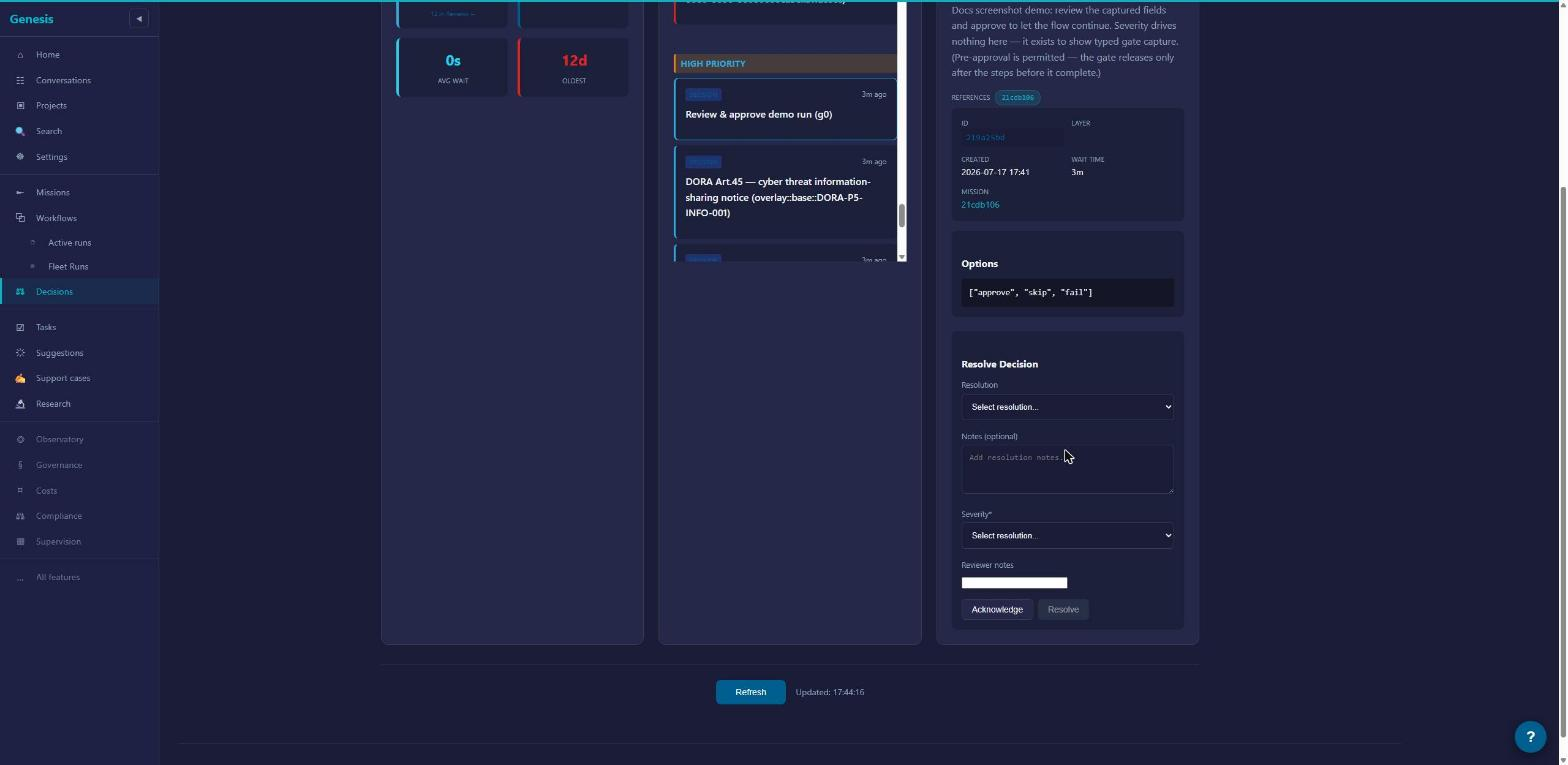
A gate pauses the run and asks you to decide. You give each gate a label and instructions — the text the decider reads when the gate fires. While it waits, the gate sits in your Decisions queue (Decisions).
A gate can capture data, not just approval. Add typed fields — String, Number, Bool, Json, or Enum — and the values the decider fills in leave the gate on its response pin, available to every node downstream.
For routing decisions, give the gate named decisions: each becomes a human-labelled outgoing arm ("Ship it" / "Needs rework"), and the run continues down whichever arm the decider picks.
A gate can carry a timeout. If nobody decides in time, the gate does what you chose when authoring: fail the step, or skip it and move on. No gate ever approves itself — auto-resolution is a per-gate opt-in you configure deliberately, never a default (governance).
Branch
Branch — the Branch / Switch tile — routes on data instead of on a human. You write an ordered list of cases; at run time the first case that matches wins, and the run continues down that case's arm. A case matches in one of two ways: give it a match value to compare against the wired selector, or give it an Expression — a boolean rule — and that case becomes a Switch arm, routing by rule instead of by value. Every Branch has exactly one else arm for when nothing matches. Once arms diverge they stay apart — see the validator rules below.
Loop
Loop repeats a step until its result is accepted, up to a maximum of 10 attempts. It is a legacy construct: retired for new authoring, so you won't find a Loop tile in the Structural section. Published workflows that contain one still run, unchanged. For anything you author today, reach for ForEach below.
Fan-out in parallel (MapFanOut)
MapFanOut — the Map / Fan-out tile — runs the same body once per item of a list, in parallel. You point it at a source pin — the upstream output holding the list — name the item variable the body reads, and it fans out up to 1000 items.
The body is deliberately small: a single catalog step, or a sub-workflow when one step isn't enough (Anatomy covers sub-workflows). The natural shape is three nodes: a prepare step that loads the list, the per-item body, and a reduce step that aggregates the results. Items normally run independently; if some items must wait for others, declare sibling dependencies and the fan-out runs as a small dependency graph instead of a free-for-all.
Fan-out one at a time (ForEach)
ForEach — the For Each tile — walks the same list one item at a time, in order, and supports breaking out early when a condition is met.
Its body comes in two shapes, mutually exclusive:
- Inline body — one catalog step (or a sub-workflow) run once per element, with an optional break condition checked between items.
- Loop Body region — wire the tile's Loop Body to a small multi-step sub-graph of plain catalog steps, with one Branch driving the live Break pin when you need to stop early. That buys you a real multi-step body without splitting off a sub-workflow; nesting further structural tiles inside the region is still rejected.
Which one do you want? MapFanOut when items are independent and you want throughput. ForEach when order matters, when each item should see the effects of the previous one, or when you want to stop as soon as one item succeeds.
Wait
Two tiles, two behaviors:
- Wait (timer) pauses the run for a fixed duration — from 1 minute up to 28 days.
- Wait (event) pauses the run until something happens elsewhere in the platform. Six event types are live:
mission.created,conversation.completed,support-case.created,incident.created,batch.completed,mr.merged.
Finally
Finally is for cleanup — releasing a lease, closing out a workspace, posting a summary. Whatever it wraps, the cleanup runs exactly once, whether the surrounding flow succeeds, fails, or is cancelled. Use it when a step acquires something that must not leak.
One caveat: Finally has no palette tile. Today it is authored in the graph payload itself — the agent/MCP authoring path — not placed from the editor.
Rules the validator enforces
When you Publish a draft — or dry-run the same checks with the workflow_validate_draft tool — everything is checked at once and every problem is reported together (lifecycle). For control flow, three rules matter most:
- Arms stay isolated. Branch cases, a gate's named decisions, and outcome arms (Anatomy) never reconverge downstream. An arm that leads nowhere is a valid dead end, not an error.
- Fan-out bodies stay flat. A MapFanOut body is one catalog step or one sub-workflow; a ForEach body is that — or a wired Loop Body region of plain steps. Either way, you cannot nest further structural control inside the body itself. Need more? Put it in a sub-workflow.
- Gate dominance. Every dependency path to a node that writes must pass through a gate. If any route around a gate reaches a write, the publish is refused and the problem list names it.