Watching a run
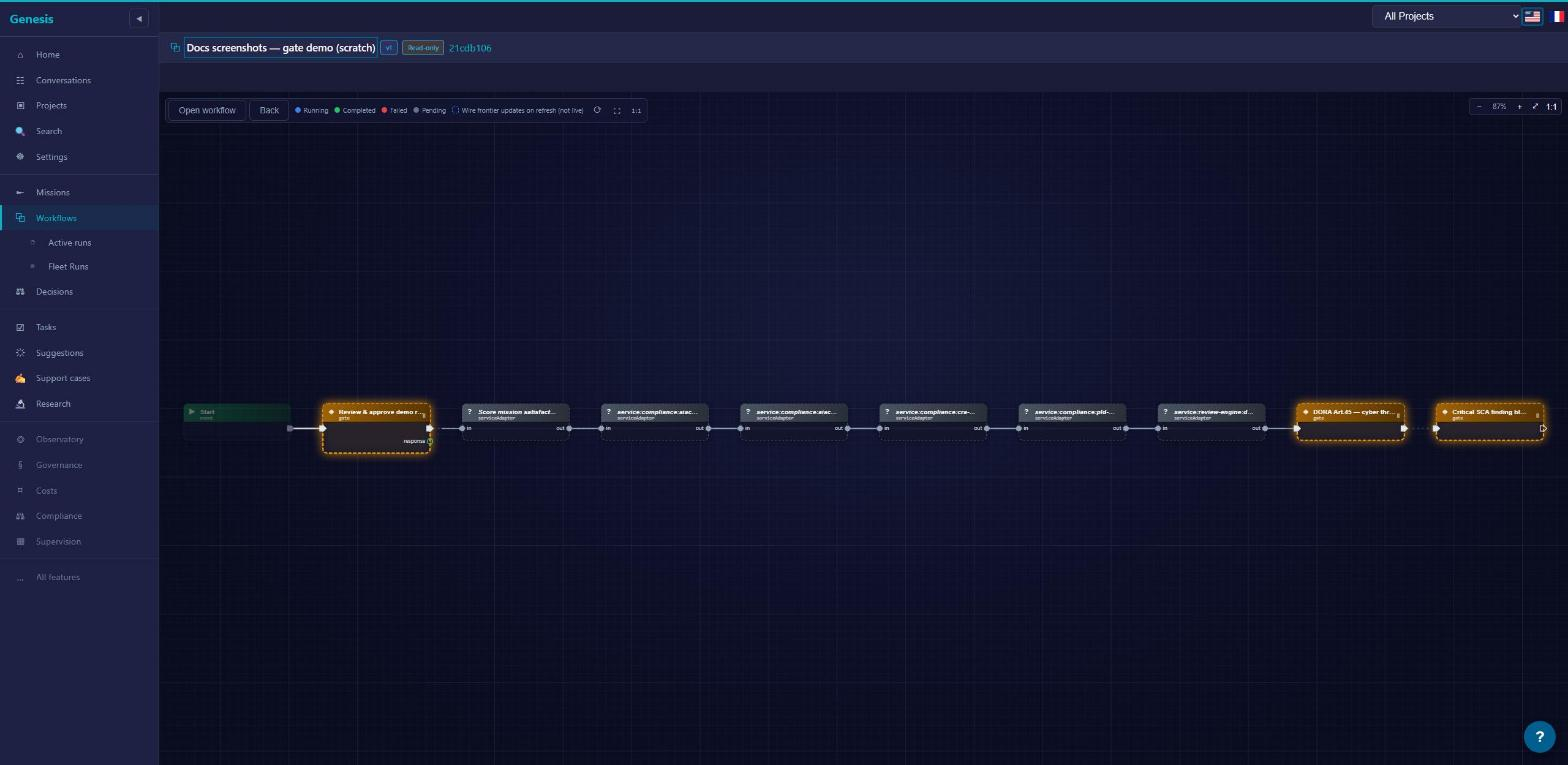
A run is a proposal, and you should never have to accept a proposal you can't inspect. The run viewer shows you what a run actually did — every node, every prompt, every file it touched — while it executes and after it finishes. When the run viewer doesn't know a value, it shows nothing rather than guessing. An empty field means "not recorded", never "invented".
The run viewer
Every run belongs to a mission. Open the mission, find the run on its runs board, and click it — the run viewer opens on the same graph you published, now painted with execution state. At a glance you see which nodes completed, which failed, and which one is holding the run at a gate.
The run's URL is shareable — anyone you send it to lands on the same run. And wherever a node is referenced elsewhere in the UI, that reference deep-links into the viewer with the node's sheet already open. That deep link is the fastest way to say "look at this step" in a bug report.
The viewer covers a run in any state — still executing, parked at a gate, or finished and waiting as Proposed. What happens next — accepting the proposal, or leaving it — is covered in Runs, acceptance & changements.
The node sheet
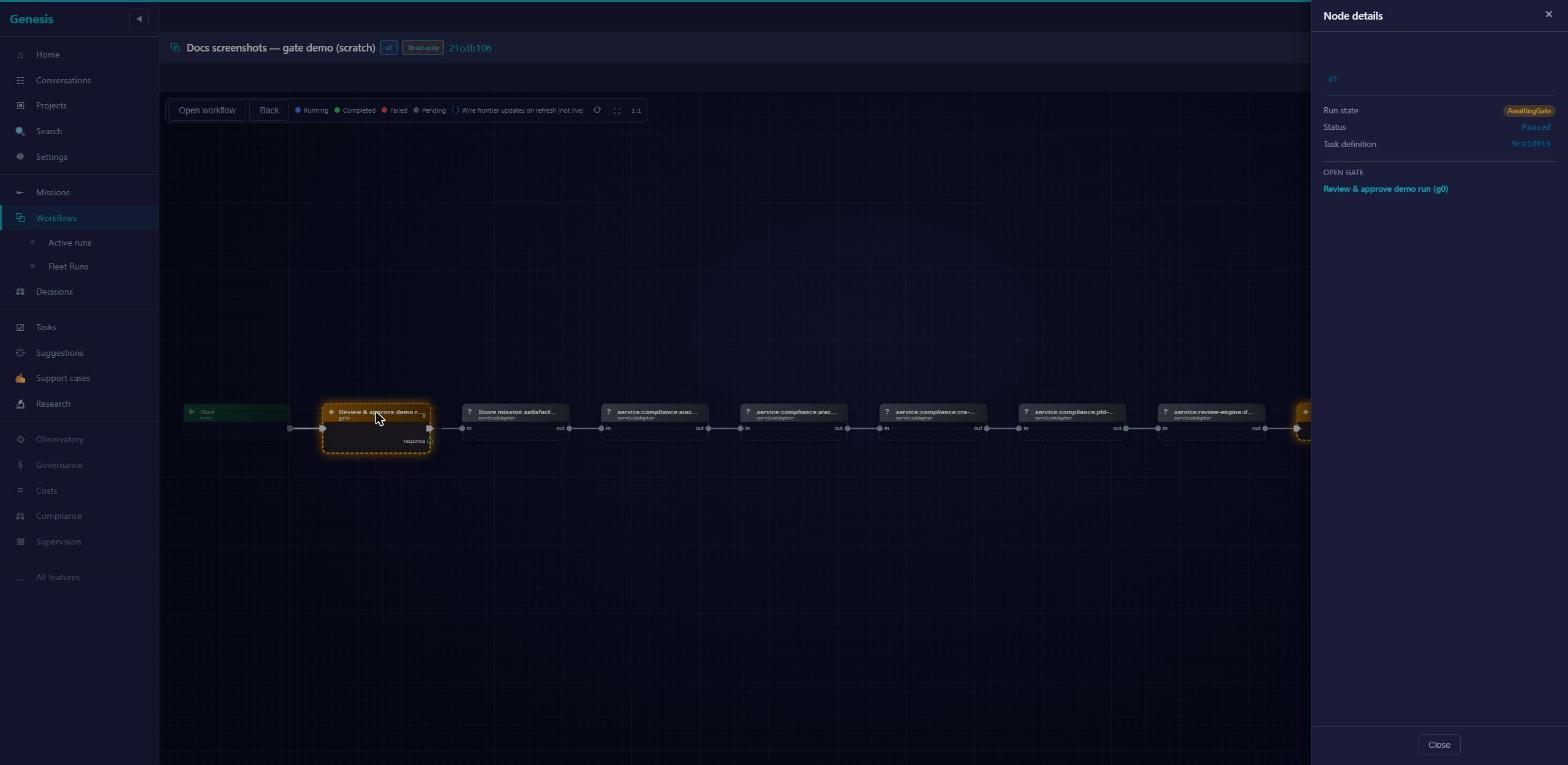
Click a node and its sheet opens: status, failure reason if it failed, start time and duration, how many attempts it took, and the tokens it consumed. If one of those values wasn't recorded, the row is simply absent — the sheet never fills a gap with a plausible number.
The sheet also links outward. A node that dispatched a coder links to the coder task. A node that raised a gate links to that decision. A multi-arm node — the async coder or service:mission:integrate — shows which arm the run actually took (outcome arms).
Finally, the sheet flags nodes that didn't come from the author's hand — generated, injected or amended; a node you authored carries no origin badge at all. Provenance matters when you're deciding how much to trust a step — a control you placed yourself reads differently from one governance added.
Gate sheets
When a run pauses at a gate, the gate lands in your Decisions queue, and its sheet shows the exact variable snapshot the run held when it raised the gate. That snapshot is frozen: what you approve is what you saw, not whatever the values become later.
A gate can carry typed capture fields (String, Number, Bool, Json, Enum) and named decisions — the same shapes described in Gates. Fill them on the sheet; your answers flow back into the run.
Injected controls are visually distinguished from authored gates. If the pause you're looking at was required by the publish floor rather than placed by the workflow's author, the sheet says so — see Governance for why those controls exist and why they can't be negotiated away at run time.
The coder session panel
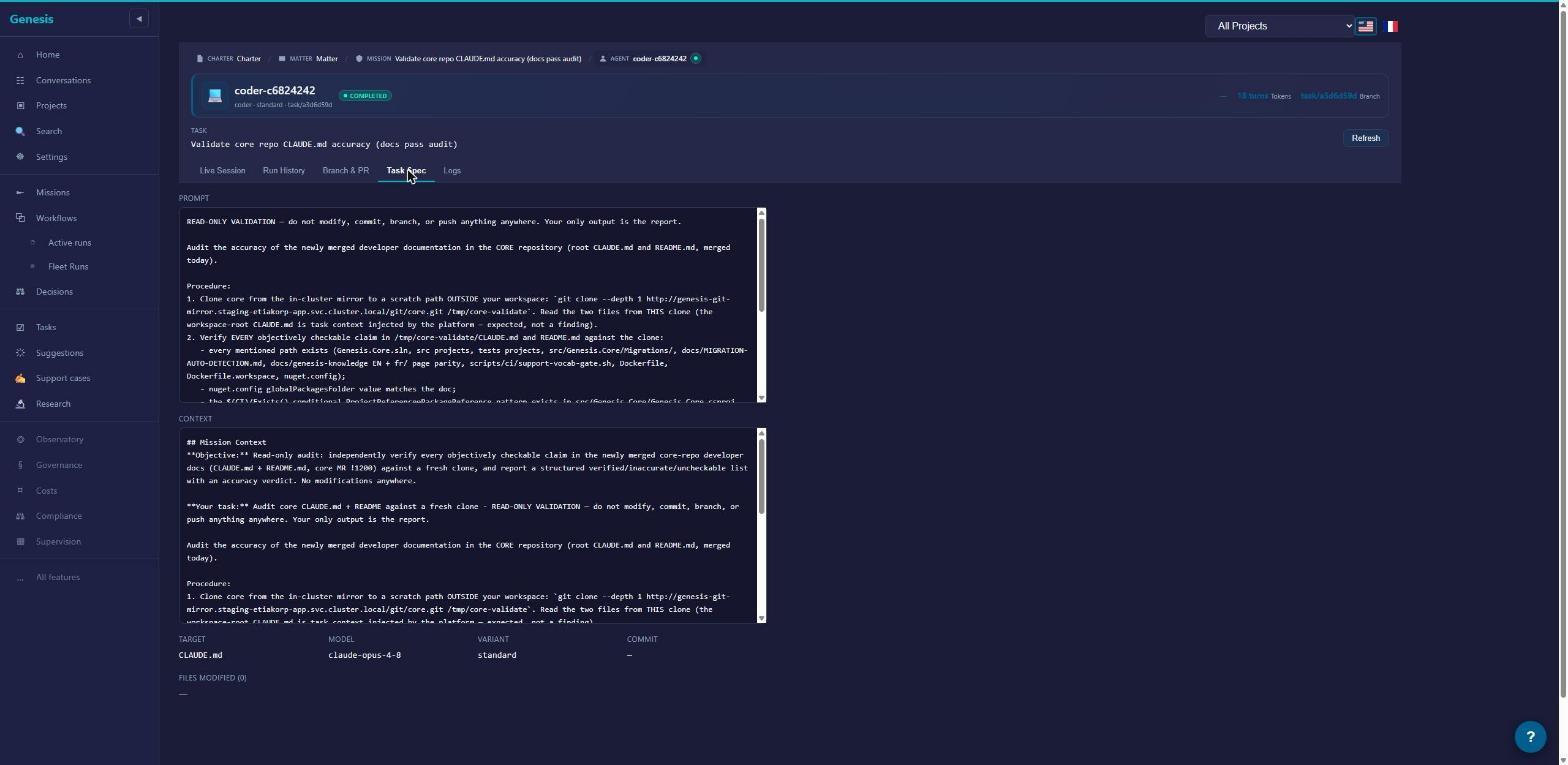
When a node dispatched a coder, its sheet includes a Coder Session panel — the full record of what that coder was told and what it did:
- The effective prompt, exactly as dispatched. Expandable to the full text. This is what the coder actually received — not a summary, not a reconstruction.
- Files touched. Every file the session changed, listed.
- Diff on demand. Click Load changes to render the full diff — file count, additions and deletions, real hunks.
- Downloads. Any file individually, or everything as one zip.
This panel is how you audit a coder without leaving the run. For what coders are and how they work, see Coders.
From run to mission and back
The run viewer is one hop from everything it touches. The breadcrumb takes you back to the mission, where the runs board shows this run next to its siblings. The node sheet takes you to the coder task or to the raised decision. And references to the run elsewhere in the UI — on a decision card, on the mission page — link straight back here.
When you've seen enough, the decision happens on the mission page, not in the viewer: Accept the run — or decline it. The viewer's job ends where yours begins — it shows; you decide.